
DeathSentence
A very versatile death message plugin with sensible fallbacks. From adding your own custom death messages to reformatting the vanilla ones, this plugin…
⬇ Download on Modrinth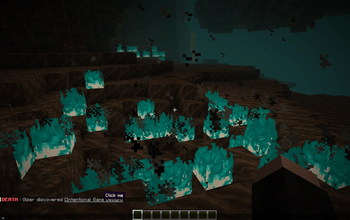
Death Sentence
Introduction
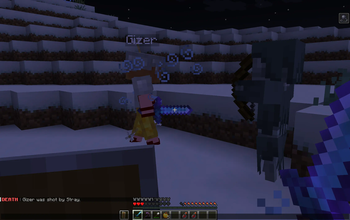
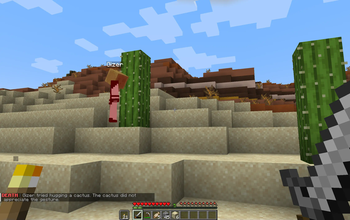
DeathSentence is a plugin that allows you to customize death messages. The configuration provides extensive freedom to specify death messages for very specific circumstances. For example you could create a death message that you only get if a snowman kills you by throwing a snowball at an end crystal, which you explode from. Additionally, you could specify that this message should only appear for players with a certain permission, for players in a certain type of world as well as several other options!
The default configuration comes with a wide range of death messages for all of the circumstances in which a player regularly dies in the vanilla game. It also contains a lot of comments that explain how to configure the plugin.
Feature overview
- Specify death messages for both very broad and very specific circumstances
- Support for custom text formatting (MiniMessage)
- PlaceholderAPI support
- Customize DeathMessage formatting (this includes vanilla messages)
- Configurable cooldown between death messages for a player
- Advanced fallback logic - if none of the specific death messages apply a more generic one is used (you will always get a death message)
- Allows for keeping the vanilla death messages and only expanding/reformatting them
Installation
To install the plugin, simply Download the .jar-File and drop it into your plugins Folder. Once you restart the server, a plugin folder (plugins/DeathSentence) will appear, in which you can find the default config.yml. In there you can find detailed instructions on how to configure the plugin.
Support
If you encounter any issues with this plugin, you can either submit a bug report via GitHub or if you have general questions you can write in #support on our Discord Server.
- Edition: Minecraft Java
- File type: .jar
- Minecraft versions listed: 1.19.4, 1.20, 1.20.1
- How to install: Install the matching mod loader (Forge, Fabric or NeoForge) for your Minecraft version. → Download the .jar. → Put it in the .minecraft/mods folder and launch that loader profile.
- Where to get it: Opens on Modrinth — not every file is mirrored on our own servers.
Install steps are the general flow for this file type — How to install Minecraft Java mods & modpacks walks through it step by step.
- Ships as deathsentence-1.1.0.jar — drop this file into the mods folder
- Download size: 52 KB
- Download link checked 5 Sept 2026 — working
These come from our own check of the pack file, not from the source page.