
NPC Mannequins in Survival
Java mod listed for Minecraft 1.21–26.x. Downloads from the MC Java Mods app on Android.
I don't know my version or loader

NPC Mannequins in Survival (NMIS for short) is my debut Paper plugin that allows for you to use the new mannequin mobs introduced in Java 1.21.9 in survival mode as decoration (similar to armor stands):
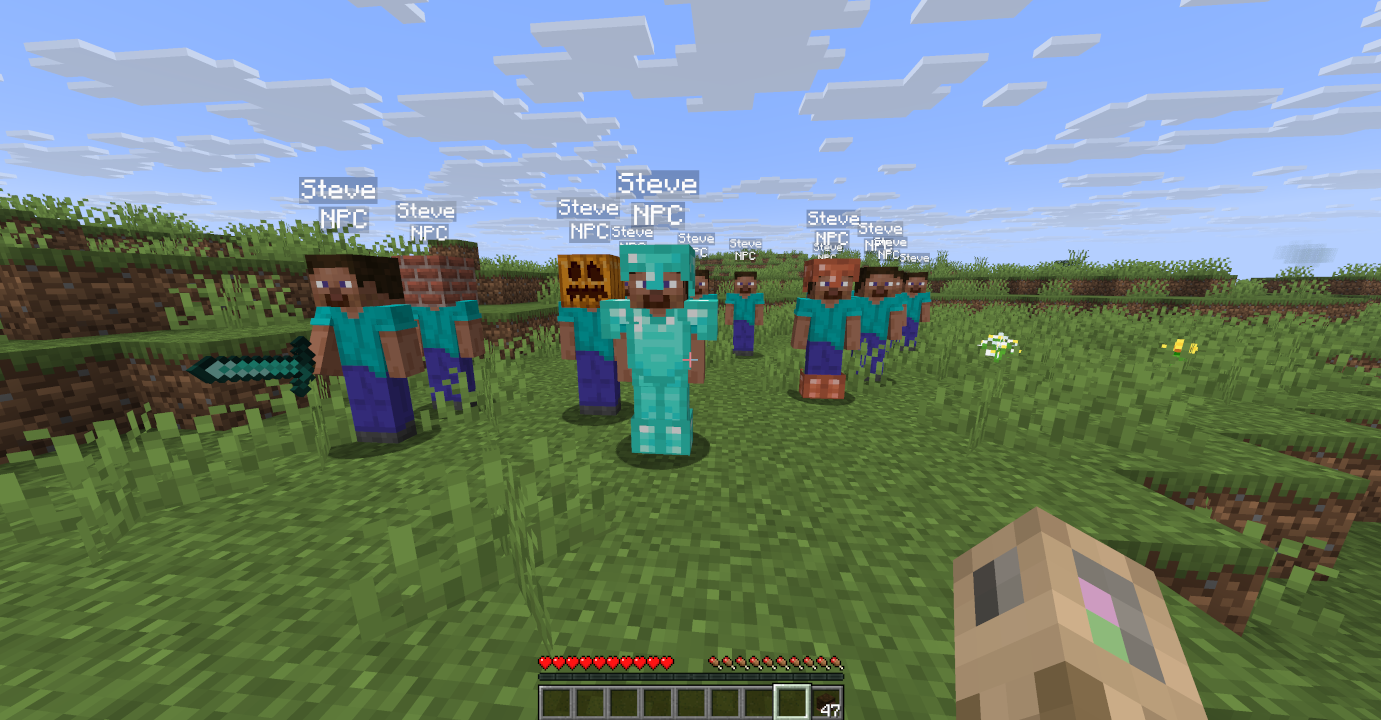
Basics
Mannequins are spawned in via a craftable item called a Mannequin Soul. To make a basic Soul, all that needs to be done is put a piece of paper named "Mannequin Starter" (or simply "ms") in the crafting grid:
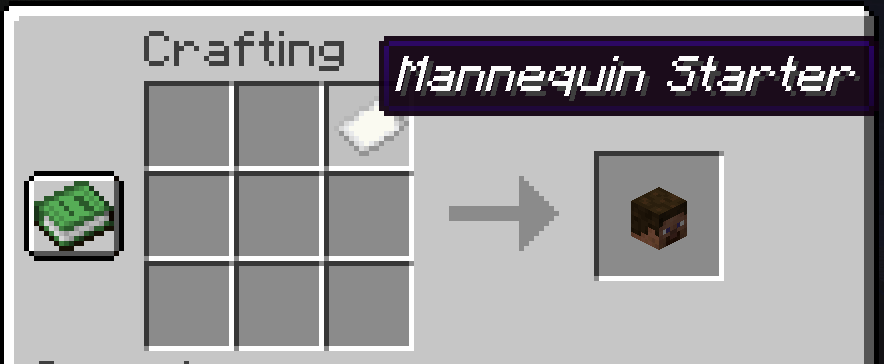
To spawn this mannequin, place the crafted soul on the ground. Crouching whilst placing the mannequin soul will copy the pitch that you are looking in.
Extras
Ingredient Modifiers
You may also add extra ingredients to the crafted Mannequin Soul:
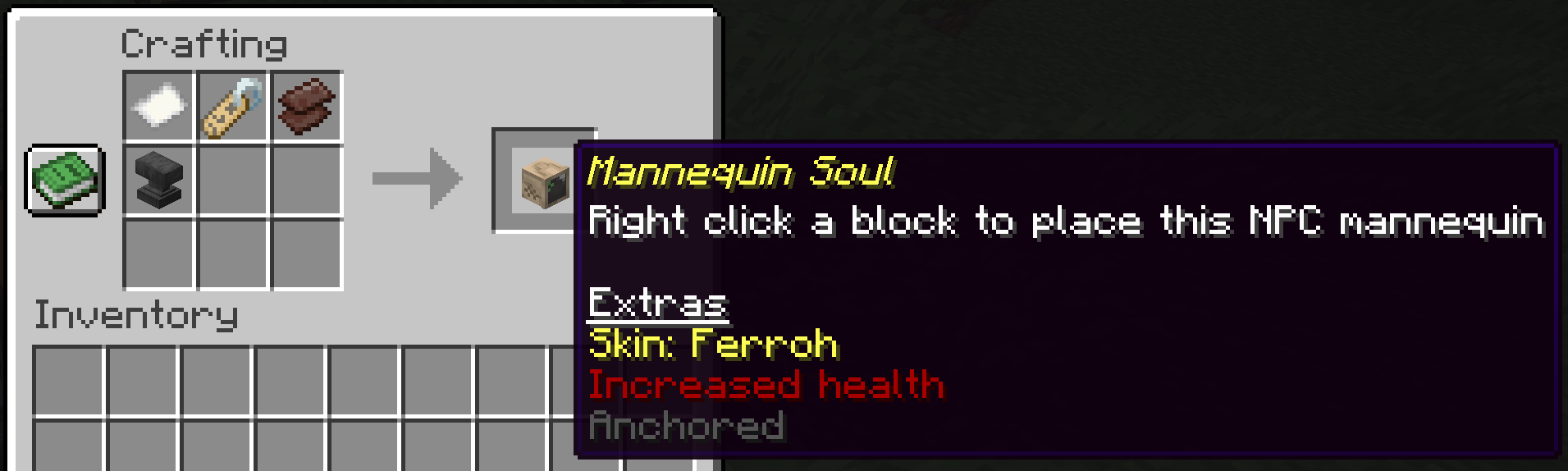
The current ingredients that you can add are as follows:
- Name tag: Applies the skin of a Minecraft Java Edition username based what the name tag was renamed to. The skin on the mannequin will stay the same even if the person with the Minecraft account changes the skin.
- Netherite scrap: Sets the maximum HP of the mannequin to 50 hearts
- Anvil: Prevents the mannequin from moving and falling. Can be applied post-mannequin-creation to anchor mannequins after the fact.
Equipment
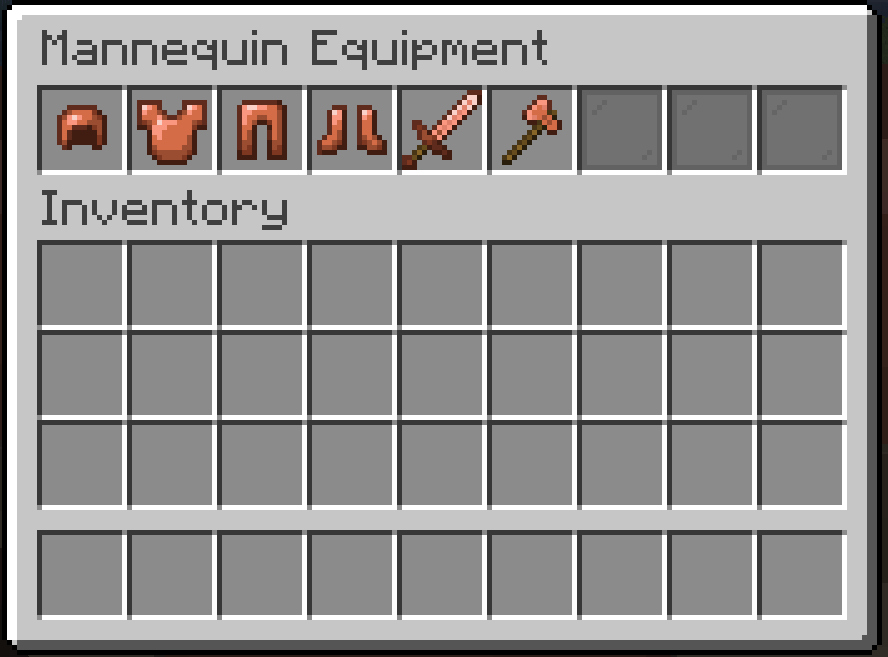
Mannequins may be equiped with armor and hold items. Right click to open the mannequin inventory:
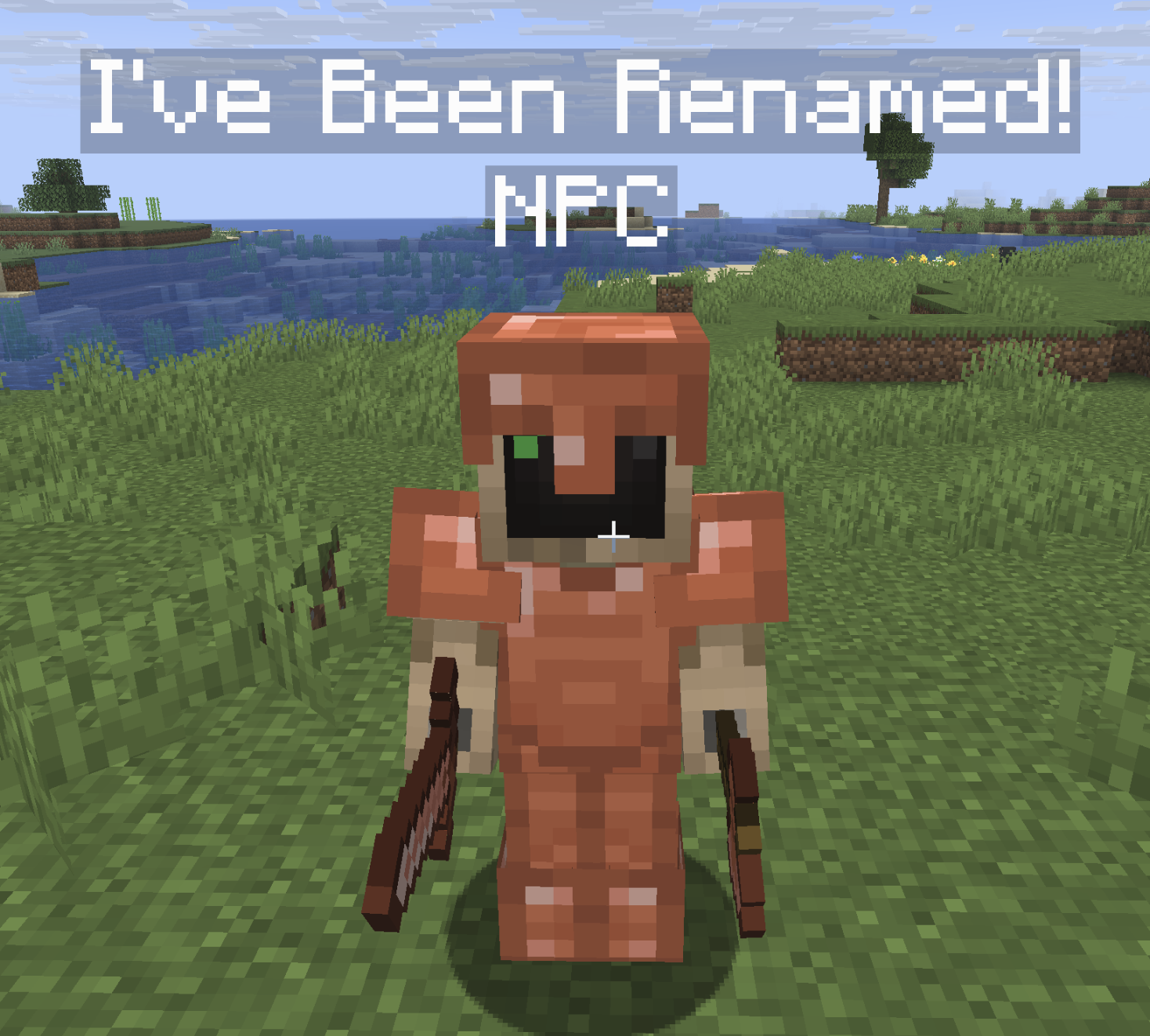
Rename Your Mannequin
You can use a name tag on a mannequin like a normal mob:
Poses
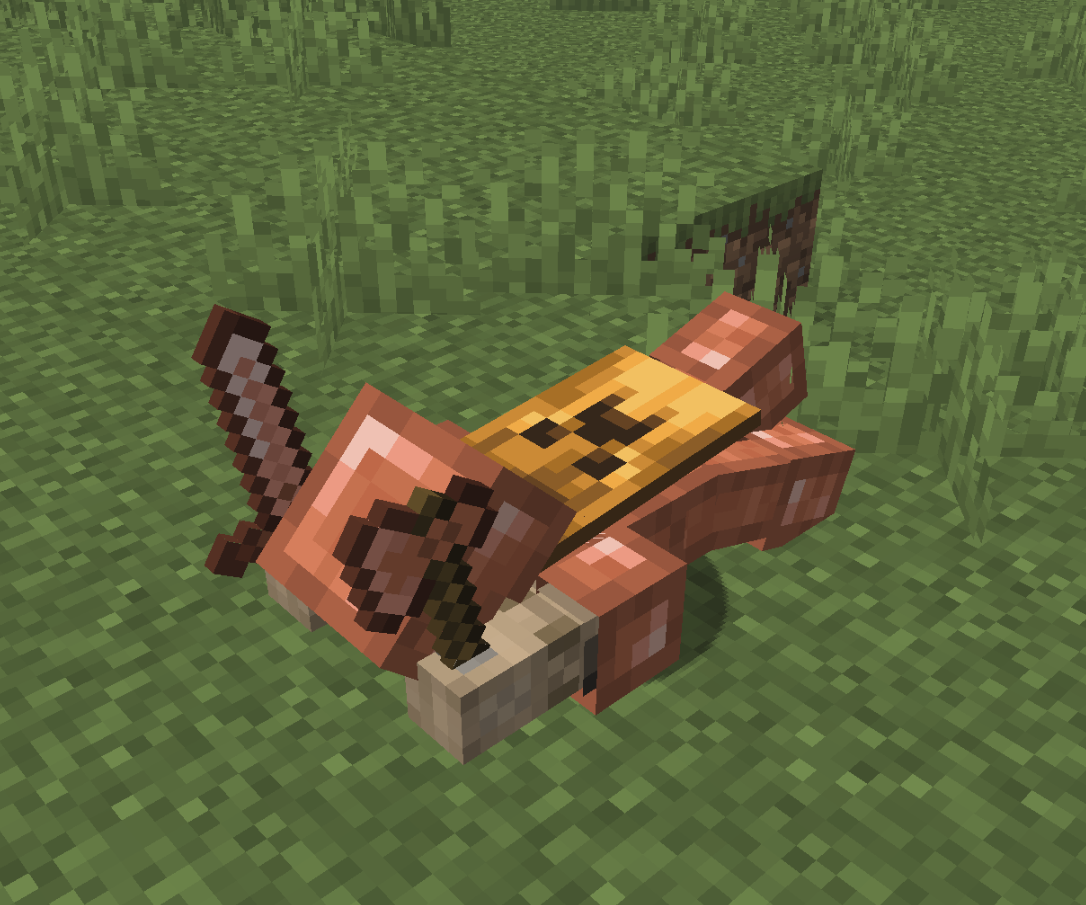
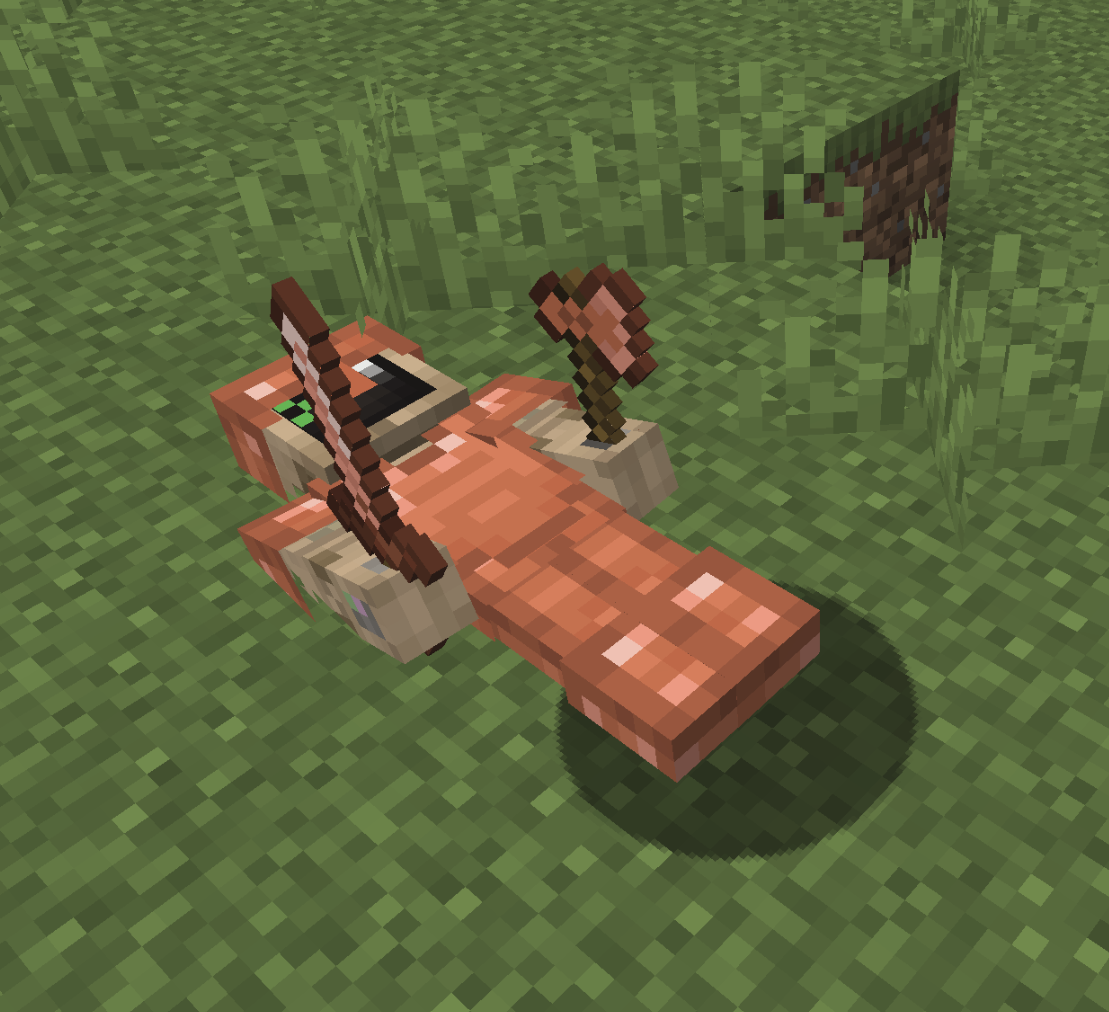
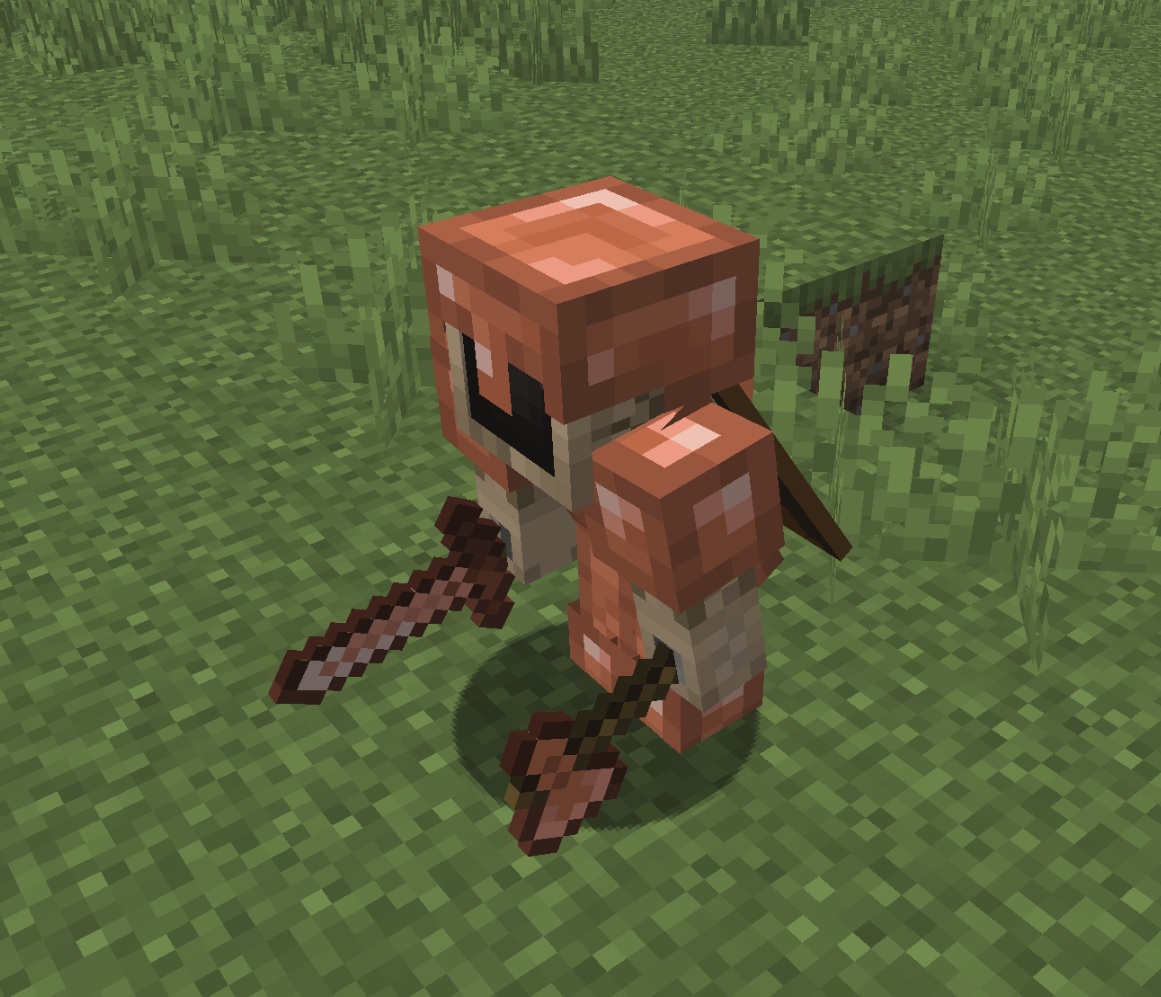
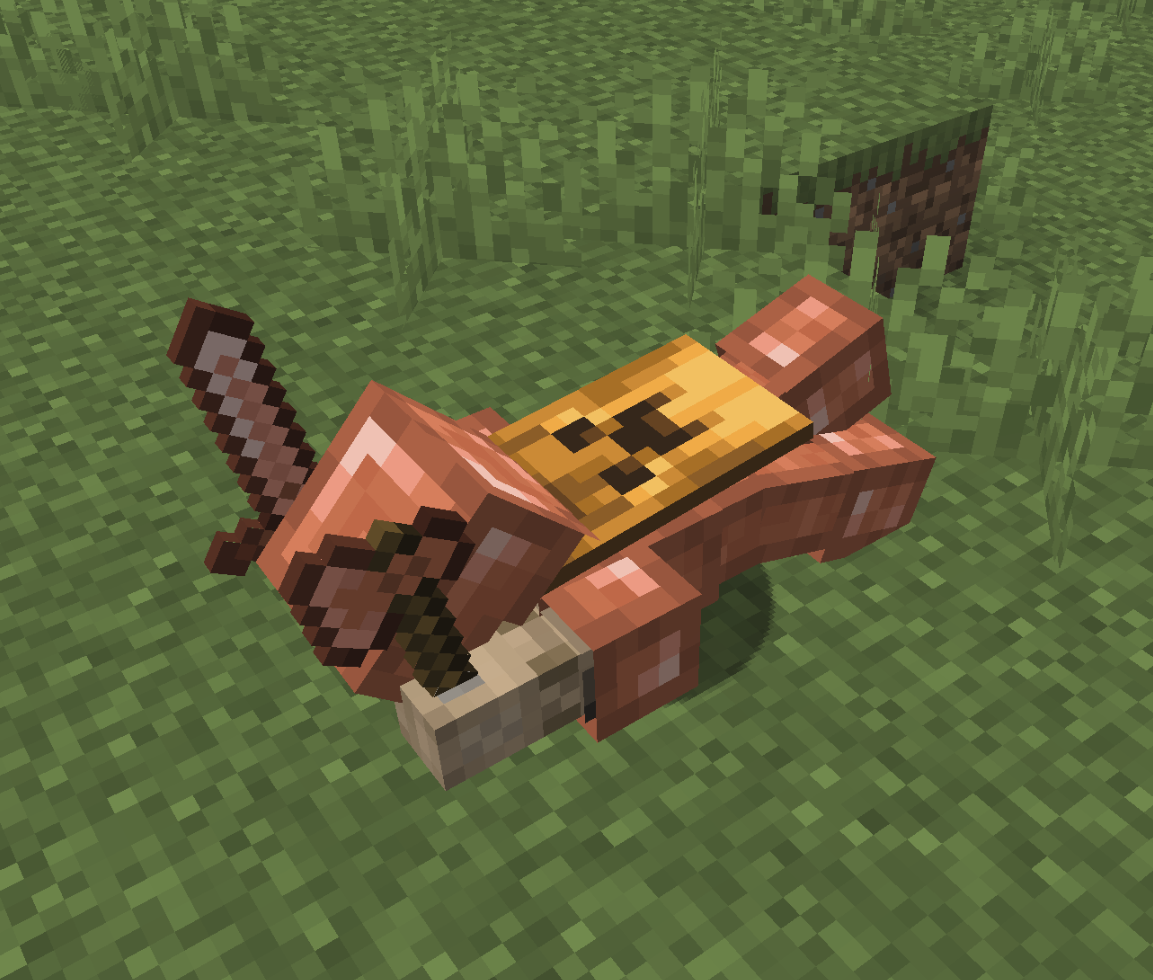
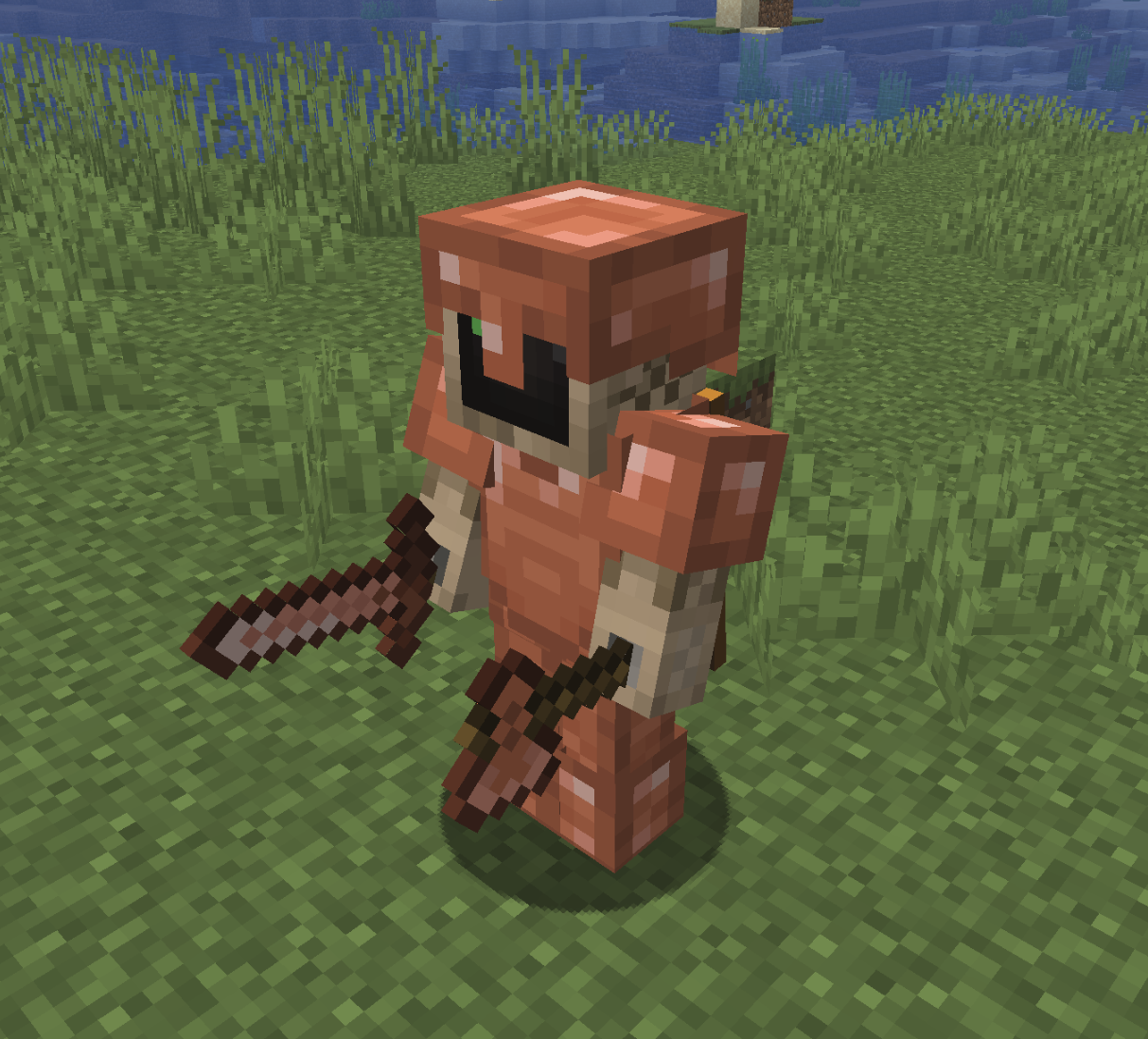
Right click with a feather in your hand to "tickle" the mannequin into a new pose:
Fall Flying
Sleeping
Sneaking
Swimming (similar to fall flying)
Standing
More About this Plugin
Config Options
By default, the "NPC" tag displays under mannequins to avoid confusing players. You can disable this in the config.yml that is generated.
Get Support, Give Feedback, Say Hello
Join the Discord server for the things that I make: Ferroh's Things! I will do my best to be as responsive as possible.
Support Me
If you find this plugin useful you may click here to donate.
- Edition: Minecraft Java
- File type: .jar
- Minecraft versions listed: 1.21.10, 1.21.11, 26.1
- How to install: Install the matching mod loader (Forge, Fabric or NeoForge) for your Minecraft version. → Download the .jar. → Put it in the .minecraft/mods folder and launch that loader profile.
- Where to get it: Opens on Modrinth — not every file is mirrored on our own servers.
Install steps are the general flow for this file type — How to install Minecraft Java mods & modpacks walks through it step by step.
- Ships as NMIS-1.1.0.jar — drop this file into the mods folder
- Download size: 77 KB
- Download link checked 16 Oct 2026 — working
These come from our own check of the pack file, not from the source page.