
AiServerAssistant
I don't know my version or loader
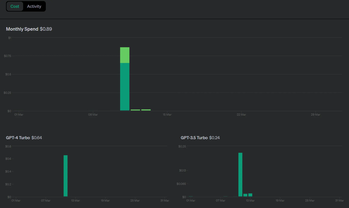
About
This is a plugin that allows you to integrate ChatGPT into your server as a form of player assistant. You can configure a personality and your basic server features and players can ask it all sorts of questions.
Dependencies
AiCore is REQUIRED! https://modrinth.com/plugin/aicore
Commands
/aisa reloadreloads the plugin and defaultsaisa.adminpermission required
/aisa force_encryptforces the plugin to update the encryption manually. only use this if you have to update your API Key. This can technically be done by setting the API Key in config and setting Encrypted to false. Its actually never recommended to use this command because its likely you'll get something wrong.aisa.adminpermission required
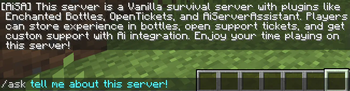
/ask <question>This the main command! The plugin will attempt to answer any question that follows and should hopefully ignore anything that isn’t minecraft or server related.
aisa.chatpermission is required for players to use the in-chat feature! To speak to the bot, use "hey botname" at the start of a message.
Intial Setup
STEP 1: If you do not have an OpenAI account, create one. https://platform.openai.com/docs/quickstart/account-setup
STEP 2: Create an API Key https://platform.openai.com/account/api-keys
STEP 3: Update the "keys.yml" file with your API Key and set "encrypted" to "false"
STEP 4: Start the server! It will AUTOMATICALLY ENCRYPT THE API KEY!
STEP 5: Verify your prompt.txt file. It should work well enough, but tweak it to your liking.
You only need to follow these steps if you need to change your api key.
API KEY SECURITY NOTICE
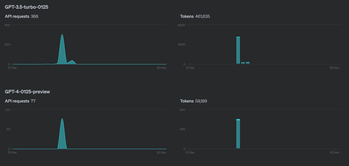
By default, the plugin is designed to use an encryption algorithm to mask your tokens and orgs. Its not entirely fool proof, and you should monitor your usage closely. If you see that your usage includes models you normally aren’t using - change keys immediately and remove the old one.
I do not include an encryption class for self compiling users. You will need to implement your own logic here. I would recommend hosting your own webservice and making authenticated calls to that instead of storing them anywhere staff/players might have access to them.
Support or Suggestions?
Please use "Issues" on Github or My Support Discord!
- Edition: Minecraft Java
- File type: .jar
- Minecraft versions listed: 1.18.2, 1.19, 1.19.1
- How to install: Install the matching mod loader (Forge, Fabric or NeoForge) for your Minecraft version. → Download the .jar. → Put it in the .minecraft/mods folder and launch that loader profile.
- Where to get it: Opens on Modrinth — not every file is mirrored on our own servers.
Install steps are the general flow for this file type — How to install Minecraft Java mods & modpacks walks through it step by step.
- Ships as AiServerAssistant-2.0.0.jar — drop this file into the mods folder
- Download size: 26 KB
- Download link checked 5 Sept 2026 — working
These come from our own check of the pack file, not from the source page.