
ModsJava
Random Item Generator
The Random generator plugin adds a fun twist to your Minecraft server by randomly giving items to selected players. You can control how, when, and what…
⬇ Download on Modrinth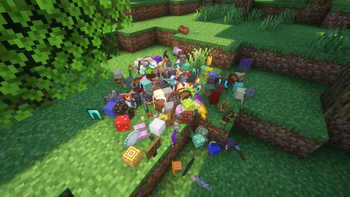


🧨 RandomDrops
Bring chaos or fun challenges to your server with random item drops!
RandomDrops is a lightweight Minecraft plugin that periodically gives random items to selected players. It's fully configurable — control the frequency, quantity, item types, and even how the items are delivered.
✨ Features
- 🎯 Target specific players – Only drop items for chosen players.
- ⏱️ Customizable drop intervals – Set how often drops happen.
- 📦 Three drop modes – Choose between normal, full stacks, or line mode (9-slot layout).
- 🧍 Everyone gets the same items – Or not. Up to you.
- 🥚 Control whether spawn eggs drop.
- 💬 Optional feedback messages – Let players know what they got.
- 🎲 Luck Dupe System – Chance-based item duplication.
- 🔧 Easy-to-use command system.
🛠 Commands
/rd start                                      → Start the item drops.
/rd stop                                       → Stop the item drops.
/rd add <player>                               → Add a player to the drop list.
/rd remove <player>                            → Remove a player from the list.
/rd playerlist                                 → Show all players currently added.
/rd setting DropsInterval <t>                  → Set drop frequency (in ticks).
/rd setting Drops <n>                          → How many items are dropped per interval.
/rd setting DoEggsDrop <true/false>            → Toggle dropping of spawn eggs.
/rd setting DropMode <...>                     → Choose how items are delivered.
/rd setting SendItemFeedback <true/false>      → Enable/disable feedback.
/rd setting EveryoneSame <true/false>          → Give same items to all players.
/rd setting LuckDupe <true/false>              → Enable the duplication system.
/rd setting SendLuckDupeFeedback <true/false>  → Dupe message toggle.
/rd setting LuckDupeChance <...>               → Set dupe probability level.
/rd setting LuckDupeChances                    → Show dupe probabilities.
/rd reset                                      → Reset all settings to default.
/rd help                                       → Show help.
💖 Support
If you'd like to support me:
Quick facts
- Edition: Minecraft Java
- File type: .jar
- Minecraft versions listed: 1.21.1, 1.21.2, 1.21.3
- How to install: Install the matching mod loader (Forge, Fabric or NeoForge) for your Minecraft version. → Download the .jar. → Put it in the .minecraft/mods folder and launch that loader profile.
- Where to get it: Opens on Modrinth — not every file is mirrored on our own servers.
Install steps are the general flow for this file type — How to install Minecraft Java mods & modpacks walks through it step by step.
Verified by MCModsHub
- Ships as random-drops-1.3.2.jar — drop this file into the mods folder
- Download size: 30 KB
- Download link checked 5 Sept 2026 — working
These come from our own check of the pack file, not from the source page.