SecureJoin
Protect your community with server-wide or per-user passwords. Keep unwanted players out while letting trusted users in easily.
⬇ Download on Modrinth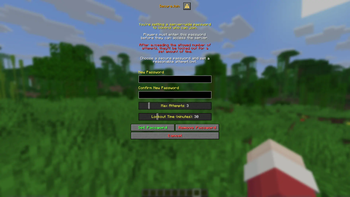
SecureJoin
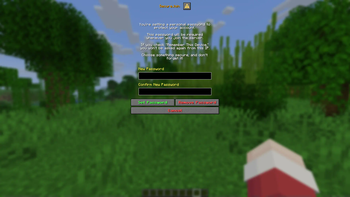
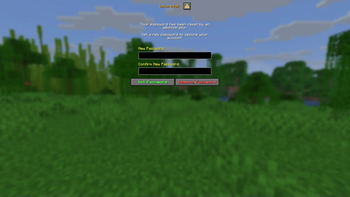
SecureJoin adds a security layer to your Minecraft server by requiring players to enter a password before fully joining. Perfect for small communities, or private servers. SecureJoin helps prevent account hijacking and unauthorized access.
Utilizes Minecraft 1.21.6's dialogs for a better UI/UX design.
Features
- Server-wide password protection
- Per-user account passwords
- IP-based session remembering ("Remember this device")
- Lockout system after too many failed attempts (optional)
- Server isolation before authentication
- Admin tools to reset user passwords
Commands
/setserverpassword- Opens a dialog to set the server's password, and configure lockout options./setuserpassword- Opens a dialog to set your own account password/resetuserpassword <player>- Resets the player's password, and requires them to set a new one on the next login.
Credits:
All Plugin Development is by (@teakivy)
Support
For Plugin support, Join my discord (dsc.gg/teakivy) and ask for help in #❓︱support
- Edition: Minecraft Java
- File type: .jar
- Minecraft version listed: 1.21.6
- How to install: Install the matching mod loader (Forge, Fabric or NeoForge) for your Minecraft version. → Download the .jar. → Put it in the .minecraft/mods folder and launch that loader profile.
- Where to get it: Opens on Modrinth — not every file is mirrored on our own servers.
Install steps are the general flow for this file type — How to install Minecraft Java mods & modpacks walks through it step by step.
- Ships as SecureJoin-0.1.0.jar — drop this file into the mods folder
- Download size: 57 KB
- Download link checked 5 Sept 2026 — working
These come from our own check of the pack file, not from the source page.