
STR OreGen
I don't know my version or loader
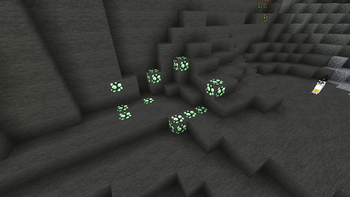
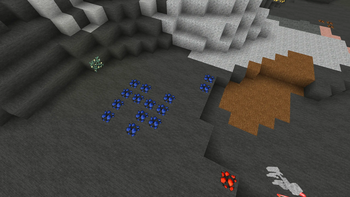
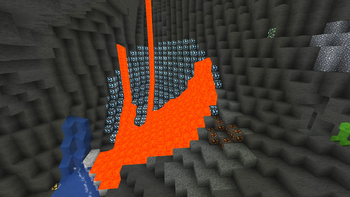
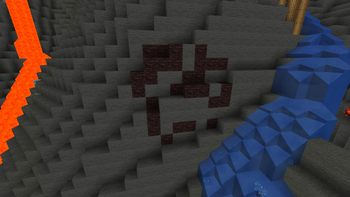
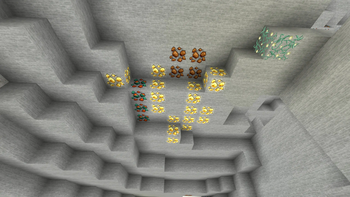
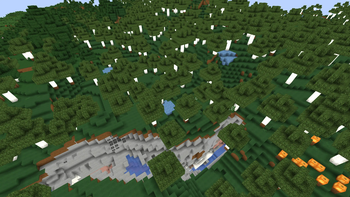
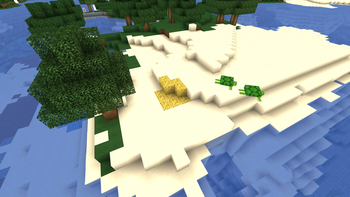
This Bukkit plugin will randomly add extra ores to new chunks as they are generated. At this time, only the default Minecraft ores are supported. Currently, the ore generation only works in the Over World. Even though the generation only takes place in the Over World, ores from any dimension may be used.
The ores are generated in spherical blobs based on a configuration file. The default configuration file will be created after the plugin's first run. For best use, this plugin should be used with brand new worlds. A reproducible seed value is generated for each ore in the configuration and per each individual chunk. If the world is deleted and regenerated and no changes have been made to the world seed or configuration, the ores will generate in the exact same locations. Changing the world seed will change the locations where the ores generate. Making any changes to the configuration for an ore will change the locations where the ore generates.
Here is a quick explanation of the configuration file:
oreGenSettings:
  - ==: OreGenSettings
    percentChancePerTry: 40.0
    maxPerChunk: 2
    ore: CLAY
    triesPerChunk: 4
    percentChancePerBlock: 80.0
    radius: 5.5
    logAttempts: 'true'
    replacedBlocks: SAND,DIRT,COARSE_DIRT,GRASS_BLOCK,GRAVEL
- ore: This is ore that will be added to the chunk.
- radius: The radius of the sphere to be generated. Minimum is 0.5 and the maximum will typically be 16 but is computed on the fly and if the configuration value is larger than the computed max then the computed max will be used.
- triesPerChunk: This controls how many times the plugin will attempt to add the ore to the chunk. There are several reasons why adding the ore will fail. Minimum is 1, maximum is 50.
- maxPerChunk: This is the maximum number of successful attempts to add the ore to the chunk. Even if only one block is converted to the ore, this is considered a success. Minimum is 1, maximum is 50.
- percentChancePerTry: This is a percent value (i.e. 40 is 40%.) If this check fails, the attempt is not successful. This is a double sized value and can be very small so as to make some ores very rare. Minimum is 0, maximum is 100.
- percentChancePerBlock: This is a percent value (i.e. 80 is 80%.) If this check fails, the block will not be converted to the ore. Minimum is 0, maximum is 100.
- replacedBlocks: Optional. If not specified, the default list of replaced blocks will be: GRANITE, STONE, ANDESITE, DIORITE, CALCITE, DEEPSLATE, TUFF
- logAttempts: Optional. If specified as 'true', both failed and successful attempts to generate the ore will be added to the server's logs.
- Edition: Minecraft Java
- File type: .jar
- Minecraft versions listed: 1.20, 1.20.1
- How to install: Install the matching mod loader (Forge, Fabric or NeoForge) for your Minecraft version. → Download the .jar. → Put it in the .minecraft/mods folder and launch that loader profile.
- Where to get it: Opens on Modrinth — not every file is mirrored on our own servers.
Install steps are the general flow for this file type — How to install Minecraft Java mods & modpacks walks through it step by step.
- Ships as STR.OreGen-1.20.1-1.0.1.jar — drop this file into the mods folder
- Download size: 10 KB
- Download link checked 5 Sept 2026 — working
These come from our own check of the pack file, not from the source page.