
Dragon Cancel
I don't know my version or loader



Dragon Cancel
#cancelled
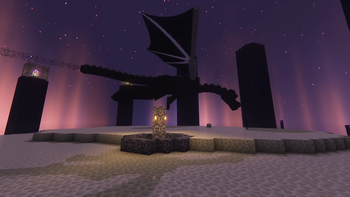
If you're a server owner looking to take back The End for your own purposes, nefarious or otherwise, then you've come to the right place. No more will that pesky dragon bother you or your creations in The End, or any other world you choose.
How it works:
Dragon Cancel takes advantage of the NBT API provided by the lovely tr7zw to edit the
level.datfile contained in any existing world folder you've specified.
Specifically, it changes the value of
PreviouslyKilledtotrue, so that when a player is teleported to The End for the first time, the dragon and its portal does not spawn. It will also quite literally cancel any attempts at the EnderdragonEntitySpawnEventin that world.
Really, it's that easy.
The best part is that this will continue to work even if you remove the plugin from your server (although, it will only cancel new spawns in worlds added to the config while the plugin is loaded).
Instructions:
- Create the world you want to cancel the dragon in.
- Stop the server.
- Add the Dragon Cancel plugin to your server.
- Add the exact name of the world folder to the
config.ymlfile (you can create it, see example config below). Be sure to add quotes around it, and if you're cancelling multiple worlds, separate each entry with a comma. - Start your server.
Caveats:
- The plugin will work on any worlds that are in the root server folder. However, it will not work on worlds that are created after the server is started.
- The world that you want to cancel the dragon in MUST be created and exist first. It cannot create the
level.datfor you.
Example:
config.ymlinplugins/dragonCancel
worlds: ["world_the_end", "spawn"]
world_the_end: The End, where the dragon naturally no longer spawns.spawn: The Overworld, for if you don't want a dragon to be able to spawn there (for whatever reason).
- Edition: Minecraft Java
- File type: .jar
- Minecraft versions listed: 1.8.9, 1.9.4, 1.10.2
- How to install: Install the matching mod loader (Forge, Fabric or NeoForge) for your Minecraft version. → Download the .jar. → Put it in the .minecraft/mods folder and launch that loader profile.
- Where to get it: Opens on Modrinth — not every file is mirrored on our own servers.
Install steps are the general flow for this file type — How to install Minecraft Java mods & modpacks walks through it step by step.
- Ships as dragonCancelLite-1.1.1.jar — drop this file into the mods folder
- Download size: 145 KB
- Download link checked 6 Sept 2026 — working
These come from our own check of the pack file, not from the source page.