
Darbz's EnchantLimiter
Darbz’s EnchantLimiter is a lightweight, performance-friendly Paper/Spigot plugin that lets you limit, downgrade, or completely ban specific enchantments…
⬇ Download on Modrinth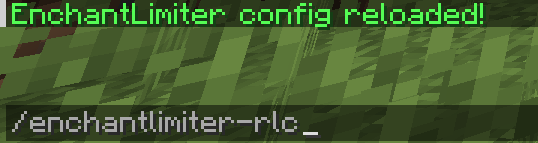
EnchantLimiter
EnchantLimiter is a flexible Minecraft plugin that allows you to limit or ban enchantments on your server, with support for world-specific rules. Control which enchantments are allowed, set maximum levels, or ban them entirely.
Features
- Limit enchantment levels: Set a maximum level for any enchantment.
- Ban enchantments completely: Set
max-enchant: 0to remove an enchantment entirely. - World-specific rules: Restrict enchantments to certain worlds, or apply globally with
all. - Automatic enforcement: Player inventories are checked on join and adjusted automatically.
Quick Start
Download the plugin JAR file and place it in your server’s
pluginsfolder.Start the server to generate the default configuration files.
Open
banned-enchantments.ymland define your enchantment limits.Apply changes without restarting: Run the command:
/enchantlimiter-rlcThis reloads the plugin’s configuration instantly.
Configuration Example
limited-enchants:
  fire_aspect:
    max-enchant: 0        # Bans Fire Aspect completely
    limit-in-world: all   # Applies in all worlds
  sharpness:
    max-enchant: 3        # Limits Sharpness to level 3
    limit-in-world: world_nether   # Only limits in the Nether
How it works
- When a player joins, the plugin scans their inventory.
- Any banned enchantments (
max-enchant: 0) are removed. - Enchantments exceeding the maximum level are reduced automatically.
- World-specific restrictions are respected.
Notes
max-enchant: 0removes the enchantment entirely.limit-in-worldcan be a single world name orallto apply restrictions everywhere.Works automatically on player join to ensure all inventories comply with the rules.
Reload configuration at any time using:
/enchantlimiter-rlc
Take full control of your server’s enchantments and customize per world!
- Edition: Minecraft Java
- File type: .jar
- Minecraft versions listed: 1.21, 1.21.1, 1.21.2
- How to install: Install the matching mod loader (Forge, Fabric or NeoForge) for your Minecraft version. → Download the .jar. → Put it in the .minecraft/mods folder and launch that loader profile.
- Where to get it: Opens on Modrinth — not every file is mirrored on our own servers.
Install steps are the general flow for this file type — How to install Minecraft Java mods & modpacks walks through it step by step.
- Ships as Enchantlimiter-1.21.x.jar — drop this file into the mods folder
- Download size: 1.8 MB
- Download link checked 5 Sept 2026 — working
These come from our own check of the pack file, not from the source page.