
DiscordUtils: Make Your Minecraft Server Cooler!
Easily Show Server Stats on Discord
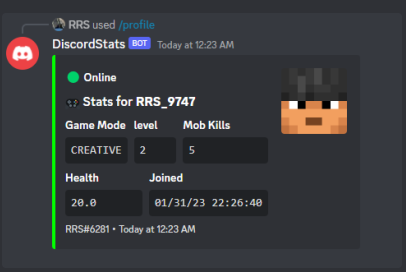
DiscordUtils is a plugin that helps you display up to 25 customizable stats from your Minecraft server directly on your Discord server. With easy setup and management using Discord slash commands, your server's stats will be more engaging and accessible to your community.
Features:
- Customizable Titles and Placeholders: Use PlaceholderAPI to personalize your stats.
- Track Multiple Stats: Display up to 25 different stats without any hassle.
- Easy Configuration: Adjust settings easily in the config.yml file.
- Smooth Performance: Enjoy lag-free operation with secure data storage.
- Player Linking: Integrate with DiscordSRV for seamless player account linking.
- Clean Display: Remove color codes from placeholders for a neat appearance.
- Simple Management: Use Discord slash commands to manage stats effortlessly.
Commands:
- /profile add: Add new stats.
- /profile edit: Edit existing stats.
- /profile remove: Remove existing stats.
Supported Plugins:
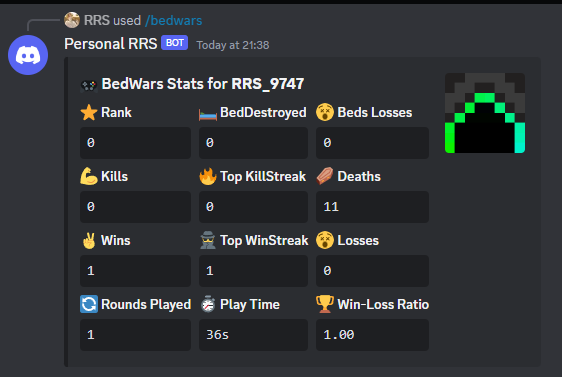
- BedWars:
Setup Instructions:
- Install PlaceholderAPI on your server.
- Download and install DiscordUtils.
- Configure the plugin's settings in the config.yml file.
- Manage your Discord server stats using the commands: /profile add, /profile edit, and /profile remove.
- For a quick setup, run
/profile preset 1to use a preset profile.
Setting Up Your Discord Bot:
- Visit the Discord Developer Portal.
- Create a new application and give it a name.
- In the "Bot" section, add a bot and copy its token to the config.yml file.
- Enable the "Message Content Intent" option for the bot.
- In the "OAuth" section, copy the Client ID and use the following link to invite the bot to your server:
- Replace
YOUR_CLIENT_ID_HEREwith the copied Client ID.
Quick facts
- Edition: Minecraft Java
- File type: .jar
- Minecraft versions listed: 1.8, 1.8.1, 1.8.2
- How to install: Install the matching mod loader (Forge, Fabric or NeoForge) for your Minecraft version. → Download the .jar. → Put it in the .minecraft/mods folder and launch that loader profile.
- Where to get it: Opens on Modrinth — not every file is mirrored on our own servers.
Install steps are the general flow for this file type — How to install Minecraft Java mods & modpacks walks through it step by step.
Verified by MCModsHub
- Ships as DiscordUtils-26.1.jar — drop this file into the mods folder
- Download size: 15.9 MB
- Download link checked 6 Sept 2026 — working
These come from our own check of the pack file, not from the source page.