
VanishTags
A simple plugin that will hide player nicknames and allow you to display them in various images for other players.
⬇ Download on Modrinth


Summary
A simple plugin that will hide player nicknames and allow you to display them in various images for other players. Available on Minecraft versions 1.21+.
Usage
This plugin may be useful for owners of vanilla/RP servers that wish to hide the display of tiles with player nicknames.
Abilities
The plugin provides the following features:
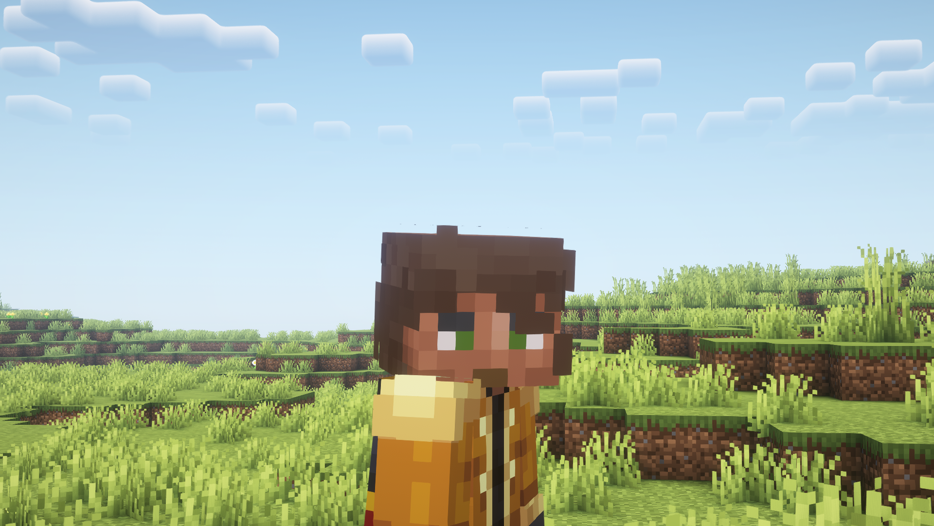
- At the entrance for all players, nickname panels are disabled (You can disable them in the configuration).
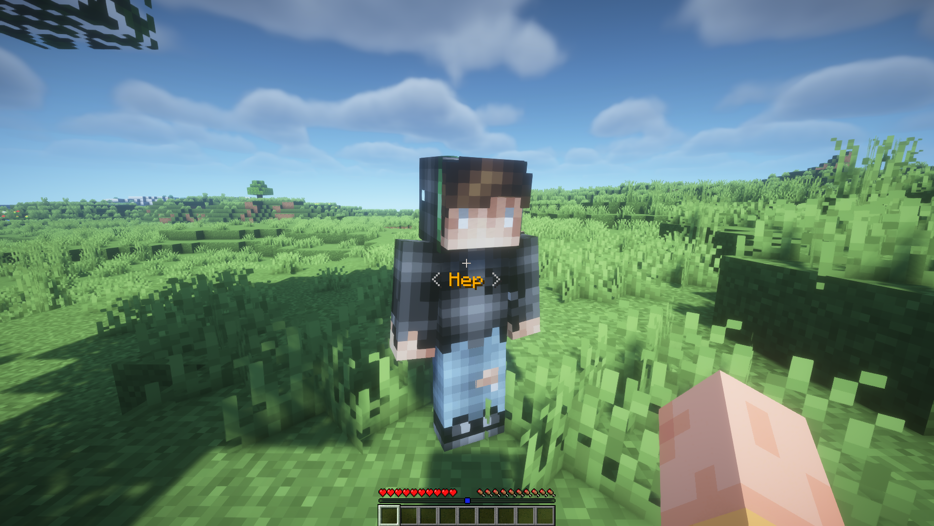
- Players with the right vtags.mode can change the nickname display mode: all name panels will be visible to them, but their own name panel will also be visible to others.
- Players with the right vtags.move.others can change the display mode for other players.
- Language switching option: English, Russian.
Permissions
vtags.reload (/vtag reload) - reload the plugin's configuration.
vtags.mode (/vtag mode) - change the nickname display mode to yourself.
vtags.mode.others (/vtag mode ) - change the nickname display mode to other player.
- Edition: Minecraft Java
- File type: .jar
- Minecraft versions listed: 1.21, 1.21.1, 1.21.2
- How to install: Install the matching mod loader (Forge, Fabric or NeoForge) for your Minecraft version. → Download the .jar. → Put it in the .minecraft/mods folder and launch that loader profile.
- Where to get it: Opens on Modrinth — not every file is mirrored on our own servers.
Install steps are the general flow for this file type — How to install Minecraft Java mods & modpacks walks through it step by step.
- Ships as VanishTags-1.0.jar — drop this file into the mods folder
- Download size: 17 KB
- Download link checked 6 Sept 2026 — working
These come from our own check of the pack file, not from the source page.