
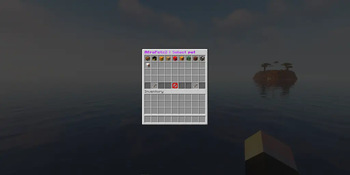
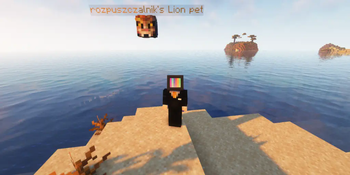
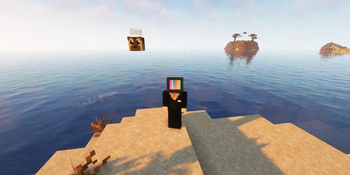
 AfroPets is a plugin that introduces unique pets that follow players. Each pet has a custom name, texture, and description, with access controlled via permissions. Pets are stored in a configuration file and can be selected through an intuitive menu. A perfect addition for survival, RPG, and lobby servers!
Commands & Permissions
- /afropets - Open menu with pet selector (afropets.use)
- /afropets menu - Open menu with pet selector (afropets.use)
- /afropets about - Show info about plugin (afropets.use)
- /afropets help - Show command list (afropets.use)
- /afropets hide - Hide current pet (afropets.hide)
- /afropets admin reload - Reloads the plugin (afropets.admin.reload)
- /afropets admin set - Set target pet (afropets.admin.set)
- /afropets admin remove - Remove target pet (afropets.admin.remove)
- /afropets admin about - Show info about plugin (afropets.admin.about)
Default pets permissions:
- Lion: afropets.pet.lion
- Dog: afropets.pet.dog
- Cat: afropets.pet.cat
- Rabbit: afropets.pet.rabbit
- Parrot: afropets.pet.parrot
- Fox: afropets.pet.fox
- Frog: afropets.pet.frog
- Bear: afropets.pet.bear
- Cow: afropets.pet.cow
- Chicken: afropets.pet.chicken
Placeholders:
Player:
- %afropets_pet_name%
- %afropets_has_pet%
- %afropets_pet_description%
Global:
- %afropets_pets_size%
- %afropets_colors_size% Placeholders require PlaceholderAPI version 2.11.6 to work!
Quick facts
- Edition: Minecraft Java
- File type: .jar
- Minecraft versions listed: 1.20, 1.20.1, 1.20.2
- How to install: Install the matching mod loader (Forge, Fabric or NeoForge) for your Minecraft version. → Download the .jar. → Put it in the .minecraft/mods folder and launch that loader profile.
- Where to get it: Opens on Modrinth — not every file is mirrored on our own servers.
Install steps are the general flow for this file type — How to install Minecraft Java mods & modpacks walks through it step by step.
Verified by MCModsHub
- Ships as afropets2-2.0.4.jar — drop this file into the mods folder
- Download size: 1.5 MB
- Download link checked 6 Sept 2026 — working
These come from our own check of the pack file, not from the source page.