
YETIs Admin Utils
This Plugin adds some usefull features that i couldnt find elsewhere like a report menu, warning system with optional banning after an amount and discord…
I don't know my version or loader
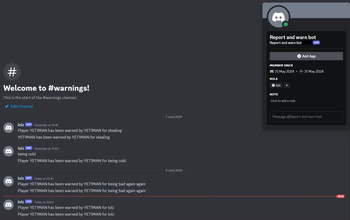
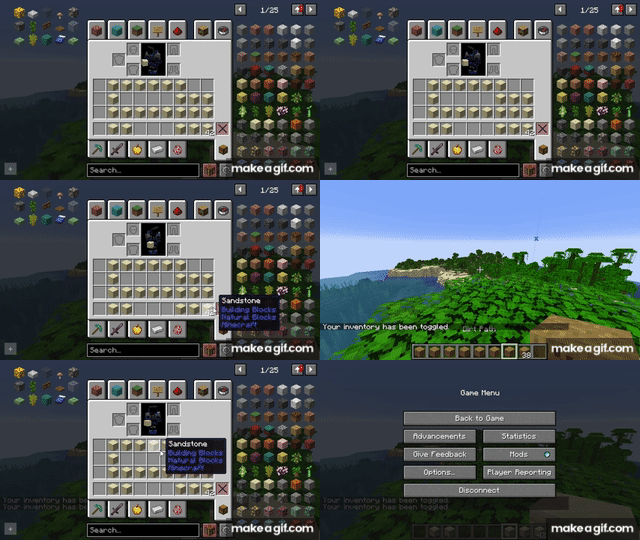
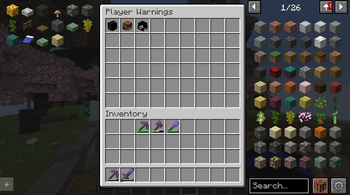
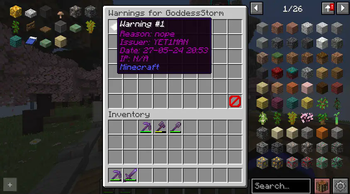
YETIsUtils
A lightweight all-in-one admin utility plugin for Paper 1.21+ servers.
YETIsUtils combines moderation tools, player reports, admin inventories, and optional Discord notifications into a simple, easy-to-use plugin.
Please note that images and gifs will be out of date
✨ Features
🛡️ Admin Mode
- Separate admin inventory
- Instantly switch between your survival inventory and moderation inventory
- Prevents mixing staff and survival items
⚠️ Player Warning System
- Warn players through commands or an easy-to-use GUI
- Configurable warning reasons
- Custom warning reasons entered through chat
- View warning history
- Clear individual warnings or all warnings
- Offline warning notifications
🔨 Automatic Punishments
- Automatically ban players after reaching a configurable warning limit
- Supports both profile bans and IP bans
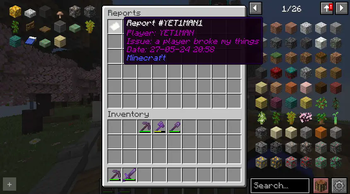
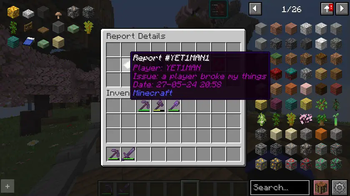
📋 Player Reports
Players can report issues directly from in-game.
Staff can:
- View all reports in a GUI
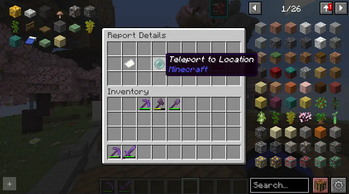
- Teleport to the reported location
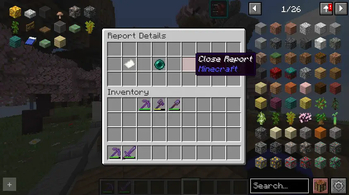
- Close completed reports
💬 Discord Integration (Optional)
Send notifications directly to Discord for:
- Player warnings
- Player reports
Simply leave the bot token blank if you don't want to use Discord.
⚡ Quality of Life
- Reload configuration without restarting
- Offline player tab completion
- Lightweight and fast
- Simple configuration
📜 Commands
| Command | Description | Permission |
|---|---|---|
/adminmode |
Toggle Admin Mode inventory | yetisutils.adminmode |
/warn <player> [reason] |
Warn a player or open the warning GUI | yetisutils.warn |
/warnings |
View your own warnings (Yes its the same) | yetisutils.warnings |
/warnings <player> |
View another player's warnings | yetisutils.warnmenu |
/warnmenu |
Open the warnings overview | yetisutils.warnmenu |
/warnclear <player> <number | *> |
Remove one or all warnings | yetisutils.warnclear |
/mywarns |
View your warnings (if enabled) (Yes its the same) | yetisutils.mywarns |
/report <message> |
Submit a player report | yetisutils.report |
/reports |
Open the reports management GUI | yetisutils.reportmenu |
/yetisutils reload |
Reload the configuration | yetisutils.reload |
🔑 Permissions
| Permission | Description | Default |
|---|---|---|
yetisutils.adminmode |
Use Admin Mode | OP |
yetisutils.warn |
Issue warnings | OP |
yetisutils.warnings |
View warnings | Everyone |
yetisutils.warnmenu |
Manage warnings | OP |
yetisutils.warnclear |
Clear warnings | OP |
yetisutils.mywarns |
View personal warnings | Everyone |
yetisutils.report |
Submit reports | Everyone |
yetisutils.reportmenu |
Manage reports | OP |
yetisutils.reload |
Reload configuration | OP |
⚙️ Configuration
Example configuration:
enablePlayerWarningsView: true
maxWarningsBeforeBan: 0
enableReportFeature: true

warning-reasons:
  - Griefing
  - Toxic Chat
  - Spam
  - Hacking

discord-bot-token: ""
discord-report-channel-id: ""
discord-warning-channel-id: ""
Configuration Options
| Option | Description |
|---|---|
enablePlayerWarningsView |
Allows players to view their own warnings |
maxWarningsBeforeBan |
Number of warnings before automatic ban (0 = Disabled) |
enableReportFeature |
Enables the reporting system |
warning-reasons |
List of preset warning reasons |
discord-* |
Discord integration settings |
❤️ Support
Found somthing broken? well so am i, head over to the github or message me on discord - yetiman2020
Feedback is always welcome! when i have slept
- Edition: Minecraft Java
- File type: .jar
- Minecraft versions listed: 26.1, 26.2
- How to install: Install the matching mod loader (Forge, Fabric or NeoForge) for your Minecraft version. → Download the .jar. → Put it in the .minecraft/mods folder and launch that loader profile.
- Where to get it: Opens on Modrinth — not every file is mirrored on our own servers.
Install steps are the general flow for this file type — How to install Minecraft Java mods & modpacks walks through it step by step.
- Ships as YETIsUtils-4.4.jar — drop this file into the mods folder
- Download size: 18.1 MB
- Download link checked 6 Sept 2026 — working
These come from our own check of the pack file, not from the source page.