
B's GhostGrave
I don't know my version or loader
B's GhostGrave
How Does It Work?
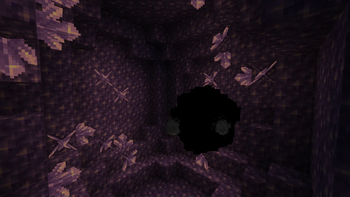
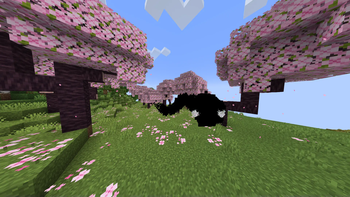
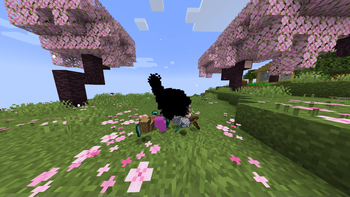
When a player dies, a ghost will spawn. This ghost is made out of particles. It sits still until its owner gets within 20 blocks, then it starts to pathfind towards the player. The ghost will stop around 3 blocks away and wait. When right-clicked, the ghost will drop the player's items and XP*.
Multiple ghosts can exist at once, and one owner can have multiple ghosts.
Only in version 0.2: When the server restarts or reloads, the ghosts will be saved to a file and stored until they are loaded back in.
How to Tweak It to Your Liking:
Warning: Always make sure that you are using the correct version, as configurations may vary. Also, older versions may contain bugs.
When you load the plugin for the first time, a config file will be generated:
/plugins/B_s_GhostGrave/B's GhostGrave Config.yml
In this file, you can change various values to better fit your needs:
- The number of particles
- *The amount of experience that the player will get back
- Also you can give back the vanilla amount of experience
- Whether ghosts can spawn without items
- Whether only the owner can interact with their ghost
In the config file, you will find a more detailed description of how it works.
Proper Usage:
The plugin ment for paper. Use it on versions 1.20.5 or above (JDK 21). Doing any harm to the config file will not break the plugin. If you delete anything from the config and want it back, by deleting the config file and reloading the plugin, you will get back the default config.
Join my discord to report issues or just to talk and have fun: DISCORD
( And yes, this is inspired by Hollow Knight )
- Edition: Minecraft Java
- File type: .jar
- Minecraft versions listed: 1.20.5, 1.20.6, 1.21
- How to install: Install the matching mod loader (Forge, Fabric or NeoForge) for your Minecraft version. → Download the .jar. → Put it in the .minecraft/mods folder and launch that loader profile.
- Where to get it: Opens on Modrinth — not every file is mirrored on our own servers.
Install steps are the general flow for this file type — How to install Minecraft Java mods & modpacks walks through it step by step.
- Ships as B's GhostGrave 3.1.jar — drop this file into the mods folder
- Download size: 20 KB
- Download link checked 6 Sept 2026 — working
These come from our own check of the pack file, not from the source page.