
ModPanel
ModPanel is a powerful Minecraft server management plugin that provide an intuitive web panel for administrators and moderators.
⬇ Download on Modrinth





ModPanel
ModPanel is a powerful Minecraft server management plugin that provides an intuitive web interface for administrators to monitor and manage player inventories in real-time. With ModPanel, you can easily view and modify player inventories, even when players are offline, thanks to its robust database integration.
Features
This plugin is actually in early development, but here are some of the key features already implemented:
- Web Interface : A website accessible via
http://<server-ip>:9999that provides a user-friendly dashboard for server administrators. - Advanced Inventory Management :
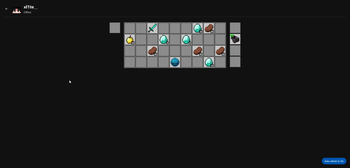
- Full inventory view (Main hand, Armor, Off hand).
- Live editing: Move items in players' inventories via a "Drag & Drop" system on the web page.
- Offline Support: Inventories are saved in a local database (H2), allowing modification of a player's inventory even when they are offline.
Configuration
The configuration file config.yml allows you to manage the web server settings and security options. Below is an example configuration:
server-port: 9999              # Web server port
ip-whitelist-enabled: true     # Enable IP whitelist
ip-whitelist:                  # List of allowed IP addresses
  - "127.0.0.1"
  - "0.0.0.0"
Commands
The following commands are available for server administrators:
/mp reload: Reload the plugin configuration./mp help: Display the list of available commands.
Preview
Main Page
 Inventory Page

Roadmap
The project is under active development. Here are some upcoming features:
- Sanction management (Ban, Kick, Mute) directly from the web interface.
- Viewing and editing the Enderchest.
- User account authentication system (Login/Password) for enhanced security.
- Live viewing of chat and console logs.
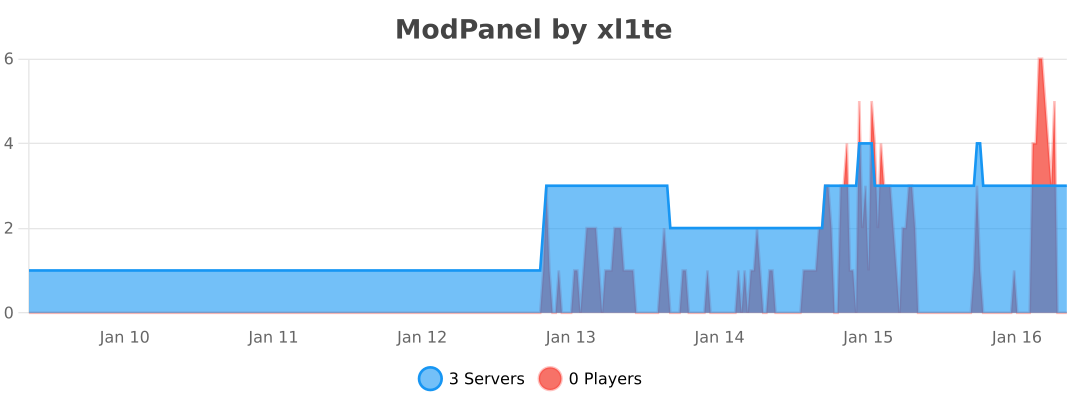
Statistics by bStats
- Edition: Minecraft Java
- File type: .jar
- Minecraft versions listed: 1.19, 1.19.1, 1.19.2
- How to install: Install the matching mod loader (Forge, Fabric or NeoForge) for your Minecraft version. → Download the .jar. → Put it in the .minecraft/mods folder and launch that loader profile.
- Where to get it: Opens on Modrinth — not every file is mirrored on our own servers.
Install steps are the general flow for this file type — How to install Minecraft Java mods & modpacks walks through it step by step.
- Ships as modpanel-alpha-0.2.3.jar — drop this file into the mods folder
- Download size: 7.9 MB
- Download link checked 7 Sept 2026 — working
These come from our own check of the pack file, not from the source page.