
HorizonReports – The Ultimate GUI-Based Reporting Plugin
⚡ Streamline Player Reports with an Intuitive GUI! ⚡
Say goodbye to messy in-game reports! HorizonReports brings a sleek and efficient GUI-based reporting system, making it easier than ever for players to report rule-breakers while giving admins full control over report management.
Features:
✅ GUI Reports – Players can /report and select a reason from an interactive menu
✅ Custom Report Reasons – Add, edit, or remove reasons directly in the config
✅ Customizable Everything – Modify text, commands, reports, and permissions
✅ “Other” Reason Option – Allows players to type custom report reasons (max length configurable)
✅ Easy Report Management – Admins can delete reports after handling them
✅ Lightweight & Optimized – No performance impact, runs smoothly on all servers
✅ 1.18-1.21.4
Perfect for:
✔️ Survival & SMP Servers
✔️ Minigames & Competitive Modes
✔️ Factions, Skyblock, & More!
Keep your server safe & organized with HorizonReports!
HorizonReports commands:
commands:
/reports help

/report username (the gui is customizable in config.yml you can change the name the colors the glass pane to another item/color and many more)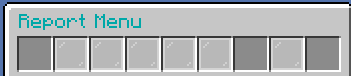
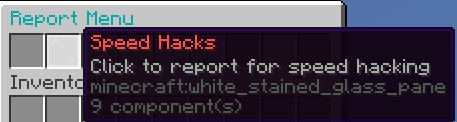

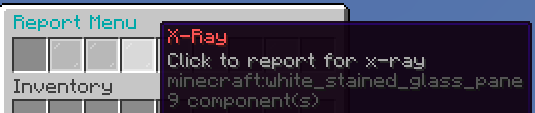



/report username other (the max 24 characters is customizable in config.yml)

Staff Commands:
/reports history (shows all reports made to what person)

/reports urgent (shows top 10 (editable in config.yml) urgent reports aka players with most reports)
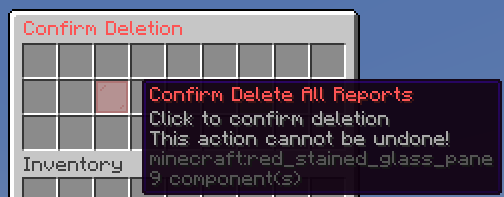
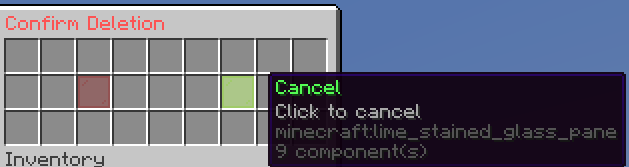
/reports delete [player/all] (deletes all/players reports)
/reports delete player
/reports delete all

discord for support: https://discord.gg/7VDsRRuESY
you can also change the prefix in config.yml
- Edition: Minecraft Java
- File type: .jar
- Minecraft versions listed: 1.20.4, 1.20.5, 1.21
- How to install: Install the matching mod loader (Forge, Fabric or NeoForge) for your Minecraft version. → Download the .jar. → Put it in the .minecraft/mods folder and launch that loader profile.
- Where to get it: Opens on Modrinth — not every file is mirrored on our own servers.
Install steps are the general flow for this file type — How to install Minecraft Java mods & modpacks walks through it step by step.
- Ships as HorizonReports.jar — drop this file into the mods folder
- Download size: 12.5 MB
- Download link checked 7 Sept 2026 — working
These come from our own check of the pack file, not from the source page.