
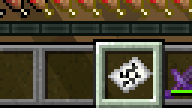
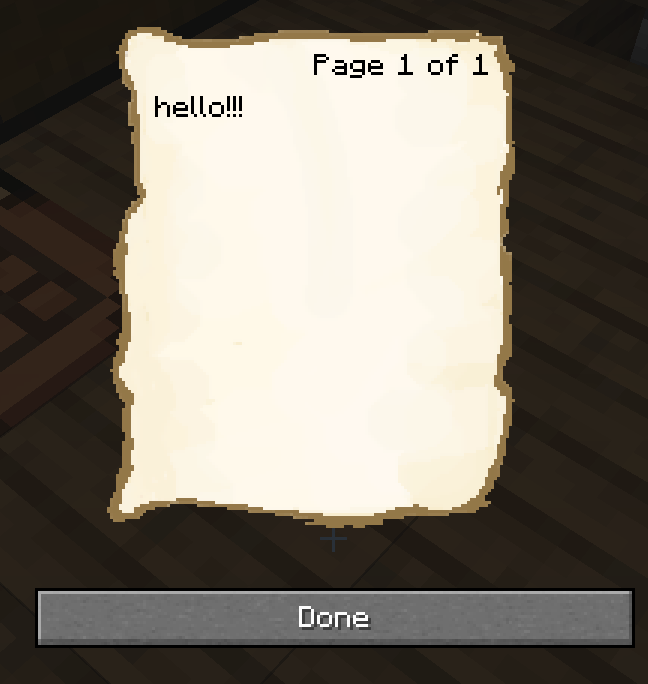
NOTE PLUGIN is a plugin that will add real notes to your server! IMPORTANT - you need to download the texture pack to the server, to do this, go to your server configuration and find the line resurspack = in the server.properties file and paste https://drive.google.com/uc?export=download&id=1HbCPjny4ioytuQhXhh4erzzmVzNQ534x . then save the changes. To create a note, take a piece of paper in your hand and enter the command you need. commands (when entering all commands, you need to hold a piece of paper or a note in your hand, except for the last 2): /note text - creating a note /read - save a note /load number nickname - give a saved note to a certain player under the desired note number /zapisremove number - delete a specific saved note /zapisremoveall - delete all saved notes
NOTE PLUGIN - плагин который добавит на ваш сервер настоящие записки! ВАЖНО - вам нужно обязательно скачать текстур пак на сервер, для этого зайдите в конфигурацию вашего сервера и в файле server.properties найдите строку resurspack = и вставьте туда https://drive.google.com/uc?export=download&id=1HbCPjny4ioytuQhXhh4erzzmVzNQ534x . потом сохраните изменения. Для создания записки возьмите в руку лист бумаги и введите нужную вам команду. комманды (при введении всех команд нужно держать лист бумаги или записку в своей руке, кроме 2 последних): /записка - создать записку /read - сохранить записку на сервер /load номер записки ник игрока - выдать игроку определенную сохраненную записку /zapisremove номер записки - удалить записку из памяти сервера /zapisremoveall - удалить все записки из памяти сервера
- Edition: Minecraft Java
- File type: .jar
- Minecraft versions listed: 1.20, 1.20.1, 1.20.2
- How to install: Install the matching mod loader (Forge, Fabric or NeoForge) for your Minecraft version. → Download the .jar. → Put it in the .minecraft/mods folder and launch that loader profile.
- Where to get it: Opens on Modrinth — not every file is mirrored on our own servers.
Install steps are the general flow for this file type — How to install Minecraft Java mods & modpacks walks through it step by step.
- Ships as note_en.jar — drop this file into the mods folder
- Download size: 7 KB
- Download link checked 7 Sept 2026 — working
These come from our own check of the pack file, not from the source page.