
TypingInChat Plugin
Java mod listed for Minecraft 1.19. Downloads from the MC Java Mods app on Android.
I don't know my version or loader
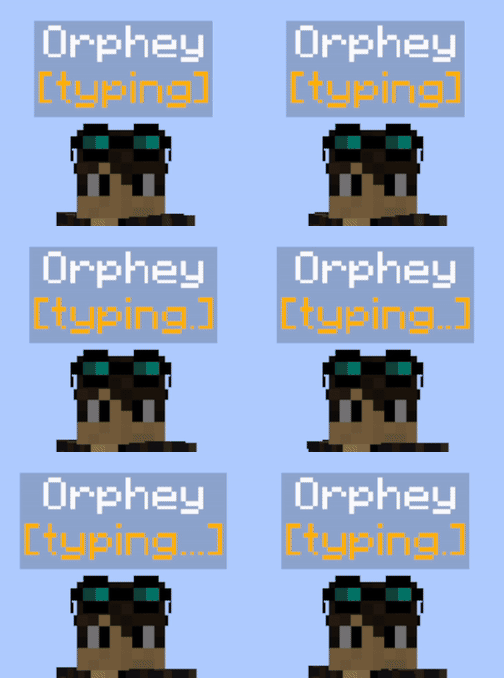

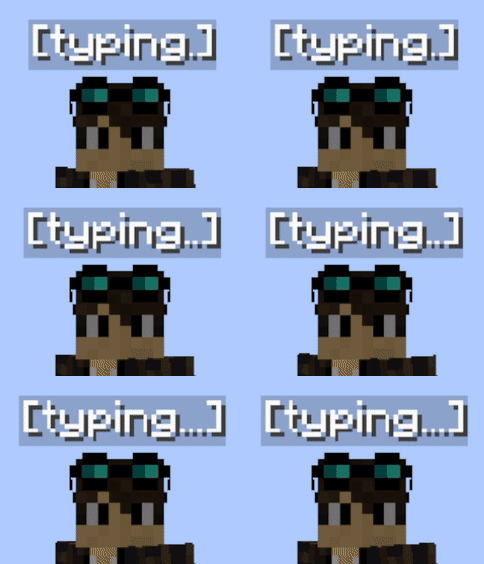
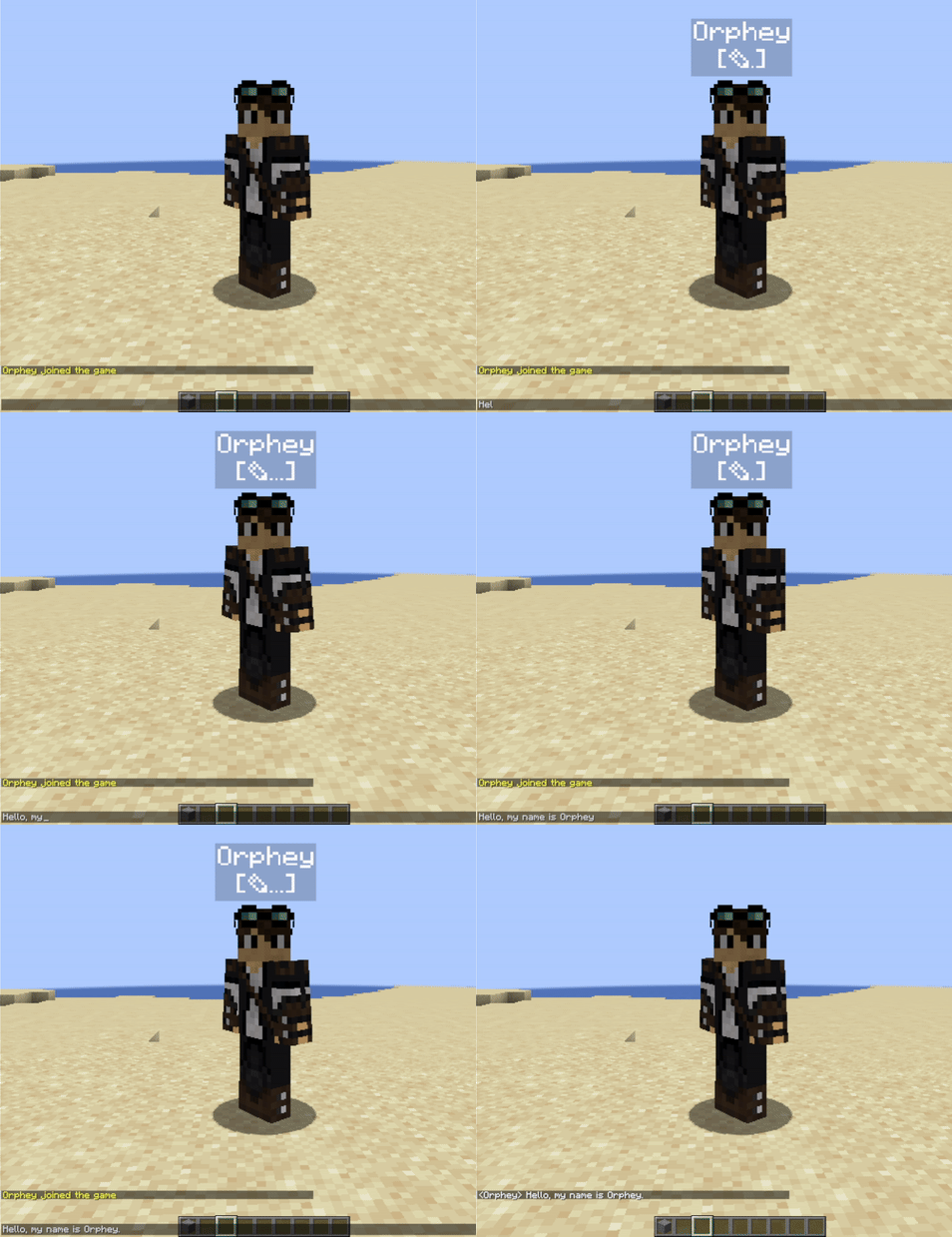
Enable your server players to see when someone actively writing in chat. Server admins should install this plugin on their server. Then everyone who install TypingInChat client side mod will have visual indication while they are mashing keys in chat interface. Players who do not have client-side mod will only see other player's indicators and will not have their own.
Features
- Animated and highly customizable. Looks defined by server admins.
- Permissions support to show or hide indication for specific users or groups.
- Visible for players that don't have clientside mod.
- Based on packets and text-display entities.
- Text-displays are attached to players.
Customization Examples
Colored indicator, indentation enabled, text-shadow disabled: GIF
Colored everything, no indentation, text-shadow enabled: GIF
Default colors, player name hidden: GIF
Installation
You need to put typinginchat-spigot.jar into server plugins folder. Also, you need to have packetevents 2.6.0 and HologramAPI 1.6.0 or newer installed.
Configuration
You may change TIC indicators appearance with config.yml.
config.yml

#Show player display names
show-names: true
#Indentation style of typing icon
icon-indentation: true
#Hologram visibility radius
view-range: 16
#Hologram visibility through blocks
visible-through-blocks: false
#UNICODE character or text for typing animation
typing-char: "✎"

#Color customization
names-color: "#ffffff"
typing-icon-color: "#ffffff"
background-color: "#000000"
#From 0 to 255
background-transparency: 50
#Shadow outline of text font
text-shadow: false

#use /tic reload command to apply changes
Permissions
tic.display - allows player to have tic indication. True by default, but you can remove it from players or groups.
tic.admin - required for /typinginchat reload command usage.
Related
Link for client-side mode (required only for players who want to show when they typing in chat): TypingInChat-Mod
- Edition: Minecraft Java
- File type: .jar
- Minecraft versions listed: 1.19, 1.19.1, 1.19.2
- How to install: Install the matching mod loader (Forge, Fabric or NeoForge) for your Minecraft version. → Download the .jar. → Put it in the .minecraft/mods folder and launch that loader profile.
- Where to get it: Opens on Modrinth — not every file is mirrored on our own servers.
Install steps are the general flow for this file type — How to install Minecraft Java mods & modpacks walks through it step by step.
- Ships as TypingInChat-spigot-1.2.1.jar — drop this file into the mods folder
- Download size: 19 KB
- Download link checked 18 Oct 2026 — working
These come from our own check of the pack file, not from the source page.