
CrystalRewards
I don't know my version or loader

Update for this plugin incoming!! (Support for 1.21.x...)
Crystal Rewards
Crystal Rewards provides an easy way to create and distribute rewards in Minecraft that are perfectly integrated with the Econix plugin. Players can reward with Armostands(For server with resource pack) or with Player Heads.
Features:
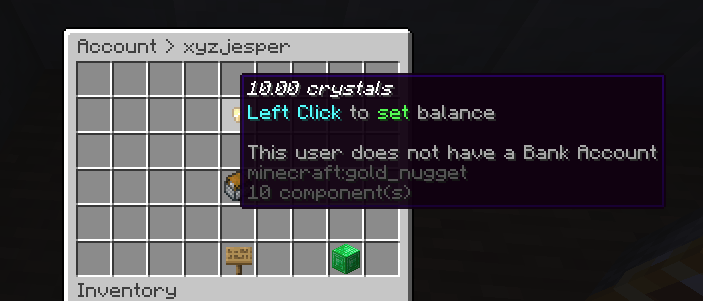
- Integration with Econix: Rewards are integrated directly into the economy system, allowing players to earn credits in real time.
- Reward Types: Use armorstands when using a server resource pack or if you want to customize them in another cool way. Or playerheads to give your players a small reward.
- Easy creation of rewards: With a single command you can create rewards with custom values.
Instructions: Using Crystal Rewards
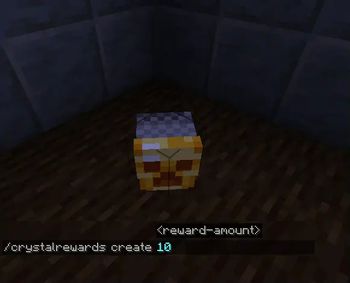
Create a reward To create a reward, use the command: /crystalrewards create
- : Specifies the amount that will be credited when the reward is collected.
- Set up an Armorstand or Playhead for yourself and use the command.
Display of the rewards
- Player Heads: Use player heads from head plugins or via commands to create the rewards.
- Armor Stands: Armor Stands offer a visually impressive way to display rewards, but you should have special models in the resource pack to make it look nicer or you can position them nicely.
Interaction with rewards
- Players can interact with the “Rewards” by clicking on the Player Head or Armor Stand. The specified amount will be added to the player's Econix account and the player will receive a customizable message.
Example To create a reward of 500(e.g. $), enter the following command:
/crystalrewards create 500
A reward will be created at the next Armor-stand/Playerhead.
Technical details:
Prerequisites:
- Econix plugin (for economy integration)
- Resource Pack (optional, for user-defined Armor Stand models)
Customization:
- The plugin automatically recognizes whether Player Heads or Armor Stands are to be used.
- All messages are customizable in the config
- The currency is customizable in the config
Coming in the Future
- Add Vault Support
- Add MySQL/MariaDB Support
With Crystal Rewards, server owners can offer their players exciting, visual rewards and make the economy system even more interactive. Ideal for servers that want to utilize custom designs and richer reward mechanics. 🎉
- Edition: Minecraft Java
- File type: .jar
- Minecraft versions listed: 1.21, 1.21.1, 1.21.2
- How to install: Install the matching mod loader (Forge, Fabric or NeoForge) for your Minecraft version. → Download the .jar. → Put it in the .minecraft/mods folder and launch that loader profile.
- Where to get it: Opens on Modrinth — not every file is mirrored on our own servers.
Install steps are the general flow for this file type — How to install Minecraft Java mods & modpacks walks through it step by step.
- Ships as CrystalRewards-%221.2.4%22-all.jar — drop this file into the mods folder
- Download size: 3.5 MB
- Download link checked 7 Sept 2026 — working
These come from our own check of the pack file, not from the source page.