
DiscordSRV Logger Addon
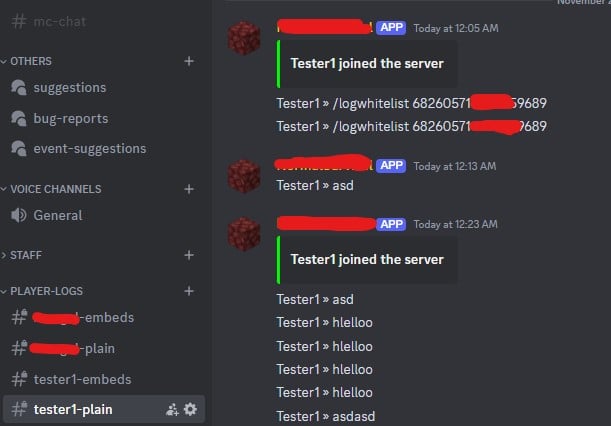
Easy to Install: Drag and drop, and it's ready to go! Logs player commands and chat messages directly into dedicated Discord channels.
Discord Channels: Keep track of in-game activity with logs sent directly to custom channels for each player.
Whitelist Feature: Want to control who sees the logs? Use /logwhitelist to add Discord users who can view logs. Only whitelisted users and admins can access the logs!
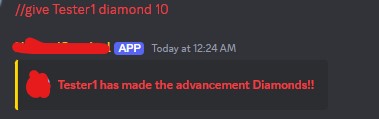
Enhanced DiscordSRV: Now you can execute //commands from the Minecraft chat directly in your Discord channel. This only works for admins and whitelisted users.
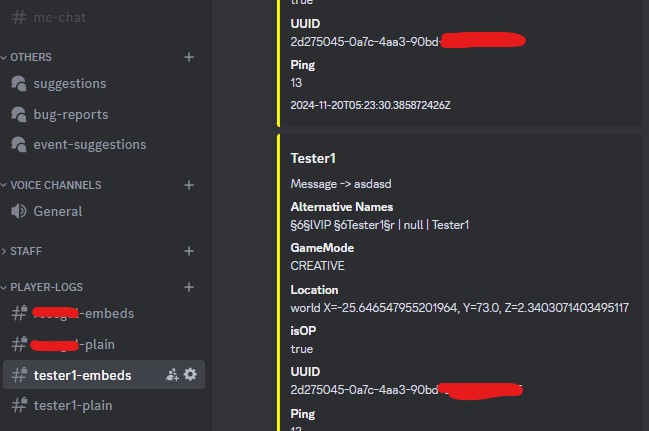
Detailed Logging: We log all sorts of useful information, including:
Player Info Messages Alternative Names GameMode Location (X, Y, Z) OP Status UUID Ping Timestamp Join/Leave Logs: Track when players join or leave the server with timestamps.
Permissions:
/logwhitelist requires the logwhitelist permission node (or op status). Make sure you have DiscordSRV installed and start logging player activity with ease! ✨
- Edition: Minecraft Java
- File type: .jar
- Minecraft versions listed: 1.21, 1.21.1, 1.21.2
- How to install: Install the matching mod loader (Forge, Fabric or NeoForge) for your Minecraft version. → Download the .jar. → Put it in the .minecraft/mods folder and launch that loader profile.
- Where to get it: Opens on Modrinth — not every file is mirrored on our own servers.
Install steps are the general flow for this file type — How to install Minecraft Java mods & modpacks walks through it step by step.
- Ships as DiscordSRV-PlayerLogs-1.0.jar — drop this file into the mods folder
- Download size: 26 KB
- Download link checked 7 Sept 2026 — working
These come from our own check of the pack file, not from the source page.