
NamedModelData
A simple Spigot plugin that allows you to apply CustomModelData tag to an item through anvil by item renaming, just like OptiFine.
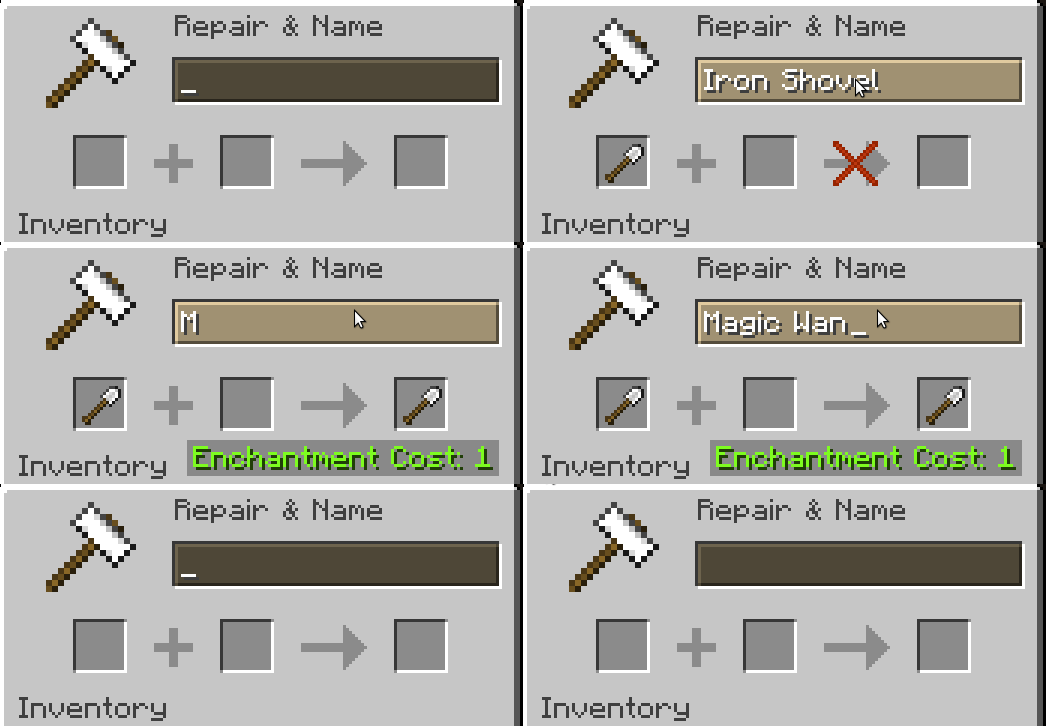
NMD doesn't offer you any resource packs - you have to provide one to players yourself. CustomModelData will be applied only if you're renaming an item through anvil, so for existing item you have to reapply its name. Plugin has an option to ignore colors if you have some plugin that allows renaming items through anvil with colors.
Commands
Currently NMD has only one command - to reload the plugin.
/namedmodeldata (alias /nmd) - permission namedmodeldata.admin
Configuration
# MATERIAL
IRON_SHOVEL:
  # CustomModelData value
  # Required integer
  '1':
    # Item name
    # Required string
    name: 'magic wand'
    # Ignore colors in the name
    # Optional boolean, defaults to false
    ignore-color: true
    # Ignore case in the name
    # Optional boolean, defaults to false
    ignore-case: true
  '5':
    name: '&4Iron Shovel of Doom'
DIAMOND:
  '1':
    name: '&cRuby'
  '2':
    name: 'Unalivemond'
    ignore-color: true
- Edition: Minecraft Java
- File type: .jar
- Minecraft versions listed: 1.14, 1.14.1, 1.14.2
- How to install: Install the matching mod loader (Forge, Fabric or NeoForge) for your Minecraft version. → Download the .jar. → Put it in the .minecraft/mods folder and launch that loader profile.
- Where to get it: Opens on Modrinth — not every file is mirrored on our own servers.
Install steps are the general flow for this file type — How to install Minecraft Java mods & modpacks walks through it step by step.
- Ships as named-model-data-1.1.jar — drop this file into the mods folder
- Download size: 8 KB
- Download link checked 7 Sept 2026 — working
These come from our own check of the pack file, not from the source page.