
LiteVision
Instant, flicker-free night vision for Paper and Fabric — lightweight, configurable, and built for modern servers and clients.
I don't know my version or loader


🌙 LiteVision – Instant, Flicker-Free Night Vision(NEW)
A lightweight night vision solution for Paper (and forks) and Fabric.
Potion spam. Command abuse. Unnecessary overhead.
Just clean, reliable night vision with full control for servers and players.
🎯 Why LiteVision?
- Instant toggle – No delay or flicker
- Clean visuals – No clunky potion reapplication
- Persistent state – Remembers your setting after relog/restart
- Per-world control – Enable or restrict by dimension
- Works client-side or server-side
Designed to be simple, stable, and efficient.

✨ Features
🔥 Smart Hotkey (Paper Exclusive)
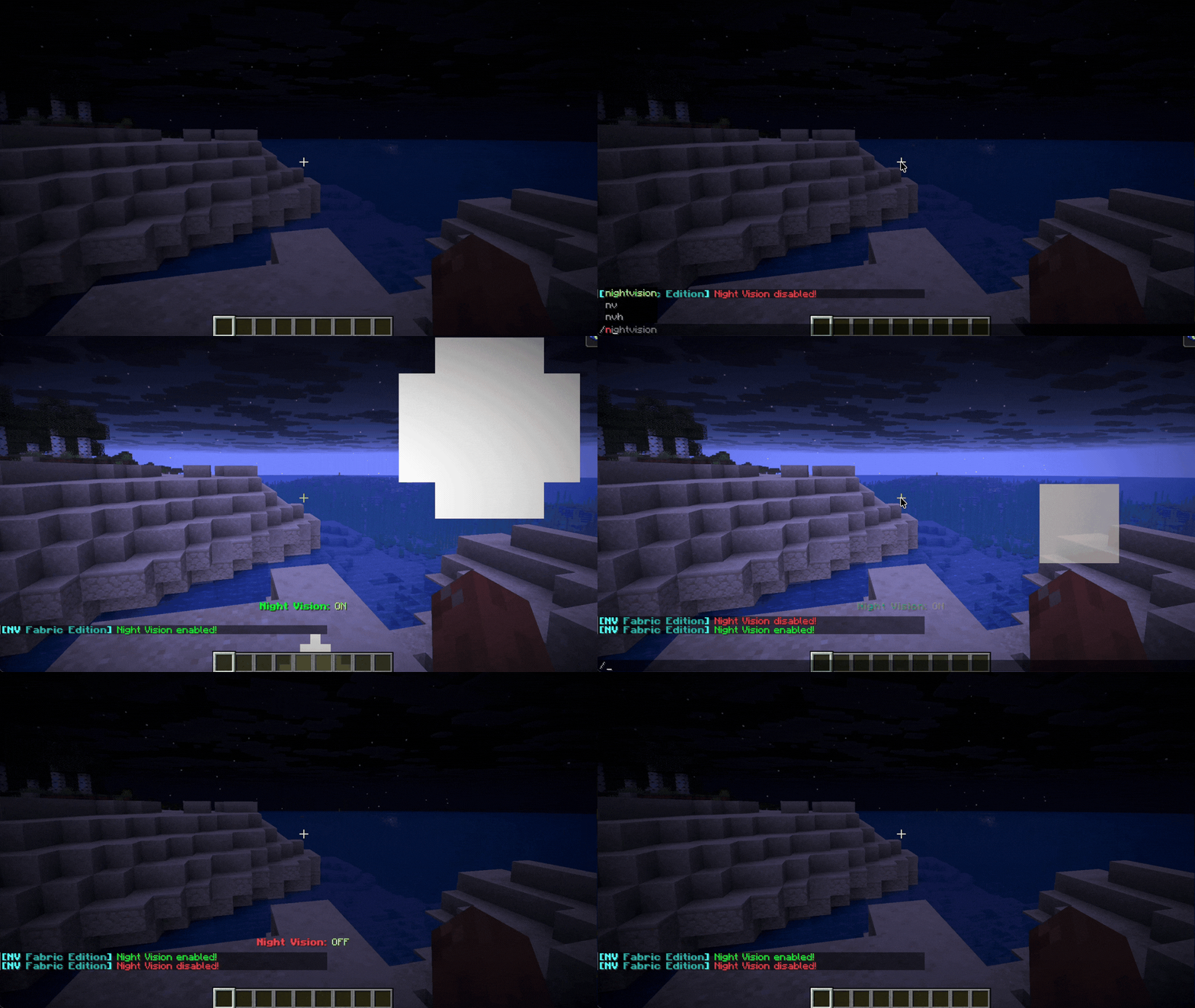
Hold a torch in either hand and press F to toggle night vision instantly.
💡 Native Implementation
Uses Minecraft’s built-in systems for stable and glitch-free rendering.
🌫 Optional Transitions
Configurable fade-in / fade-out effects for smoother visual switching.
🎨 Optional Visual & Audio Feedback
- Action bar notifications
- Optional particles (Glow / Smoke)
- Custom toggle sounds
All effects are fully configurable or can be disabled.
.gif)
⚙️ Server Controls
- 🌍 World / Dimension whitelist & blacklist
- ☀️ Auto-disable in bright areas
- 🛡 Anti-spam cooldown protection
- 🛠 Fully configurable behavior via config file
Built to avoid unnecessary load and keep TPS stable.
📋 Commands & Permissions
| Command | Description | Permission |
|---|---|---|
/nv |
Toggle night vision | nightvision.use |
/nv reload |
Reload configuration | nightvision.reload |
/nv help |
Show help menu | nightvision.use |
🧠 Technical Notes
- Modular manager system (Config, NightVision, PlayerData)
- Event-driven design
- Lightweight footprint
- Designed for long-term stability on modern Paper & Fabric versions
🚀 Installation
- Download the correct version for your platform (Fabric or Paper) and Minecraft version. Use fabric loader
0.18.4only if using fabric. - Place the file in your
mods(Fabric) orplugins(Paper) folder. - Restart your server or game.
- Edit the generated config file if customization is needed (server-side).
- Edition: Minecraft Java
- File type: .jar
- Minecraft versions listed: 1.16, 1.16.1, 1.16.2
- How to install: Install the matching mod loader (Forge, Fabric or NeoForge) for your Minecraft version. → Download the .jar. → Put it in the .minecraft/mods folder and launch that loader profile.
- Where to get it: Opens on Modrinth — not every file is mirrored on our own servers.
Install steps are the general flow for this file type — How to install Minecraft Java mods & modpacks walks through it step by step.
- Ships as nightvision-hotkey-1.0.2.jar — drop this file into the mods folder
- Download size: 24 KB
- Download link checked 7 Sept 2026 — working
These come from our own check of the pack file, not from the source page.