

Please read the concept of this plugin
Concept :
- 1. Player A and Player B gets default 3 lives and 10 Hearts
- 2. Player A killed Player B, then Player B will lose 1 live (remaining = 2) and in exchange of the live, player B will get +5 Hearts (total = 15).
- 3. If Player A again killed Player B, then Player B will lose 1 live (remaining = 1) and in exchange of the live player B will get +5 Hearts (total = 20)
- 4. After this if Player B killed Player A, then Player B will gain 1 live and -5 Hearts.
NOTE : The maximum hearts obtainable are 25 and maximum lives are 3, so no one can go beyond it (untill changed from config.yml)
1. Plugin Description
ZLives is a unique Minecraft plugin that introduces a lives and heart system to your server. Players start with a limited number of lives and hearts, and their actions (such as killing other players or being killed) affect their lives and hearts. Key features include:
- Lives System: Players start with a default number of 3 lives. When a player loses all their lives, they are eliminated and put into spectator mode.
- Heart System: Players have a limited number of hearts, default is 10 (20 Heart points). Hearts determine the player’s max health.
- Revival System: Eliminated players can be revived using a special Revive Book or by an admin using the
/revivecommand. - Elimination Animation: When a player is eliminated, a dramatic animation and sound effect play to signify their elimination.
- Customizable Config: The plugin allows server admins to configure default lives, hearts, and other settings via the
config.ymlfile. - Commands:
/lives: Check your remaining lives and hearts./revive <player>: Revive an eliminated player (admin-only)./elimination-animation: Play the elimination animation on a player or at specific coordinates (admin-only).
2. Installation Guide
Follow these steps to install and set up the ZLives plugin on your Minecraft server:
Step 1: Download the Plugin
- Download the
ZLives.jarfile from the provided source (e.g., SpigotMC, GitHub, or your custom build). - Place the
ZLives.jarfile in your server'spluginsfolder.
Step 2: Start the Server
- Start or restart your Minecraft server.
- The plugin will generate a default
config.ymlfile in theplugins/ZLivesfolder.
Step 3: Configure the Plugin
- Open the
config.ymlfile located in theplugins/ZLivesfolder. - Customize the settings as needed.
Step 4: Test the Plugin
- Join your server and test the plugin’s features.
- Use the
/livescommand to check your lives and hearts. - Test the elimination and revival mechanics.
3. Screenshots
Elimination Animation
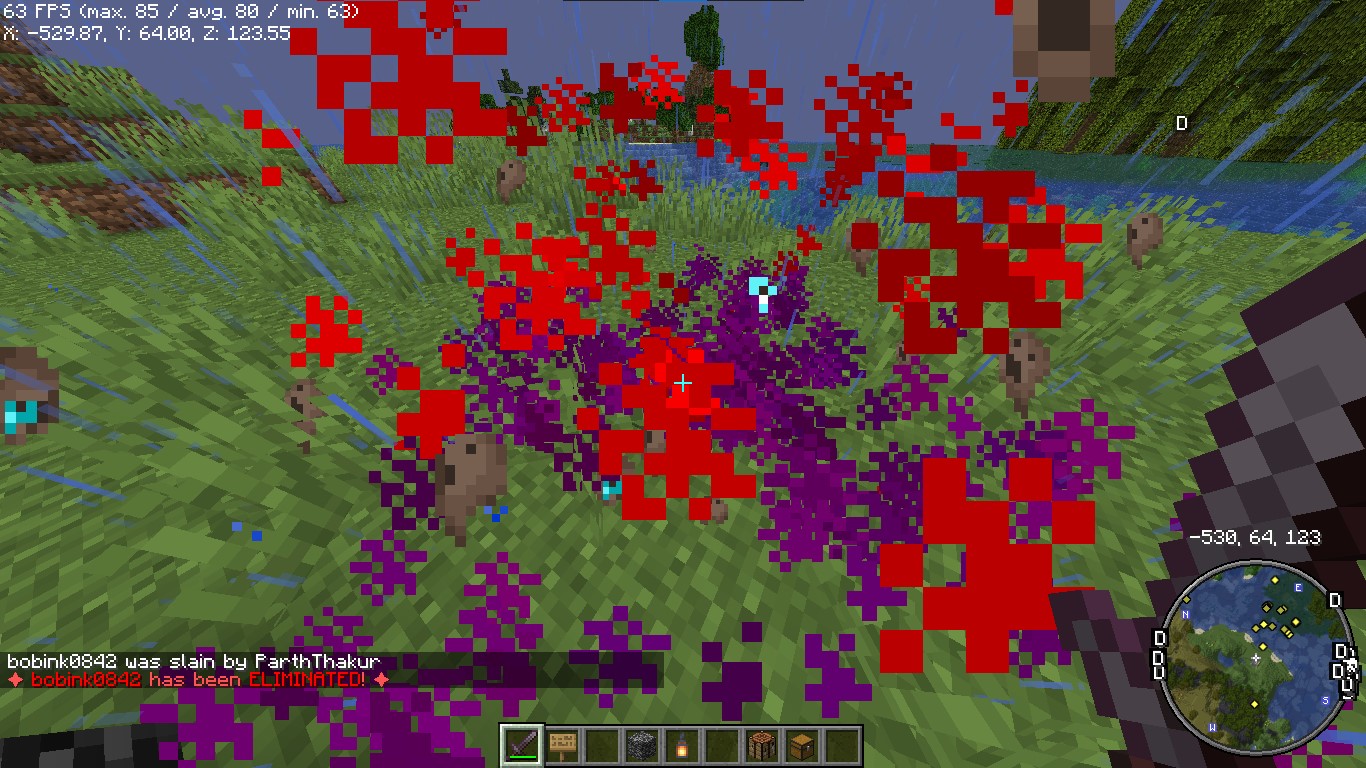 Players see a dramatic animation when they are eliminated.
Revival Animation
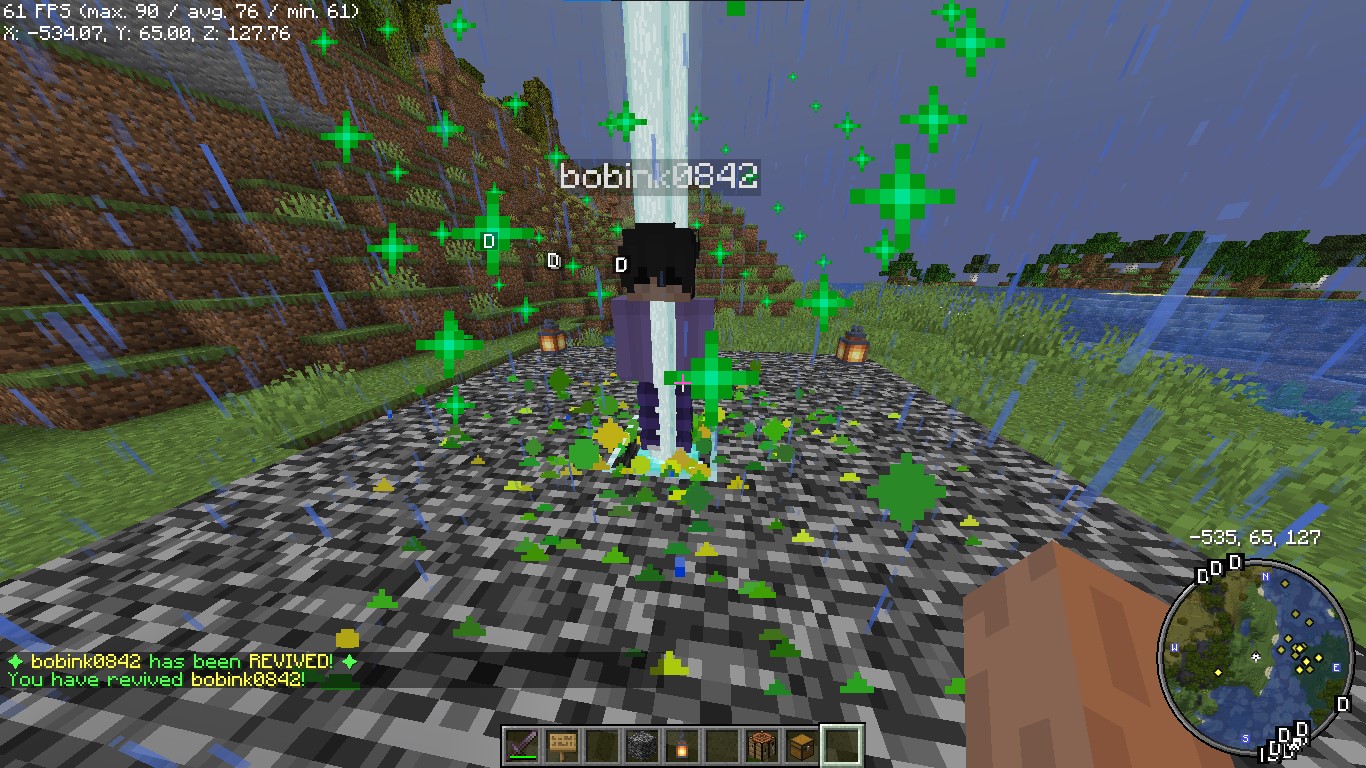 Players see a dramatic animation when they are eliminated.
Revive Book
 The Revive Book can be crafted and used to revive eliminated players.
Note: This recipe can be changed from config.yml.
Remaining Lives message after killed by a player

+5 Hearts on every death by a player
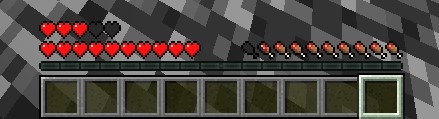 +5 Hearts when a player is killed by other player
Elimination Message
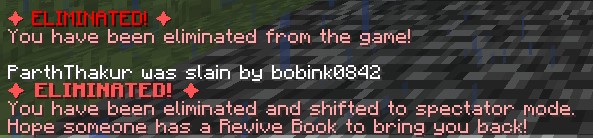
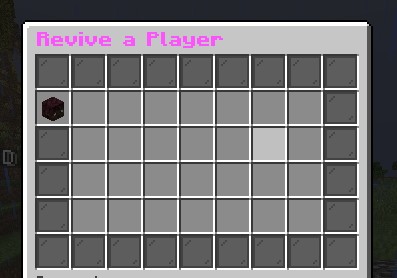
ReviveGUI
4. Donations
Liked my Content? Want to support me?
- Support me by sending money on this UPI QR Code.

5. Reporting Issues
Need Help? Contact Us! Encountered a problem or have suggestions? We’re here to assist you!
📧 Discord Support: Contact me on Discord at @iitian_69.
Step 1: Check the Logs
- Look for error messages in the server console or
logs/latest.log. - Copy the relevant error message.
Step 2: Provide Details
When reporting an issue, include the following information:
- Minecraft Version: The version of Minecraft your server is running.
- Server Software: The server software you’re using (e.g., Spigot, Paper).
- Plugin Version: The version of the ZLives plugin you’re using.
- Steps to Reproduce: A detailed description of how to reproduce the issue.
- Error Logs: The error message or log snippet.
Step 3: Submit the Issue
Contact me at discord username is : @iitian_69
Example Issue Report
**Minecraft Version**: 1.21.4
**Server Software**: Paper
**Plugin Version**: 1.0.0
**Issue**: Players are not losing hearts when they kill another player.
**Steps to Reproduce**:
1. Set default lives to 3 and hearts to 10 in the config.
2. Have a player with 2 lives kill another player.
3. Check the killer’s hearts after the kill.
**Error Logs**: [No errors in the logs]
Final Notes
The ZLives plugin adds a unique and engaging gameplay mechanic to your Minecraft server. If you have any questions, need further assistance, or want to suggest new features, feel free to reach out! 😊
Happy gaming! 🚀
- Edition: Minecraft Java
- File type: .jar
- Minecraft version listed: 1.21.4
- How to install: Install the matching mod loader (Forge, Fabric or NeoForge) for your Minecraft version. → Download the .jar. → Put it in the .minecraft/mods folder and launch that loader profile.
- Where to get it: Opens on Modrinth — not every file is mirrored on our own servers.
Install steps are the general flow for this file type — How to install Minecraft Java mods & modpacks walks through it step by step.
- Ships as ZLives.jar — drop this file into the mods folder
- Download size: 6.3 MB
- Download link checked 7 Sept 2026 — working
These come from our own check of the pack file, not from the source page.