
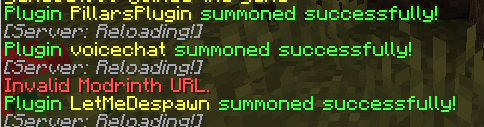
Modrinth Plugin Loader lets you load plugins directly from Modrinth while your Minecraft server is running—no restart required. Just use the /load command and watch your server evolve in real time. Designed for PaperMC 1.20+, this plugin fetches .jar files from Modrinth, places them in your /plugins folder, and enables them automatically. It filters for Paper-compatible plugins and includes optional auto-reload functionality for seamless integration. Perfect for server admins who want modular control, live updates, and a streamlined way to expand their server without downtime. Compatible with Paper, Spigot, Purpur, and Folia (experimental). Built with simplicity, speed, and mythic modularity in mind. Requires Java 17+ and internet access for Modrinth API.
- Edition: Minecraft Java
- File type: .jar
- Minecraft version listed: 1.21
- How to install: Install the matching mod loader (Forge, Fabric or NeoForge) for your Minecraft version. → Download the .jar. → Put it in the .minecraft/mods folder and launch that loader profile.
- Where to get it: Opens on Modrinth — not every file is mirrored on our own servers.
Install steps are the general flow for this file type — How to install Minecraft Java mods & modpacks walks through it step by step.
- Ships as pluginsummoner-1.0-SNAPSHOT.jar — drop this file into the mods folder
- Download size: 89 KB
- Download link checked 7 Sept 2026 — working
These come from our own check of the pack file, not from the source page.