
zAntiAutoClick
I don't know my version or loader

Attention, this is a free version of zAntiAutoClick, you can use it but you must buy the paid version to get help!
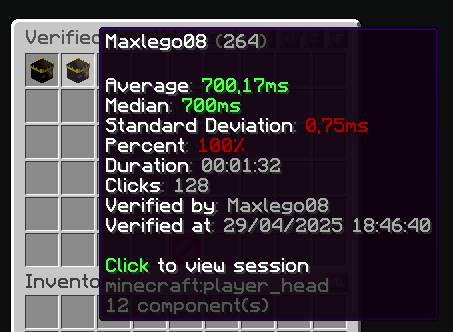
 zAntiAutoClick is a plugin designed to analyze players' click sessions on entities. At the end of each session, the plugin automatically determines whether the player's behavior appears valid or suspicious.
Its main purpose is to provide detailed insights into player activity, helping you detect potential use of auto-clicking tools.
zAntiAutoClick is a plugin designed to analyze players' click sessions on entities. At the end of each session, the plugin automatically determines whether the player's behavior appears valid or suspicious.
Its main purpose is to provide detailed insights into player activity, helping you detect potential use of auto-clicking tools.
Note: zAntiAutoClick does not apply any automatic punishments. It is up to you to review the data and take appropriate action if cheating is detected.
Requirements:
Features
- Detect automatic clicking (autoclickers) when players attack entities
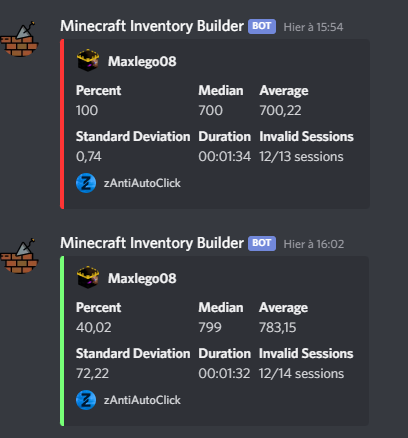
- Send a Discord webhook to notify your team of session results
- Notify your team in-game with session result messages
- Fully configurable analysis methods
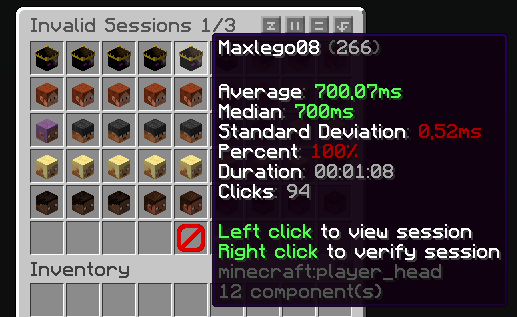
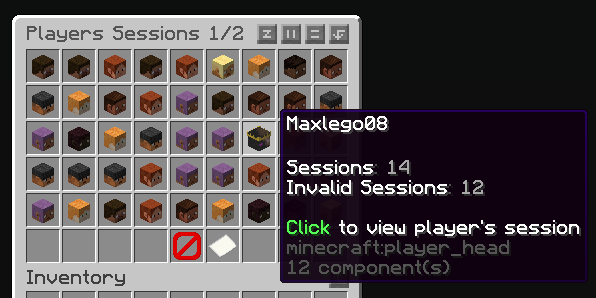
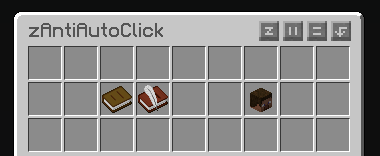
- Inventory GUI to view all player sessions
- Inventory GUI to review sessions flagged for cheating
- Supports both SQLite and MySQL for data storage
How does it work?
The plugin listens to attack packets sent by players when they hit an entity and records the time difference between each click. These clicks are grouped into what we call a session. A session represents all the time intervals between clicks over a certain period. For a session to be valid, it must contain a minimum number of clicks and last a minimum duration — both of which can be configured.
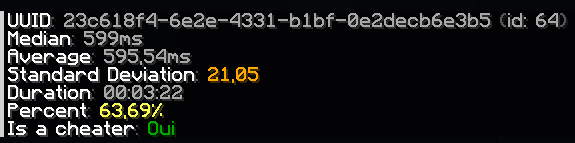
Once the session ends, the plugin analyzes it by checking various key indicators to determine whether the behavior is human or likely automated. It then calculates a suspicion percentage: if it exceeds 60%, the player is flagged as suspicious.
You can then review your players' sessions and take action against cheaters. One of the most effective indicators is the standard deviation of the click intervals. The lower it is, the more consistent the clicking pattern — a common sign of an autoclicker. If the standard deviation is below 20, the player is very likely cheating.
- Edition: Minecraft Java
- File type: .jar
- Minecraft versions listed: 1.20, 1.20.1, 1.20.2
- How to install: Install the matching mod loader (Forge, Fabric or NeoForge) for your Minecraft version. → Download the .jar. → Put it in the .minecraft/mods folder and launch that loader profile.
- Where to get it: Opens on Modrinth — not every file is mirrored on our own servers.
Install steps are the general flow for this file type — How to install Minecraft Java mods & modpacks walks through it step by step.
- Ships as zAntiAutoClick-1.0.2.jar — drop this file into the mods folder
- Download size: 571 KB
- Download link checked 8 Sept 2026 — working
These come from our own check of the pack file, not from the source page.