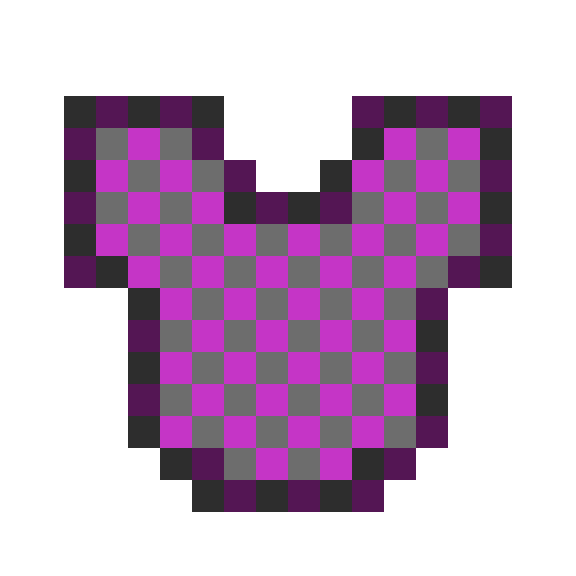
📜 Overview
Voidplate is a lightweight Paper plugin that lets you wear armor without covering your Minecraft skin.
It permanently hides the visual appearance of armor while preserving all of its stats, enchantments, and functionality.
To others, it looks as if you're not wearing any armor at all — but you'll still have full protection.
✨ Features
- Permanent Cosmetic Change: Once applied, the armor’s appearance cannot be reverted.
- Armor-Only: Works only on armor pieces (helmets, chestplates, leggings, boots).
- Crafting Process: Use the smithing table with:
- A Long Invisibility Potion (8:00)
- Your armor piece
- An Echo Shard
to forge the hidden appearance.
- No Resource Pack Required: All effects are handled server-side using vanilla mechanics.
🛠 Installation
- Download the latest Voidplate
.jarfrom Modrinth. - Place it into your server’s
plugins/folder. - Restart your server — no additional configuration required.
⚠️ Notes
- This plugin only hides the visual model of armor — it does not affect protection values or enchantments.
- The process is irreversible. Make sure you apply it to the correct item.
- Works with other cosmetic plugins unless they overwrite the same visual components.
Quick facts
- Edition: Minecraft Java
- File type: .jar
- Minecraft versions listed: 1.21.4, 1.21.5, 1.21.6
- How to install: Install the matching mod loader (Forge, Fabric or NeoForge) for your Minecraft version. → Download the .jar. → Put it in the .minecraft/mods folder and launch that loader profile.
- Where to get it: Opens on Modrinth — not every file is mirrored on our own servers.
Install steps are the general flow for this file type — How to install Minecraft Java mods & modpacks walks through it step by step.
Verified by MCModsHub
- Ships as Voidplate-0.3.1.jar — drop this file into the mods folder
- Download size: 20 KB
- Download link checked 8 Sept 2026 — working
These come from our own check of the pack file, not from the source page.