
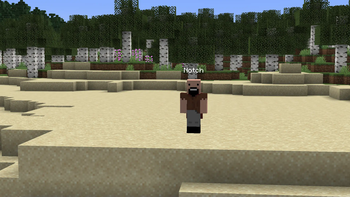
CloudVanish
Minecraft paper plugin for vanishing staff members from players, supporting layered vanish permissions.
Download Info
Note: Depends on CommandAPI and CloudCore.
Usage
Commands
- Use
/v listto list online vanished players - Use
/v [<target>]to toggle vanish mode for yourself or the specified target - Use
/v pickup [<target>]to toggle vanish item/exp pickup mode for yourself or the specified target
Permissions
Aside from permissions assigned to commands, the following permissions additionally control the behaviour of CloudVanish:
cloudvanish.use: decides wether the player is allowed to vanish at allcloudvanish.level.{1,100}: decides which vanish level the player is assigned to- Players with a vanish level less than 1 will not be able to vanish at all
- Players with a higher vanish level will be able to see players with a lower vanish level
- Example: Player A has vanish level 3, Player B has vanish level 4, Player C is a normal player. Player C won't see anyone, Player A will see Player C but not Player B. Player C will see everyone, but will be seen by no one.
Quick facts
- Edition: Minecraft Java
- File type: .jar
- Minecraft versions listed: 1.20.5, 1.20.6, 1.21
- How to install: Install the matching mod loader (Forge, Fabric or NeoForge) for your Minecraft version. → Download the .jar. → Put it in the .minecraft/mods folder and launch that loader profile.
- Where to get it: Opens on Modrinth — not every file is mirrored on our own servers.
Install steps are the general flow for this file type — How to install Minecraft Java mods & modpacks walks through it step by step.
Verified by MCModsHub
- Ships as CloudVanish-1.1.2-all.jar — drop this file into the mods folder
- Download size: 43 KB
- Download link checked 8 Sept 2026 — working
These come from our own check of the pack file, not from the source page.