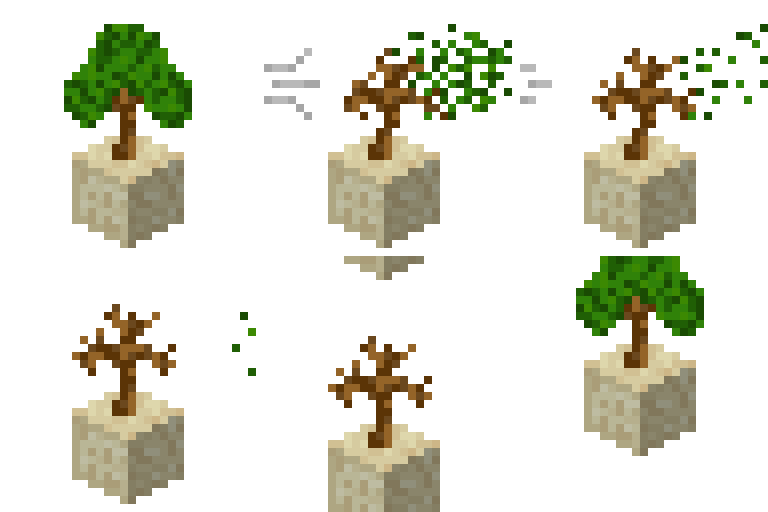

Have you ever wondered about plants, growing only in their native Biomes?
This plugin allows you to limit Block placing/breaking, based on Biomes.
You can limit any Block in game, but first of all this plugin aimed to confine crops, trees and other plants.
How can I use it
You can combine these limitations with any other plugin, to boost your server economy, by adding Biome factor to production of resources.
For example, you can combine it with Towny and Brewery, then players will have to harvest beverage ingridients in different Biomes, it'll increase the need for trade between Towns.
Installation
Follow next steps, to install plugin.
- Download latest BiomeLimits version.
- Put it into your
/pluginsfolder. - Restart your server. (not /reload)
If you don't know how to use configs, take a look at comments inside them.
All configs has auto-generated templates, which will help you to configure plugin for your needs.
There is one issue with auto-generated templates, you can read about it here.
All plugin permissions and commands are described in the Wiki.
Dependencies
There is no external dependencies, plugin uses only compiled dependencies.
The only requirement for plugin is Java 16 or higher
Compiled Dependencies- CommandAPI — for better Command handling.
- CommentedConfiguration — for advanced configurations.
- MineDown — for MarkDown like syntax in creation of plugin messages.
- XSeries — for easy cross-version support without NMS headache.
Useful links
Wiki
https://github.com/ipiepiepie/BiomeLimits/wiki
Permissions
https://github.com/ipiepiepie/BiomeLimits/wiki/Permissions
Commands
https://github.com/ipiepiepie/BiomeLimits/wiki/Commands
- Edition: Minecraft Java
- File type: .jar
- Minecraft versions listed: 1.13, 1.14, 1.15
- How to install: Install the matching mod loader (Forge, Fabric or NeoForge) for your Minecraft version. → Download the .jar. → Put it in the .minecraft/mods folder and launch that loader profile.
- Where to get it: Opens on Modrinth — not every file is mirrored on our own servers.
Install steps are the general flow for this file type — How to install Minecraft Java mods & modpacks walks through it step by step.
- Ships as BiomeLimits-2.0.1.jar — drop this file into the mods folder
- Download size: 676 KB
- Download link checked 8 Sept 2026 — working
These come from our own check of the pack file, not from the source page.