
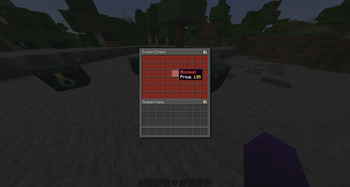
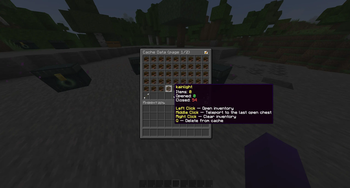
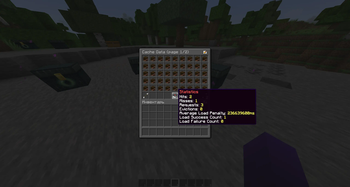
› Features
- Purchase of slots
- Customizable enderchest
- Set a fixed price for each slot or define a
price-stepfor slots without an individual price - Manage inventories and view cache statistics via the data menu
- Support for Vault and PlayerPoints
- Compatible with MiniMessage and Legacy color codes
- Database caching for enhanced performance
› Abilities
- Purchase slots in another player's enderchest (including the option to do so without deducting money)
- Prohibition on buying slots in someone else's inventory
- Inventory editing is prohibited
- Close a slot in the viewed inventory using SHIFT + RIGHT‑CLICK.
› Screenshots
› Commands and Permissions
| Command | Description | Permission |
|---|---|---|
| lightenderchest | Open your enderchest | lightenderchest.use |
| lightenderchest clear | Clear your enderchest | lightenderchest.clear |
| lightenderchest help | Show a list of available commands | lightenderchest.help |
| lightenderchest <username> | Open another player's enderchest | lightenderchest.admin.view |
| lightenderchest open <username> | Open enderchest to the player | lightenderchest.admin.open |
| lightenderchest close <username> | Close enderchest to the player | lightenderchest.admin.close |
| lightenderchest clear <username> | Clear another player's enderchest | lightenderchest.admin.clear |
| lightenderchest reset <username> | Reset another player's enderchest | lightenderchest.admin.reset |
| lightenderchest cache data | Open the cache data menu | lightenderchest.cache.data |
| lightenderchest cache refresh | Refresh the cache from the database | lightenderchest.cache.refresh |
| lightenderchest cache purge | Purge outdated data from the cache | lightenderchest.cache.purge |
| lightenderchest cache clear-online | Clear the cache for online players | lightenderchest.cache.clear-online |
| lightenderchest cache clear-offline | Clear the cache for offline players | lightenderchest.cache.clear-offline |
| lightenderchest cache clear | Clear the entire cache | lightenderchest.cache.clear |
| lightenderchest reload | Reload all configurations | lightenderchest.reload |
| Permission | Description |
|---|---|
| lightenderchest.admin.edit | Edit other players' enderchests |
| lightenderchest.admin.buy | Purchase slots in other players' enderchests |
| lightenderchest.cache.* | Full access to cache management |
| lightenderchest.admin.* | Complete management of enderchests |
| lightenderchest.* | Full access |
Quick facts
- Edition: Minecraft Java
- File type: .jar
- Minecraft versions listed: 1.18, 1.18.1, 1.18.2
- How to install: Install the matching mod loader (Forge, Fabric or NeoForge) for your Minecraft version. → Download the .jar. → Put it in the .minecraft/mods folder and launch that loader profile.
- Where to get it: Opens on Modrinth — not every file is mirrored on our own servers.
Install steps are the general flow for this file type — How to install Minecraft Java mods & modpacks walks through it step by step.
Verified by MCModsHub
- Ships as LightEnderChest-1.0.3.jar — drop this file into the mods folder
- Download size: 2.8 MB
- Download link checked 9 Sept 2026 — working
These come from our own check of the pack file, not from the source page.