



TinyToolbox
A small Toolbox for Spigot Servers that brings some basic commands.
Features
Commands for Social Links
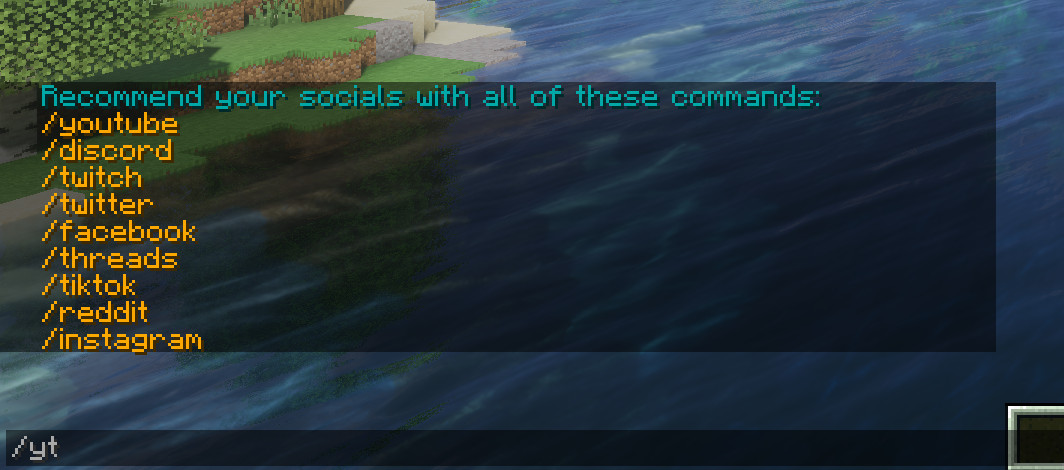 Configure your own Social Media Commands to make your Players aware of them. See "Config" for more information.
Restart Timer
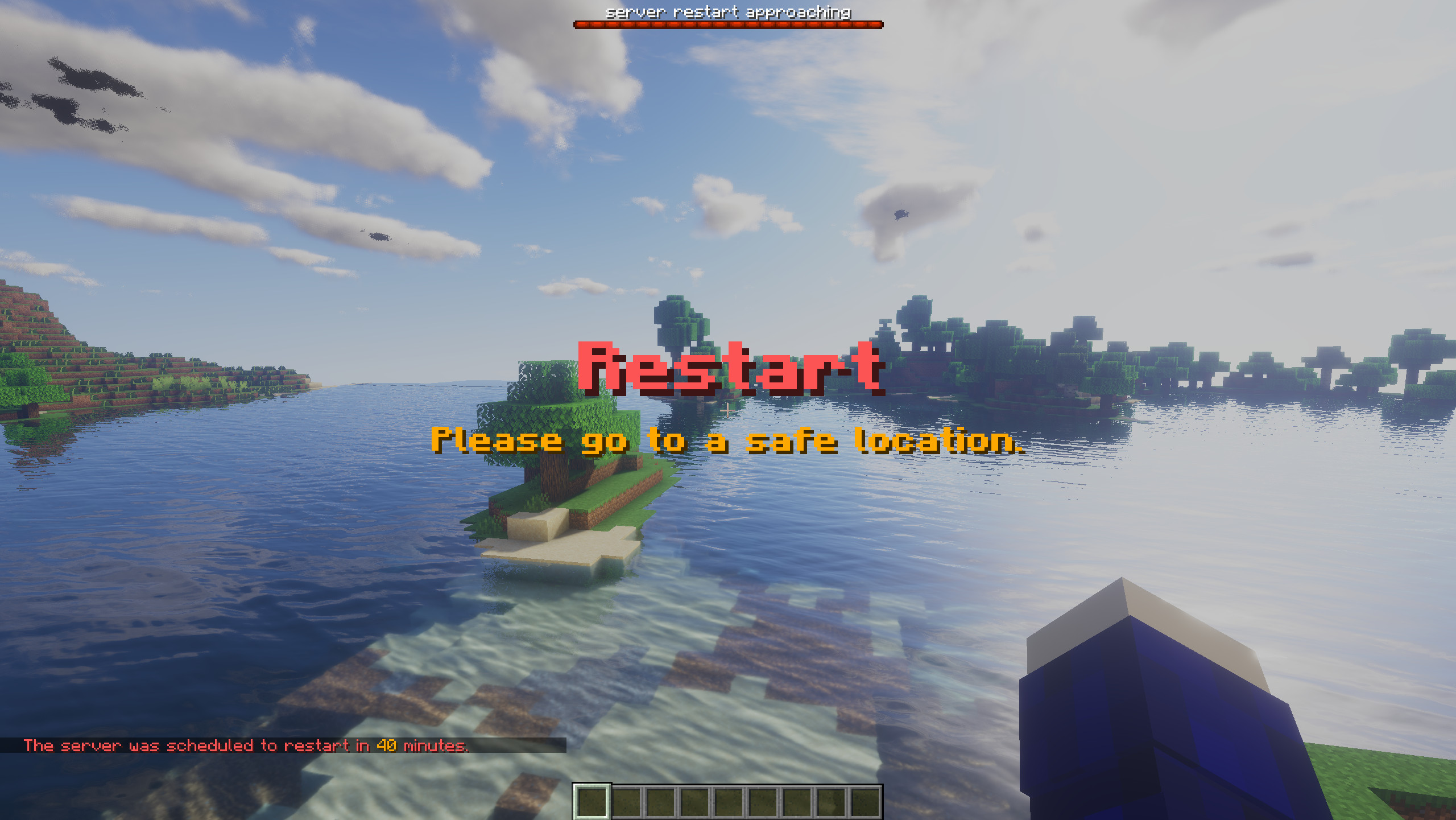 Schedule a restart with /restartin and announce it to online players.
Many more
TinyToolbox also includes an experimental Hide and Seek Gamemode, as well as another special Spectator Mode calles SpecPlus and a shortcut to freeze and unfreeze the tickrate. More information you can find soon in the upcoming wiki.
Installation
Just drop your downloaded .jar into the plugins folder of your spigot based server. Please make sure that you downloaded the correct file for the Minecraft Version of your Server. You will also need a permission handler like LuckPerms to get the full functionality.
Config
The config file is saved under plugins/TinyToolbox/config.yml in your Minecraft Server. It looks like this:
# |                                |
# |     TinyToolbox 1.0 Config     |
# |________________________________|

# set the language pack, it needs to match a file from lang/*.yml
language: en

# set the gamemode of a player when he enters specplus.
# possible values: creative, survival, adventure, spectator, none
set-gm-when-entering-specplus: none
# same as above, only now when a player exits specplus.
set-gm-when-exiting-specplus: none

# set the outputs of the social commands.
# can be formatted using the standard minecraft color codes.
# you can add breaks with \n
youtube-output: ""
discord-output: ""
twitch-output: ""
twitter-output: ""
facebook-output: ""
threads-output: ""
tiktok-output: ""
reddit-output: ""
instagram-output: ""

# DO NOT TOUCH UNLESS YOU KNOW WHAT YOUR DOING
config-ver: 1
Permissions
TinyToolbox has the following list of permissions:
tinytoolbox.info
Defaults to true, En- or Disable Use of /tinytoolbox, /tinytoolboxinfo, /tinytoolboxhelp etc.
tinytoolbox.socials
Defaults to true, En- or Disable Use of all Social Commands, individual permissions are also available (all defaulting to true):
tinytoolbox.socials.discord
tinytoolbox.socials.twitch
tinytoolbox.socials.youtube
tinytoolbox.socials.twitter
tinytoolbox.socials.facebook
tinytoolbox.socials.threads
tinytoolbox.socials.tiktok
tinytoolbox.socials.reddit
tinytoolbox.socials.instagram
tinytoolbox.freeze&tinytoolbox.unfreeze
Defaults to op, En- or Disable Use of /freeze and unfreeze shortcut
tinytoolbox.specplus
Defaults to op, En- or Disable general Use of /specplus, individual permission are also available:
tinytoolbox.specplus.others to En- or Disable setting somebody else into SpecPlus
(Defaults to true)
tinytoolbox.hideandseek
Defaults to true, En- or Disable general Use of /hideandseek, individual permissions are also available:
tinytoolbox.hideandseek.participate to En- or Disable Participation of a player
(Defaults to true)
tinytoolbox.hideandseek.organize to En- or Disable organizing a hide and seek by a player
(Defaults to false)
tinytoolbox.restartin
Defaults to op, En- or Disable Use of /restartin
- Edition: Minecraft Java
- File type: .jar
- Minecraft version listed: 1.21
- How to install: Install the matching mod loader (Forge, Fabric or NeoForge) for your Minecraft version. → Download the .jar. → Put it in the .minecraft/mods folder and launch that loader profile.
- Where to get it: Opens on Modrinth — not every file is mirrored on our own servers.
Install steps are the general flow for this file type — How to install Minecraft Java mods & modpacks walks through it step by step.
- Ships as tinytoolbox-1.0.0-1.21.jar — drop this file into the mods folder
- Download size: 44 KB
- Download link checked 9 Sept 2026 — working
These come from our own check of the pack file, not from the source page.