
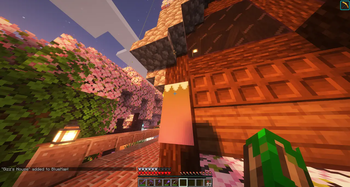
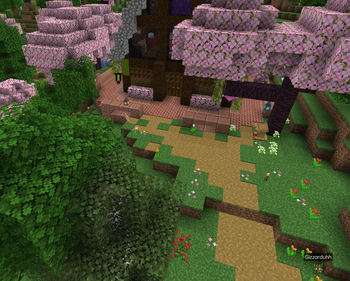
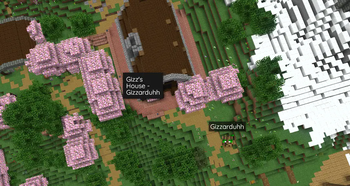
Let your players add banners to your BlueMap! Banners can be added by naming them in an anvil then placing them where youd like the marker to be!
Default Config:
#################################################
# BlueMap Banners configuration                 #
#################################################

# Use %banner% and %players% to replace with respective names
markers:
  label: "%banner%"
  detail: "%banner%\n - %player%"
  hidden: false

# Use %banner% to replace with banner name
messages:
  enabled: true
  +marker: "%banner% added to BlueMap!"
  -marker: "%banner% removed from BlueMap!"
  explode: "The %banner% banner exploded!"
Config will reload along with /bluemap reload
Planned Features (Maybe)
- Banner ownership (cannot break banner unless owner)
- Banner limits per player
- Admin bypass permission for ownership and/or limits
- Customize banner min and max distance visible
- Banner name blacklist
Quick facts
- Edition: Minecraft Java
- File type: .jar
- Minecraft versions listed: 1.21, 1.21.1, 1.21.2
- How to install: Install the matching mod loader (Forge, Fabric or NeoForge) for your Minecraft version. → Download the .jar. → Put it in the .minecraft/mods folder and launch that loader profile.
- Where to get it: Opens on Modrinth — not every file is mirrored on our own servers.
Install steps are the general flow for this file type — How to install Minecraft Java mods & modpacks walks through it step by step.
Verified by MCModsHub
- Ships as BlueMap-Banners-1.0.jar — drop this file into the mods folder
- Download size: 14 KB
- Download link checked 9 Sept 2026 — working
These come from our own check of the pack file, not from the source page.