
ModsJava
Block Display Vanilla Maker
Java mod listed for Minecraft 1.19–26.x. Downloads from the MC Java Mods app on Android.
⬇ Download on ModrinthABOUT


Block Display Vanilla Maker - plugin that allows you to use Block Display, introduced since version 1.19.4, on the server with survival, without command blocks! Supported versions: 1.19.4 - 1.21.5 and higher.
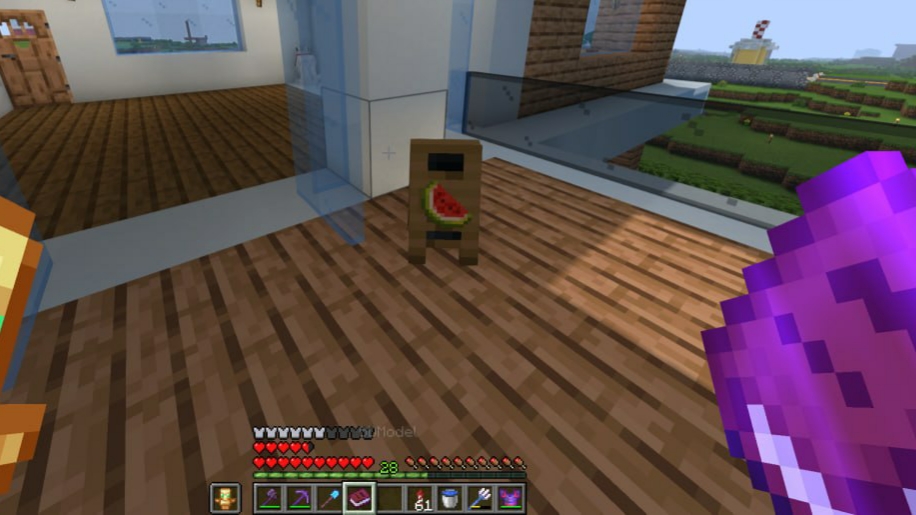
The mechanics of adding Block Display to the world are simple:
- Create a model in BDEngine.
- Copy command
- Insert a command into a book (mod for text insertion: Textbook and its library Fireplace Lib)
- Sign the book under the name “BDModel” (you can disable this check in the plugin config).
- Hold the book in your right hand and command /bdvm create.
Video guide:
Limitation:
- A command longer than 100 pages can crash the client game.
- Move, rotate, resize cannot be changed.
Commands:
- Create BD: /bdvm create
- Delete BD: /bdvm delete [distance]
- Restart the plugin: /bdvm reload
Resolution:
- bdvm.create - to use /bdvm create
- bdvm.remove - to use /bdvm remove
- bdvm.reload - to use /bdvm reload
p.s. Most likely the plugin will not be updated, so it is covered by the MIT license, you can modify it according to your needs.
Quick facts
- Edition: Minecraft Java
- File type: .jar
- Minecraft versions listed: 1.19.4, 1.20, 1.20.1
- How to install: Install the matching mod loader (Forge, Fabric or NeoForge) for your Minecraft version. → Download the .jar. → Put it in the .minecraft/mods folder and launch that loader profile.
- Where to get it: Opens on Modrinth — not every file is mirrored on our own servers.
Install steps are the general flow for this file type — How to install Minecraft Java mods & modpacks walks through it step by step.
File checked by MCModsHub
- Ships as BlockDisplay Vanilla Maker-1.0.0.jar — drop this file into the mods folder
- Download size: 6 KB
- Download link checked 19 Oct 2026 — working
These come from our own check of the pack file, not from the source page.