
FarmXP
Java mod listed for Minecraft 1.21–26.x. Downloads from the MC Java Mods app on Android.
⬇ Download on Modrinth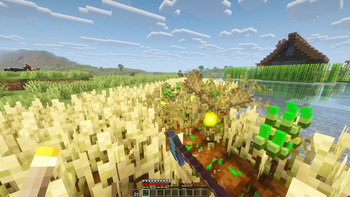
FarmXP is a lightweight Paper plugin that rewards players with experience orbs when they harvest fully grown crops and sugar cane. It makes farming more rewarding while keeping the setup simple and server-friendly.
Server owners can choose exactly which crops should give XP through the config file, adjust the XP reward in-game with /farmxp , and enable or disable the plugin at any time with commands.
FarmXP also supports optional LuckPerms integration. If LuckPerms is installed, only players or groups with the farmxp.use permission will receive farming XP. Without LuckPerms, the plugin works normally for all players.
The plugin is designed to be easy to configure, lightweight, and suitable for survival servers that want farming to feel more useful without adding unnecessary complexity.
Commands:
- /farmxp status - Shows whether FarmXP is enabled, the XP reward, LuckPerms mode, and enabled crops.
- /farmxp crops - Shows the crops currently enabled in the config.
- /farmxp - Sets how much XP is dropped per valid harvest.
- /farmxp enable - Enables FarmXP rewards.
- /farmxp disable - Disables FarmXP rewards.
- /farmxp reload - Reloads the config file.
Permissions:
- farmxp.use - Allows a player to receive farming XP when LuckPerms is installed.
- farmxp.admin - Gives access to every FarmXP command and includes farmxp.use.
- farmxp.command.status - Allows checking FarmXP status and enabled crops.
- farmxp.command.toggle - Allows enabling and disabling FarmXP rewards.
- farmxp.command.reload - Allows reloading the config.
- farmxp.command.setreward - Allows changing the XP reward amount.
- Edition: Minecraft Java
- File type: .jar
- Minecraft versions listed: 1.21.11, 26.1, 26.1.1
- How to install: Install the matching mod loader (Forge, Fabric or NeoForge) for your Minecraft version. → Download the .jar. → Put it in the .minecraft/mods folder and launch that loader profile.
- Where to get it: Opens on Modrinth — not every file is mirrored on our own servers.
Install steps are the general flow for this file type — How to install Minecraft Java mods & modpacks walks through it step by step.
- Ships as farmxp-1.1.jar — drop this file into the mods folder
- Download size: 6 KB
- Download link checked 19 Oct 2026 — working
These come from our own check of the pack file, not from the source page.