
Custom GUI's are a great way to enhance the player experience on your Minecraft server.
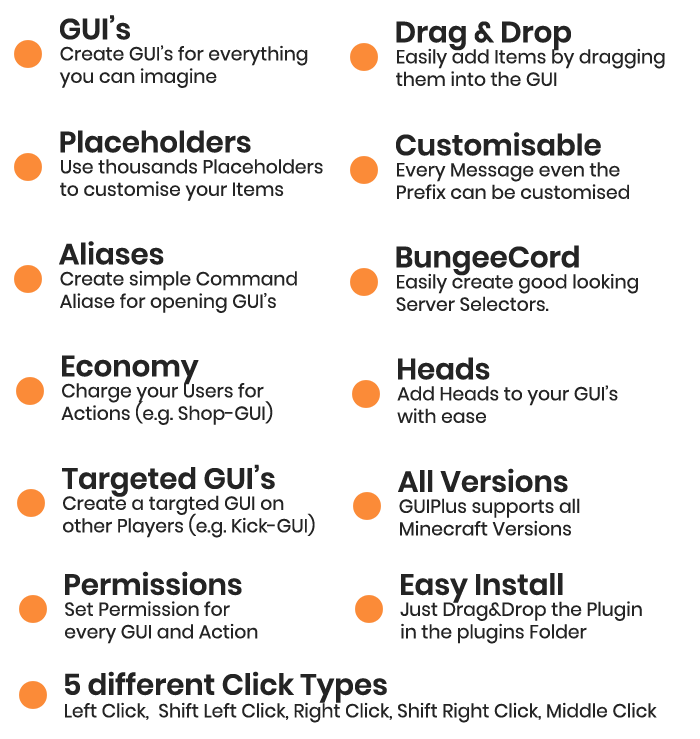
Do you dread the process of creating GUI's for your Minecraft server, spending hours mired in confusing JSON files? GUIPlus has the solution: our In-game GUI Editor. With this powerful tool, you can easily create custom GUI's in just a few minutes, all from within the game. No more frustrating, time-consuming setup - just quick and easy customization.
With support for PlaceholderAPI, Bungeecord, and Custom Command Aliases, you can give your players the ultimate experience.
But don't just take our word for it - give GUIPlus a try and see for yourself how it can transform your server.
 Command - Description - Permission
/gui - Shows the available commands - None
/gui open - Open a specific GUI - gui.open
/gui openfor - Open a GUI for a Player - gui.open.other
/gui create - Create a new GUI - gui.create
/gui delete - Delete a GUI - gui.delete
/gui edit - Edit a GUI - gui.edit
/gui list - Shows the available GUI’s. - gui.list
/gui reload - Reload the Plugin - gui.reload
Command - Description - Permission
/gui - Shows the available commands - None
/gui open - Open a specific GUI - gui.open
/gui openfor - Open a GUI for a Player - gui.open.other
/gui create - Create a new GUI - gui.create
/gui delete - Delete a GUI - gui.delete
/gui edit - Edit a GUI - gui.edit
/gui list - Shows the available GUI’s. - gui.list
/gui reload - Reload the Plugin - gui.reload
- Edition: Minecraft Java
- File type: .jar
- Minecraft versions listed: 1.21, 1.21.1, 1.21.2
- How to install: Install the matching mod loader (Forge, Fabric or NeoForge) for your Minecraft version. → Download the .jar. → Put it in the .minecraft/mods folder and launch that loader profile.
- Where to get it: Opens on Modrinth — not every file is mirrored on our own servers.
Install steps are the general flow for this file type — How to install Minecraft Java mods & modpacks walks through it step by step.
- Ships as Dynamics GUI-1.0.jar — drop this file into the mods folder
- Download size: 471 KB
- Download link checked 9 Sept 2026 — working
These come from our own check of the pack file, not from the source page.