
TFreeze
Plugin add-on for the moderation category with a complete system to Freeze players in moderation. 1.16.5-1.21.x
⬇ Download on Modrinth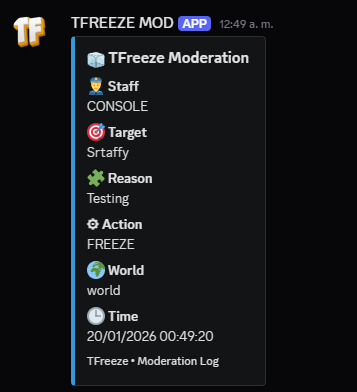
 This plugin is designed to improve the player experience on your Minecraft server by providing a player freezing system. With TFreeze, server staffs can temporarily freeze players, allowing for better management of problematic situations such as players cheating or behaving inappropriately.

Freeze and Unfreeze Players: Staffs can freeze any player with a simple command, preventing them from moving or performing actions in-game.
Unique Effects: This plugin contains a few functions that will make it so that when you freeze players they will not be able to: move, interact with objects or blocks, fight or take damage, and other functions.
Compatible with the Latest Version of Bukkit/Spigot/Paper: TFreeze is optimized to work seamlessly with the latest versions of Bukkit, Spigot, and Paper.

- /tf reload - Reload the plugin configuration.
- /freeze (all)
- /unfreeze (player)
- /freeze gui

- tfreeze.freeze - Allows you to freeze players.
- tfreeze.unfreeze - Allows you to unfreeze players.
- tfreeze.reload - Allows you to reload the plugin settings.
- tfreeze.freeze.all - Allows you to freeze all players.
- tfreeze.unfreeze.all - Allows you to freeze all players.
- tfreeze.bypass - Avoid being frozen
- tfreeze.gui - New menu where you can freeze more easily

Download the TFreeze JAR file. Place the file in your server's plugins folder. Restart the server or use the /reload command. Set permissions and customize messages to suit your needs.

If you have any issues or questions about the plugin, feel free to leave a comment and I'll be happy to answer. Join discord
- Edition: Minecraft Java
- File type: .jar
- Minecraft versions listed: 1.16.5, 1.17, 1.17.1
- How to install: Install the matching mod loader (Forge, Fabric or NeoForge) for your Minecraft version. → Download the .jar. → Put it in the .minecraft/mods folder and launch that loader profile.
- Where to get it: Opens on Modrinth — not every file is mirrored on our own servers.
Install steps are the general flow for this file type — How to install Minecraft Java mods & modpacks walks through it step by step.
- Ships as TFreeze.jar — drop this file into the mods folder
- Download size: 49 KB
- Download link checked 9 Sept 2026 — working
These come from our own check of the pack file, not from the source page.