ModsJava
NoMapartCopying
Java mod listed for Minecraft 1.19. Downloads from the MC Java Mods app on Android.
⬇ Download on Modrinth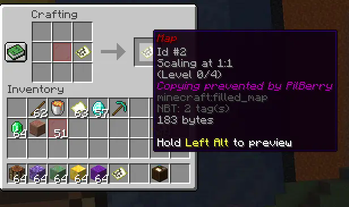
A PaperMC plugin designed to allow a map author to make their maps uncopyable. This was written over several months (large breaks) and is fairly simple overall.
Usage for server owners
- Download the latest jar from the releases page, from a Github workflow if applicable or build from source
- To build from source, download this repository and run
./gradlew.bat build(or just./gradlew buildif not on Windows)
- To build from source, download this repository and run
- Place the resulting .jar in your server's plugins folder.
Config
locker-itemis the item used to prevent copying on maps. Must be an unnamespaced material name. Default isRED_STAINED_GLASS_PANErename-itemwhether or not to rename the new map item to make a red name.close-cartography-attempted-usedue to limitations of 1.19.2, no event for cartography table crafts is available (this remains up until 1.21). This means preventing cartography table crafts is difficult. If enabled, this option will make it so anyone who attempts to place a locked map (regardless of owner) into a cartography table (a second item insertion/it being the second may be necessary) will have the UI closed before it can be crafted (this is not likely to be 100% reliable).
Usage for players
- Create a map
- Create your desired copies. You won't be able to make any more after it is locked.
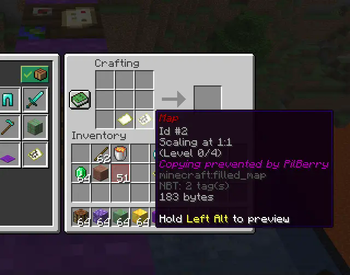
- Combine it with a red stained glass pane in a crafting table

- You may now safely distribute this map. It cannot be copied and this lore will stay. If a player attempts to copy it, no item will be created in the crafting table.

Inspiration
The skyblock.net community, including this post.
Quick facts
- Edition: Minecraft Java
- File type: .jar
- Minecraft versions listed: 1.19, 1.19.1, 1.19.2
- How to install: Install the matching mod loader (Forge, Fabric or NeoForge) for your Minecraft version. → Download the .jar. → Put it in the .minecraft/mods folder and launch that loader profile.
- Where to get it: Opens on Modrinth — not every file is mirrored on our own servers.
Install steps are the general flow for this file type — How to install Minecraft Java mods & modpacks walks through it step by step.
File checked by MCModsHub
- Ships as NoMapartCopying-1.5.0.jar — drop this file into the mods folder
- Download size: 10 KB
- Download link checked 19 Oct 2026 — working
These come from our own check of the pack file, not from the source page.