
ModsJava
EditVillagers Plugin
Java mod listed for Minecraft 1.21. Downloads from the MC Java Mods app on Android.
⬇ Download on Modrinth


EditVillager
A simple and advanced plugin for creating a Trader directly through the graphical menu in the game. With its help, you will forever forget about command blocks and various sites, now creating a trader is very convenient and simple!

Commands
- /ev create - Create a new villager with custom trades
- /ev edit - Open GUI to edit the villager you're looking at
- /ev name - Set a custom name for a nearby villager
- /ev carry - Pick up or place a nearby villager
- /ev profession - Change the profession of the villager you're looking at
Possibilities:
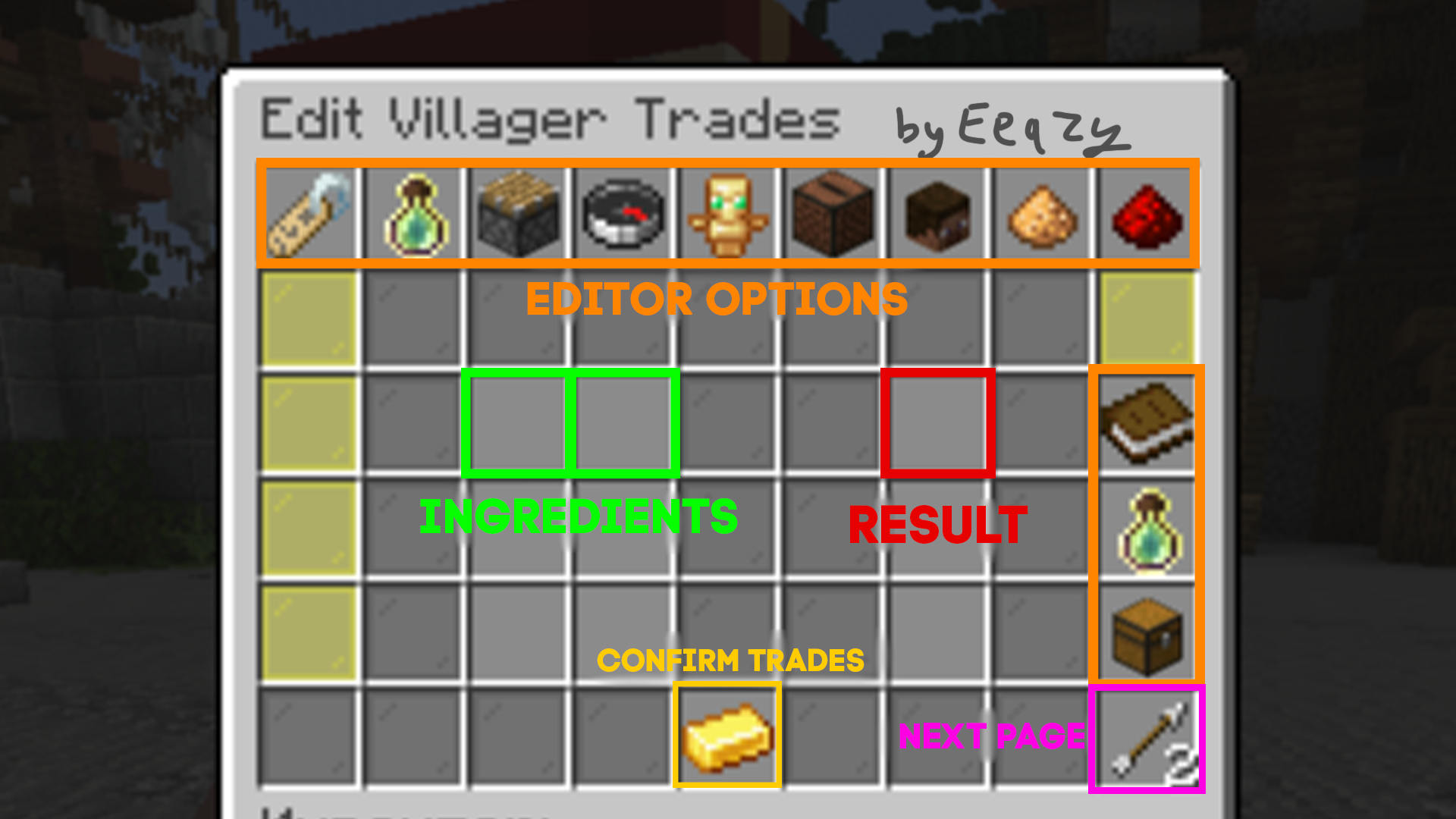
- You can upgrade a villager
- Change profession and name with different colors (&)
- Move the merchant with your gaze
- Select the villager
- Align to the center of the block
- Make him invulnerable
- Mute sounds
- And much more!
Review:
(link youtube)
EditVillagers is not just a tool, but an external assistant in creating a living and dynamic Minecraft world. Add your unique traders today!
Quick facts
- Edition: Minecraft Java
- File type: .jar
- Minecraft version listed: 1.21.5
- How to install: Install the matching mod loader (Forge, Fabric or NeoForge) for your Minecraft version. → Download the .jar. → Put it in the .minecraft/mods folder and launch that loader profile.
- Where to get it: Opens on Modrinth — not every file is mirrored on our own servers.
Install steps are the general flow for this file type — How to install Minecraft Java mods & modpacks walks through it step by step.
File checked by MCModsHub
- Ships as EditVillagers-1.1.jar — drop this file into the mods folder
- Download size: 30 KB
- Download link checked 10 Nov 2026 — working
These come from our own check of the pack file, not from the source page.