
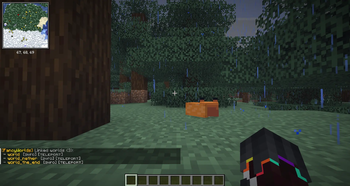

This plugin requires the FancyDialogs plugin to work. So make sure to have both FancyDialogs and FancyWorlds installed.
Features
- Create, clone and delete worlds
- Load and unload worlds
- Use custom world generators
- Change world properties (time, gamerules, ...)
- Many placeholders (PlaceholderAPI)
Planned Features
- Pre generate worlds
- Create world templates
- World portals
- Take snapshots of worlds (Git but for worlds)
- Many placeholders (PlaceholderAPI)
Data collection
This plugin collects anonymous usage data to help us understand how the plugin is being used and to improve it. All collected data by all servers is aggregated, we don't store any IP addresses, server names, or any other information that could be used to identify a specific server or user. Read more about that topic (used platforms, how to opt-out, list of metrics ...) in the documentation.
Quick facts
- Edition: Minecraft Java
- File type: .jar
- Minecraft version listed: 26.2
- How to install: Install the matching mod loader (Forge, Fabric or NeoForge) for your Minecraft version. → Download the .jar. → Put it in the .minecraft/mods folder and launch that loader profile.
- Where to get it: Opens on Modrinth — not every file is mirrored on our own servers.
Install steps are the general flow for this file type — How to install Minecraft Java mods & modpacks walks through it step by step.
Verified by MCModsHub
- Ships as FancyWorlds-0.1.0.jar — drop this file into the mods folder
- Download size: 1.1 MB
- Download link checked 9 Sept 2026 — working
These come from our own check of the pack file, not from the source page.