
AethelGuard
Aethelguard is a secure and highly configurable authentication plugin for Paper servers, featuring captcha, 2FA, account recovery, VPN/proxy checks…
⬇ Download on Modrinth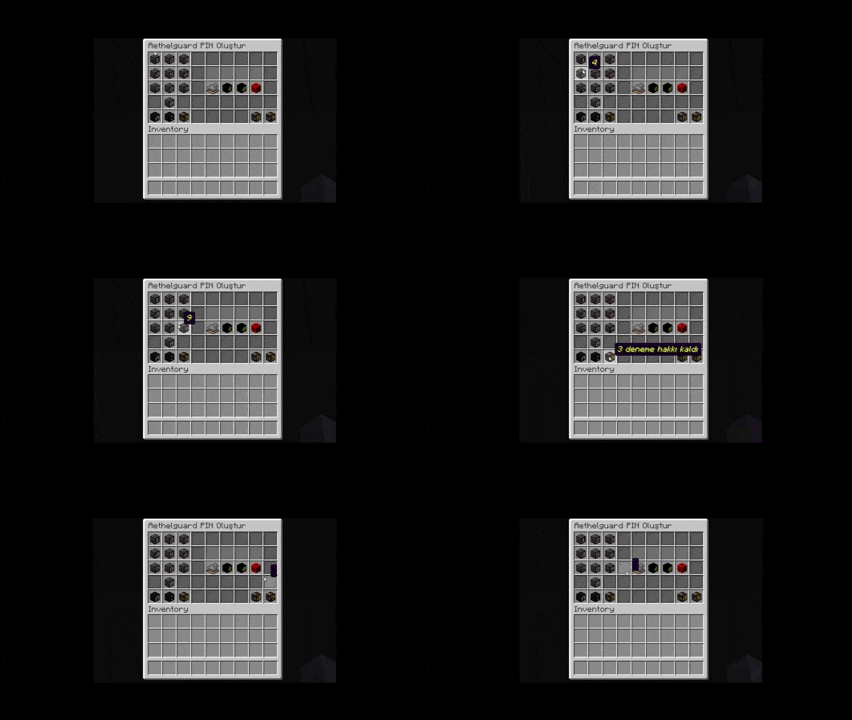
🛡️ AethelGuard



Current version: v0.4.2-sentinel
Hello there! 👋
AethelGuard is a friendly Minecraft account-security plugin for Paper/Purpur servers. It gives server admins a clean in-game authentication system with password login, PIN login, captcha, 2FA, recovery tools, language customization and useful account controls. ✨
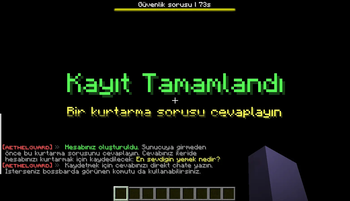
When a player joins, AethelGuard keeps them in a safe authentication flow until they are ready to play. Captcha, password or PIN login, 2FA, security questions and recovery options work together inside the game. During that flow, players can be guided with bossbars, messages, sounds and protected inventory behavior, so the server stays calm and understandable.
✨ Why Server Owners Like It
- 🔐 Strong account protection without confusing players
- 🎮 Clear in-game steps from join to normal gameplay
- 🧭 Bossbar guidance for the current login step
- 💬 Chat protection before authentication is complete
- 🎒 Inventory protection while the player is still logging in
- 🛡️ Extra checks for suspicious joins
- 🌍 Editable English/Turkish messages and custom language files
- ❓ Editable security questions for your own community
- 👑 Helpful admin commands for account and session control
- 😌 Cleaner login experience for survival servers, lobbies and communities
🔐 Login Protection
- 🔑 Password registration and login
- 🔢 4-digit PIN login
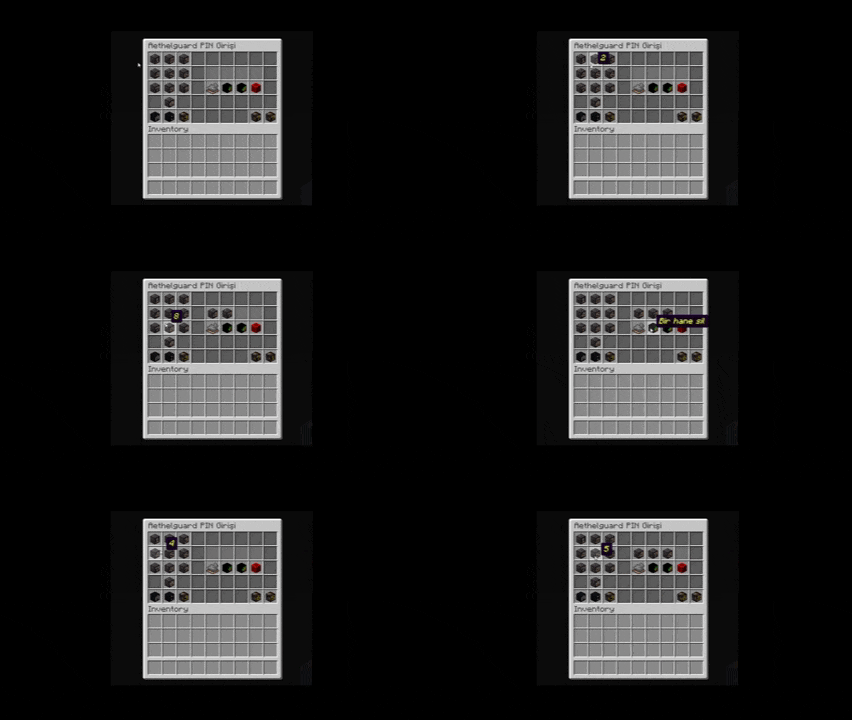
- 🧩 PIN GUI with themed keypad screens
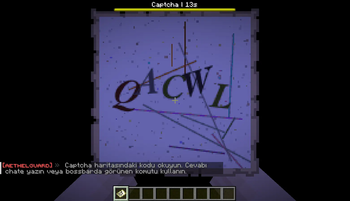
- 🛡️ Captcha options: map, text, number, mixed text and math
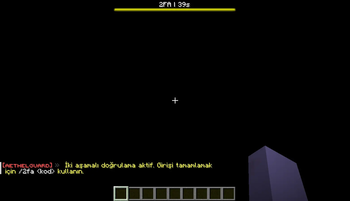
- 📱 2FA support with authenticator apps
- ❓ Security question support after first registration
- 🧾 Backup codes for account recovery
- 🔁 Session auto-login for trusted returning players
- ⏳ Temporary lockouts when too many attempts fail
🌍 Messages And Languages
AethelGuard is made for servers that want their auth messages to match their own style.
- 🇬🇧 English messages
- 🇹🇷 Turkish messages
- ✏️ Editable player messages
- ❓ Editable security questions
- 🧾 Custom wording for login, register, captcha, PIN, 2FA and recovery steps
- 🗣️ Useful for formal servers, friendly communities or fully localized networks
You do not need coding knowledge for this. Server admins can adjust the wording, tone and questions from the plugin's language/message files.
🎮 Player Commands
| Command | What it does |
|---|---|
/register |
Creates a player account with a password. |
/login |
Logs in with a password. |
/captcha |
Completes the captcha step. |
/pin |
Logs in with PIN. |
/setpin |
Creates the player's first PIN. |
/changepin |
Changes the player's PIN. |
/authmode |
Switches between password and PIN login. |
/changepassword |
Changes the player's password. |
/twofactor |
Sets up, confirms, disables or verifies 2FA. |
/securityquestion |
Sets or answers a security question. |
/backupcodes |
Generates backup codes for account recovery. |
/recoverymethod |
Chooses the preferred recovery method. |
/recover |
Recovers an account with a question or backup code. |
👑 Admin Commands
| Command | What it helps with |
|---|---|
/aethelguard reload |
Refreshes messages and settings. |
/aethelguard status |
Checks a player's auth/account state. |
/aethelguard ipinfo |
Shows information connected to a player or IP. |
/aethelguard accounts |
Lists accounts linked to the same player/IP context. |
/aethelguard sessions |
Shows active auth sessions. |
/aethelguard session |
Shows one player's session details. |
/aethelguard clearsession |
Clears one player's session. |
/aethelguard clearsessions |
Clears all sessions. |
/aethelguard pingui preview |
Previews a PIN GUI theme. |
/aethelguard pingui themes |
Lists available PIN GUI themes. |
/aethelguard unregister |
Removes a player's auth record. |
/aethelguard changepassword |
Changes a player's password as admin. |
/aethelguard unlogin |
Sends a player back to auth without kicking them. |
Admin aliases: /ag, /aeg, /ayarlar
🎮 In-Game Auth Flow
Players do not get thrown into the world unprotected. They are kept in a controlled login state until the required steps are finished.
- 🛡️ Captcha appears if the server asks for it
- 🔑 The player logs in with password or PIN
- 📱 2FA is requested if enabled
- ❓ A security question can be answered when needed
- ✅ The player is released safely into the server
During this flow, chat, inventory access and risky actions can stay locked. After success, the player gets a clean return to normal gameplay. 🌿
🧩 PIN GUI Themes
The PIN screen is made to feel simple and familiar for players.
- 💎 Quartz
- 🌲 Forest green
- 🎃 Pumpkin
- ⚒️ Netherite
- 🟢 Monitor green
- 🔴 Monitor red
It includes confirm, backspace, clear and exit buttons, optional hidden digits and a random keypad layout option for extra safety.
🧠 Smart Security
AethelGuard can treat normal and suspicious joins differently.
- ✅ Trusted returning players can have a smoother login
- 🚩 Suspicious joins can receive extra captcha checks
- 🌐 VPN/proxy checks can help catch risky connections
- 👀 Admins can review accounts linked to a player or IP
- 🔒 Players can recover accounts with security questions or backup codes
- 🚪 Admins can send a player back to authentication without kicking them
📌 Good Fit For
- 🏡 Survival servers
- 🚪 Lobby and hub servers
- 🌐 Offline-mode communities
- 🧑🤝🧑 Friend groups and small networks
- 🛡️ Servers that want safer logins without confusing players
- 🌍 Servers that care about clean English/Turkish wording
💬 Short Version
AethelGuard gives server admins a guided, secure and customizable auth experience. Passwords, PIN, captcha, 2FA, recovery tools, editable messages, security questions, bossbars, PIN themes and admin controls come together in one clean in-game flow. ✨
Enjoy and keep your players safe. 🛡️
- Edition: Minecraft Java
- File type: .jar
- Minecraft versions listed: 1.21, 1.21.1, 1.21.2
- How to install: Install the matching mod loader (Forge, Fabric or NeoForge) for your Minecraft version. → Download the .jar. → Put it in the .minecraft/mods folder and launch that loader profile.
- Where to get it: Opens on Modrinth — not every file is mirrored on our own servers.
Install steps are the general flow for this file type — How to install Minecraft Java mods & modpacks walks through it step by step.
- Ships as AethelGuard-0.4.2-sentinel.jar — drop this file into the mods folder
- Download size: 6.9 MB
- Download link checked 24 Aug 2026 — working
These come from our own check of the pack file, not from the source page.