
Randomkits plugin
This is a plugin for servers that wants a randomkit system. If you die you get a randomkit that you made
Check the plugin out on: Play.limitmc.net and then join the randomkits server
Commands
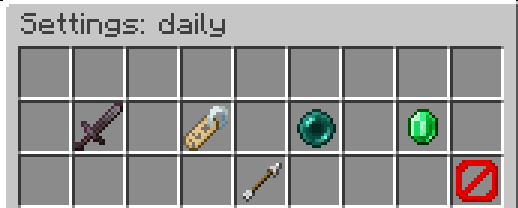
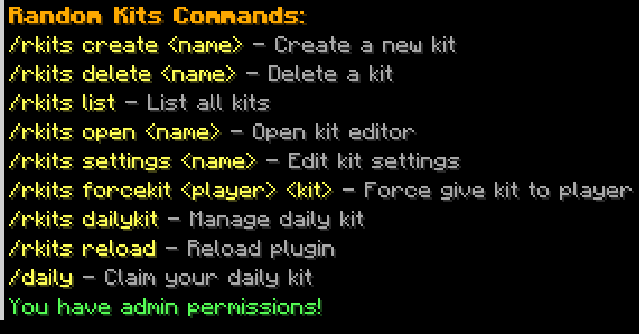
1: First make a inventory/kit that you want to have 2: /rkits create (name) 3: Click on the chest to Copy the inventory 4: Run: /Rkits settings (kit name) Choose what you want like: You need a permission to get this kit (good for paid ranks) Set the chance you get the kit Or set the icon for /Rkits list 5: Now if you die you get a randomkit that you made
You can run /rkits forcekit (player) (kit) to get the kit. If you name a kit daily you can get it with: /rkits dailykit and you can make a skript that It gives you the kit if you run /daily
It supports all the item id the item has so custom textures items supported.
- Edition: Minecraft Java
- File type: .jar
- Minecraft versions listed: 1.21, 1.21.1, 1.21.2
- How to install: Install the matching mod loader (Forge, Fabric or NeoForge) for your Minecraft version. → Download the .jar. → Put it in the .minecraft/mods folder and launch that loader profile.
- Where to get it: Opens on Modrinth — not every file is mirrored on our own servers.
Install steps are the general flow for this file type — How to install Minecraft Java mods & modpacks walks through it step by step.
- Ships as limitmc-rkits-1.0-SNAPSHOT.jar — drop this file into the mods folder
- Download size: 42 KB
- Download link checked 14 Sept 2026 — working
These come from our own check of the pack file, not from the source page.