
Hardcore Item Revive
This project adds the functionality to revive a player on a hardcore server by right clicking a nether star and then choosing the player you want to…
⬇ Download on Modrinth

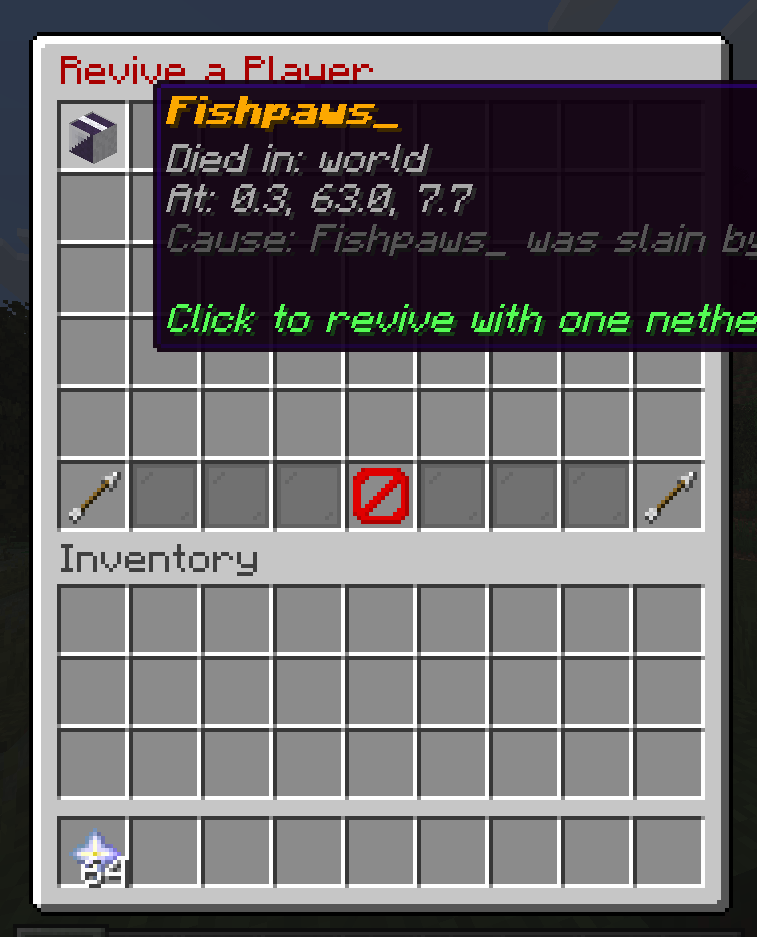
This plugin works with hardcore mode allowing a player to right click (or left click) a nether star, which opens a gui menu allowing them to select a dead player they want to revive. When a player is revived they will spawn back at the world spawn as if they died in normal survival mode. The revival item in this version cannot be changed (future update).
For the plugin to work, you must set hardcore mode to true in server.properties as it is designed for hardcore mode.
- Edition: Minecraft Java
- File type: .jar
- Minecraft versions listed: 1.21, 1.21.1, 1.21.2
- How to install: Install the matching mod loader (Forge, Fabric or NeoForge) for your Minecraft version. → Download the .jar. → Put it in the .minecraft/mods folder and launch that loader profile.
- Where to get it: Opens on Modrinth — not every file is mirrored on our own servers.
Install steps are the general flow for this file type — How to install Minecraft Java mods & modpacks walks through it step by step.
- Ships as HardcoreRevive-1.0.0.jar — drop this file into the mods folder
- Download size: 13 KB
- Download link checked 24 Aug 2026 — working
These come from our own check of the pack file, not from the source page.