
BetterDrillPickaxes
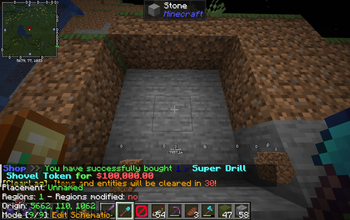
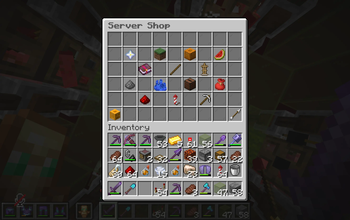
BetterDrillPickaxes! Adds drill pickaxes that are completely customizable, for example a diamond 3x3 drill, a wooden 5x5 drill or something else!
⬇ Download on Modrinth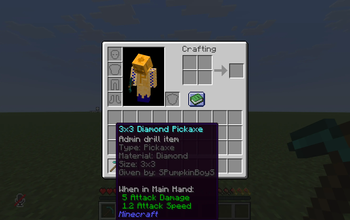
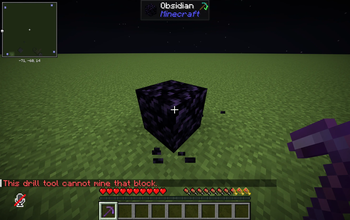
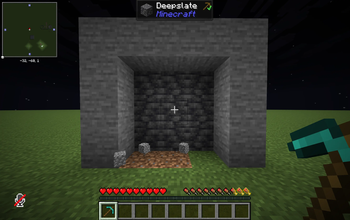
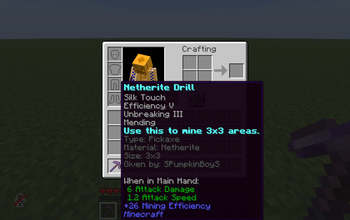
BetterDrillPickaxes
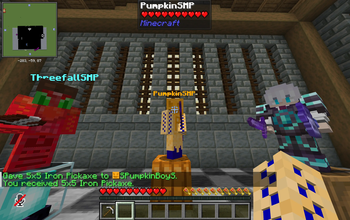
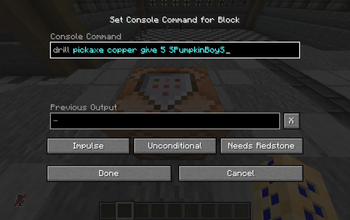
The drill plugin of your dreams! Installing this plugin to your server will give you access to a new command, with this command you can give yourself a drill pickaxe.
The drill pickaxe is a pickaxe that can mine bigger areas than a vanilla minecraft pickaxe, 3x3 or 5x5 areas for example. The plugin supports 2x2-10x10 areas, we will change this in a future update where you can change the limit in the config file.
Commands: OP command: /drill
Pickaxe or shovel: For the second option of the basic command, you choose if you want a pickaxe drill or a shovel drill. The pickaxe drill works on blocks like stone, diamond ore and more, not on dirt. The shovel drill works on blocks like dirt, gravel and more.
Material: For the third option of the /drill command, you choose your material. Here is the material list: wood, stone, copper, gold, iron, diamond, netherite.
Give or remove: For the fourth option, you choose if you want to give a drill to a player or remove a drill from a player. The remove option is pretty complicated, you have to choose the exact options of the drill you want to remove.
Area size: For the fifth option, you choose the size of the area the drill can mine/dig. You can choose between the numbers 2-10. This means that if you choose "5" for example, it will mine a 5x5 area.
Player: This is the sixth option, choose which player you want to give or remove a drill from.
Permissions: betterdrillpickaxe.admin
This permission gives a player access to use all the plugins commands.
More permissions will be added in the future.
- Edition: Minecraft Java
- File type: .jar
- Minecraft versions listed: 1.21, 1.21.1, 1.21.2
- How to install: Install the matching mod loader (Forge, Fabric or NeoForge) for your Minecraft version. → Download the .jar. → Put it in the .minecraft/mods folder and launch that loader profile.
- Where to get it: Opens on Modrinth — not every file is mirrored on our own servers.
Install steps are the general flow for this file type — How to install Minecraft Java mods & modpacks walks through it step by step.
- Ships as betterdrillpickaxe-1.0.0-mc1.21.jar — drop this file into the mods folder
- Download size: 19 KB
- Download link checked 22 Aug 2026 — working
These come from our own check of the pack file, not from the source page.