
AAAntylogout
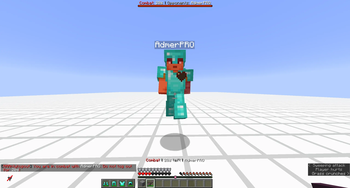
AAAntylogout is a lightweight but fully featured anti-logout plugin for Paper PvP servers. It starts a combat timer when players hit each other, warns them with chat, bossbar and actionbar feedback, blocks common escape methods, and punishes combat logging with death and item drops.
Why use it?
- Clear 20-second combat timer after PvP hits
- Bossbar, actionbar and chat reminders while tagged
- Combat logout punishment with death, item drops and broadcast messages
- Command restrictions with blacklist or whitelist mode
- Blocked items such as ender pearls, chorus fruit, wind charges and rockets
- Teleport, item drop and elytra restrictions during combat
- Optional WorldGuard support for blocked regions
- Built-in local cuboid regions without any dependency
- Battle history for admins with duration, opponents and result
- Configurable death behavior: surviving opponents can stay tagged after a kill
Commands
/aaalo help/aaalo reload/aaalo status <player>/aaalo history <player> [page]/aaalo stats <player>/aaalo end <player>
Aliases: /antylogout, /al, /aaalog, /alo
Permissions
aaantylogout.admin- access to administration commandsaaantylogout.bypass- bypasses combat tagging and restrictionsaaantylogout.bypass.commands- allows blocked commands during combat
Requirements
- Paper 1.21+
- Java 21
- WorldGuard is optional
Configuration
Everything important is configurable in config.yml: combat duration, logout punishment, command mode, blocked items, teleport causes, region behavior, messages, bossbar, actionbar and chat reminders.
WorldGuard is optional. If it is installed, names from regions.blocked are matched against WorldGuard region IDs. Without WorldGuard, define matching cuboids in regions.local-regions.
First release
Version 1.0.0 is the first production release of AAAntylogout.
- Edition: Minecraft Java
- File type: .jar
- Minecraft versions listed: 1.21, 1.21.1, 1.21.2
- How to install: Install the matching mod loader (Forge, Fabric or NeoForge) for your Minecraft version. → Download the .jar. → Put it in the .minecraft/mods folder and launch that loader profile.
- Where to get it: Opens on Modrinth — not every file is mirrored on our own servers.
Install steps are the general flow for this file type — How to install Minecraft Java mods & modpacks walks through it step by step.
- Ships as AAAntylogout-1.0.0.jar — drop this file into the mods folder
- Download size: 53 KB
- Download link checked 24 Aug 2026 — working
These come from our own check of the pack file, not from the source page.