
PromoPlugins
A powerful plugin for managing promo codes on your Minecraft server with advanced systems: daily rewards, leaderboard, auto-promo codes, notifications…
⬇ Download on Modrinth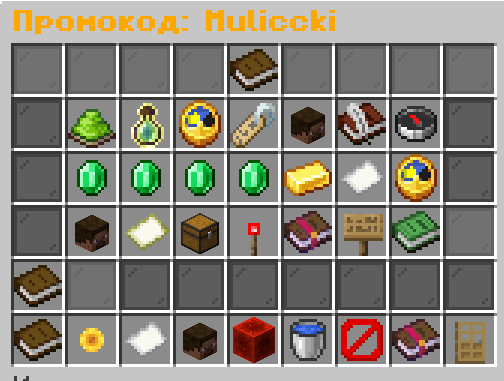
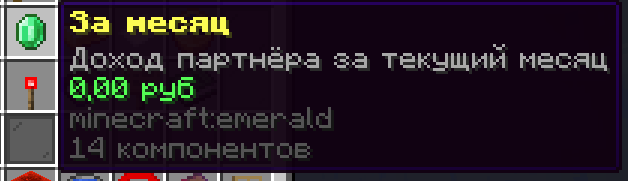
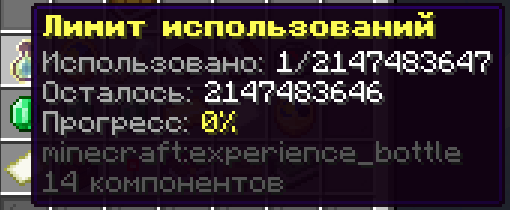
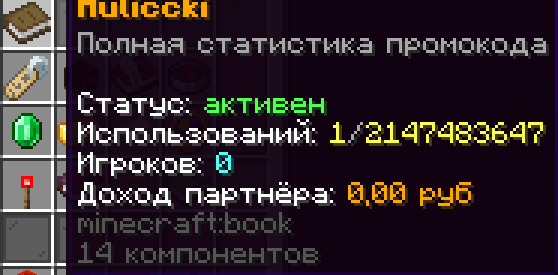
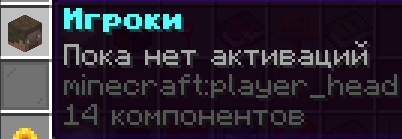
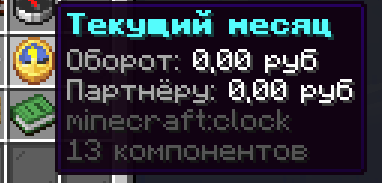
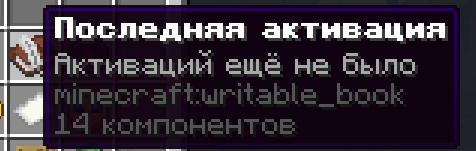

🎫 PromoPlugin
Powerful Promo Code Management System for Minecraft Servers


The ultimate solution for managing promo codes, daily rewards, and player engagement on your Paper/Spigot server!
✨ Features
🎁 Core Promo Code System
- Create unlimited promo codes with custom rewards
- Pre-configured reward templates for quick setup
- SQLite database for persistent data storage
- Usage limits and expiration controls
- Interactive GUI for statistics and management
- Purchase tracking and analytics
- Statistics export functionality
🏆 Advanced Systems (v1.1.0)
| System | Description |
|---|---|
| Daily Rewards | Login rewards with streak bonuses (7 days = diamond, 30 days = emerald) |
| Leaderboard | Track top players by spending and code creation |
| Auto-Promo Codes | Automatic code generation every hour/day |
| Notifications | Discord webhook, Telegram bot, and in-game alerts |
| Promo Shop | Sell ready-made promo code packs with custom rewards |
📋 Requirements
- Server Software: Paper 1.20.4+ or Spigot 1.20.4+
- Java Version: Java 17 or higher
- Dependencies: None required (SQLite built-in)
- Optional: Vault for economy integration
🚀 Installation
Quick Setup
- Download the latest
PromoPlugin.jarfrom Modrinth - Place it in your server's
plugins/folder - Restart your server
- Configure
plugins/PromoPlugin/config.ymlas needed
That's it! The plugin will create all necessary files automatically.
🎮 Commands
For Players
| Command | Description |
|---|---|
/promocod <code> |
Activate a promo code |
/dailyreward |
Claim daily login reward |
/dailyreward stats |
View your reward statistics |
/leaderboard [category] [limit] |
View top players |
For Administrators
| Command | Description |
|---|---|
/createpromocod <name> [template] |
Create a new promo code |
/exitpromocod <name> |
View promo code statistics |
/promopurchase <player> <code> <amount> |
Record a purchase |
/promoreload |
Reload plugin configuration |
/promoexport <name> |
Export statistics |
/promoreset <name> |
Reset promo code stats |
🔧 Permissions
| Permission | Description | Default |
|---|---|---|
promo.promocod.use |
Activate promo codes | ✓ All |
promo.create |
Create promo codes | OP |
promo.dailyreward |
Use daily rewards | ✓ All |
promo.leaderboard |
View leaderboard | ✓ All |
promo.admin |
All admin commands | OP |
⚙️ Configuration
Main configuration file: plugins/PromoPlugin/config.yml
Example: Daily Rewards
daily-rewards:
  enabled: true
  streak-bonuses:
    7: "DIAMOND:1"
    14: "DIAMOND:3"
    30: "EMERALD:1"
Example: Discord Notifications
notifications:
  discord:
    enabled: true
    webhook-url: "YOUR_WEBHOOK_URL"
Example: Auto-Promo Codes
auto-promo-codes:
  enabled: true
  hourly:
    enabled: true
    prefix: "H"
    max-uses: 100
    price: 50.0
🌟 Key Features Explained
🎁 Daily Reward System
Encourage player retention with daily login rewards:
- Track consecutive login streaks
- Bonus rewards at 7, 14, and 30 days
- Fully customizable reward items
- Automatic database tracking
🏆 Leaderboard System
Competitive player tracking:
- Top spenders leaderboard
- Top code creators leaderboard
- Real-time statistics updates
- Customizable display limits
🤖 Auto-Promo Code Generation
Automate your promo code distribution:
- Hourly or daily automatic codes
- Unique code generation
- Customizable rewards per schedule
- Admin notifications on creation
🔔 Multi-Channel Notifications
Stay informed across platforms:
- In-Game: Notify admins of important events
- Discord: Webhook integration for server alerts
- Telegram: Bot notifications for mobile access
🛒 Promo Shop System
Monetize your promo codes:
- Create packaged promo code products
- Set daily purchase limits
- Custom rewards per product
- Automatic inventory management
🗄️ Database
PromoPlugin uses SQLite for all data storage:
Tables Created:
promo_codes- All promo codes and settingstransactions- Purchase recordsdaily_rewards- Player streak trackingplayer_stats- Activity statisticsleaderboard- Ranking datapromo_shop- Shop itemspromo_purchases- Purchase history
Location: plugins/PromoPlugin/promo.db
All tables are created automatically on first launch.
📝 Changelog
v1.1.0 - Latest Release
- ✨ Added daily rewards system
- ✨ Added leaderboard functionality
- ✨ Added auto-promo code generation
- ✨ Added notification system (Discord, Telegram)
- ✨ Added promo shop system
- 🐛 Fixed database connection issues
- 🐛 Improved error handling
v1.0.0
- ✨ Initial release
- ✨ Core promo code system
- ✨ SQLite database support
- ✨ GUI statistics viewer
🐛 Troubleshooting
Common Issues
Problem: "database connection closed" Solution: Plugin auto-recovers connections. Ensure v1.1.0+ is installed.
Problem: Commands not working
Solution: Check permissions and ensure plugin is enabled (/plugins)
Problem: Discord notifications not sending Solution: Verify webhook URL is valid and not expired
Problem: Promo codes not activating Solution: Check code spelling and ensure it exists in database
📞 Support & Resources
- Discord_Ru: Dirscord
📄 License
This project is licensed under the MIT License. See LICENSE for details.
🙏 Credits
- Developer: Muliccki
- PaperMC - For the Paper API
- Community - For testing and feedback
⭐ Star History
If you find this plugin useful, please star the repository and rate it on Modrinth! It helps others discover the plugin.
Made with ❤️ for the Minecraft Community
- Edition: Minecraft Java
- File type: .jar
- Minecraft versions listed: 1.20.1, 1.20.2, 1.20.3
- How to install: Install the matching mod loader (Forge, Fabric or NeoForge) for your Minecraft version. → Download the .jar. → Put it in the .minecraft/mods folder and launch that loader profile.
- Where to get it: Opens on Modrinth — not every file is mirrored on our own servers.
Install steps are the general flow for this file type — How to install Minecraft Java mods & modpacks walks through it step by step.
- Ships as PromoPlugin-1.0.0-SNAPSHOT.jar — drop this file into the mods folder
- Download size: 12.5 MB
- Download link checked 24 Aug 2026 — working
These come from our own check of the pack file, not from the source page.