
Jello's Minigames
A fully customizable minigame plugin with king of the hill, boss events, and destory the core - works with teams or solo players
⬇ Download on Modrinth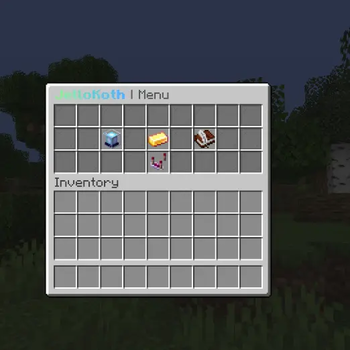
JelloMinigames
Three minigames in one lightweight plugin — set it up in minutes.
JelloMinigames brings King of the Hill, Destroy the Core, and fully custom Boss Events to your server. Everything is edited from clean in-game menus and runs on a schedule you control.
🎮 The minigames
👑 King of the Hill
Stand in the zone to capture it. Hold it long enough and you (or your team) win. Turn on capture decay to keep fights tense when the hill empties out.
💥 Destroy the Core
Race to break a block — whoever lands the final hit takes the prize. You choose the block, how many hits it takes, and an optional time limit.
🐲 Boss Events
Spawn a fully custom boss: pick the mob, health, speed, armor, weapon, and damage, then toggle abilities like poison auras, knockback, lightning, shield-disable, and fire resistance. Whoever deals the most damage wins — and everyone sees a "boss slain" top-damage leaderboard.
✨ Features
- Edit everything in-game — arenas, rewards, and settings through simple GUI menus or commands. No YAML wrestling.
- Flexible rewards — items, money, console commands, and chance-based drops. Reward the winner, the top players, or everyone who joined in.
- Solo or team play — plays nicely with your favorite teams plugin.
- Automatic scheduling — run events manually, on a timer, at set clock times, or as a random rotation.
- Boss bars with coordinates — players always know where to go.
- Leaderboards & stats to show off your best players.
- MiniMessage formatting for gradients and modern text.
🔌 Works with
PlaceholderAPI · Vault / economy plugins · AdvancedTeams · UltimateTeams · BetterTeams · EssentialsX
✅ Requirements
- Paper 1.21+
- Java 21
🚀 Getting started
- Drop the jar into your
pluginsfolder and restart. - Run
/koth gui,/dtc gui, or/boss guito create and edit your events. - Set rewards, pick a schedule, and let it run. That's it!
- Edition: Minecraft Java
- File type: .jar
- Minecraft versions listed: 1.21, 1.21.1, 1.21.2
- How to install: Install the matching mod loader (Forge, Fabric or NeoForge) for your Minecraft version. → Download the .jar. → Put it in the .minecraft/mods folder and launch that loader profile.
- Where to get it: Opens on Modrinth — not every file is mirrored on our own servers.
Install steps are the general flow for this file type — How to install Minecraft Java mods & modpacks walks through it step by step.
- Ships as jello-minigames-10.0.3 (1).jar — drop this file into the mods folder
- Download size: 201 KB
- Download link checked 24 Aug 2026 — working
These come from our own check of the pack file, not from the source page.