
ModsJava
xOptimize
Java mod listed for Minecraft 1.21–26.x. Downloads from the MC Java Mods app on Android.
⬇ Download on Modrinth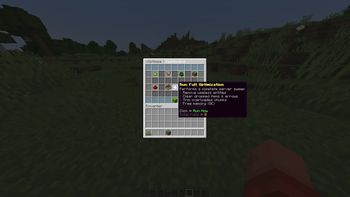
xOptimize (It is still under development!)
xOptimize is a powerful, lightweight, and modern Minecraft server plugin designed to eliminate lag, optimize server performance, and maintain a stable 20 TPS. Whether you are running a small SMP, a crowded Lifesteal server, or a massive BoxPvP network, xOptimize ensures your hardware runs efficiently without compromising gameplay quality.
Features
- Smart Entity Management: Automatically limits, merges, or clears excessive entities and ground items to prevent TPS drops.
- Chunk & World Optimization: Safely unloads inactive chunks and manages world ticking to keep memory usage low.
- Lag Spike Protection: Detects sudden lag spikes and dynamically adjusts server settings in real-time to prevent crashes.
- Lightweight & Efficient: Built from the ground up with optimized code logic, ensuring zero overhead on your CPU.
- Fully Configurable: Easily customize thresholds, intervals, and bypass lists via a clean configuration file.
Commands
/xopti reload— Reloads the plugin configuration. (Permission:xoptimize.admin)/xopti clear— Manually clears ground items and lag-inducing entities. (Permission:xoptimize.admin)/xopti status— Displays current server performance, TPS, and memory usage. (Permission:xoptimize.admin)
Installation
- Download the latest
.jarfile from the versions tab. - Drop it into your server's
plugins/directory. - Restart or start your server.
- Configure
config.ymlto fit your server's specific needs, and you are good to go!
Quick facts
- Edition: Minecraft Java
- File type: .jar
- Minecraft versions listed: 1.21, 1.21.1, 1.21.2
- How to install: Install the matching mod loader (Forge, Fabric or NeoForge) for your Minecraft version. → Download the .jar. → Put it in the .minecraft/mods folder and launch that loader profile.
- Where to get it: Opens on Modrinth — not every file is mirrored on our own servers.
Install steps are the general flow for this file type — How to install Minecraft Java mods & modpacks walks through it step by step.
File checked by MCModsHub
- Ships as xOptimize-1.0.0.jar — drop this file into the mods folder
- Download size: 60 KB
- Download link checked 25 Oct 2026 — working
These come from our own check of the pack file, not from the source page.