
xHitSound
A lightweight Minecraft Paper/Spigot 1.20+ plugin that allows players to choose custom sound effects when they hit other entities. Fully configurable and permission-based.
Features
- 15 Hit Sounds across 5 categories (PvP Classics, High-Tech & Anime, Retro Arcade, Heavy Bass & Impact, Funny Memes)
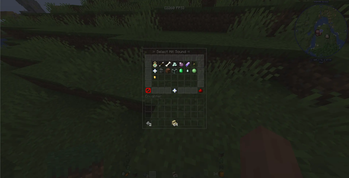
- 54-Slot GUI with border frame, status indicator, mute button, and close button
- Permission-Based Access — grant individual sounds or use
xhitsound.use.* - 100% Translatable — every message, item name, and lore is in
config.yml - Reload Command —
/hitsound reloadto apply config changes without restarting
Commands
| Command | Permission | Description |
|---|---|---|
/hitsound |
xhitsound.use |
Opens the hit sound selection GUI |
/hs |
xhitsound.use |
Alias for /hitsound |
/hitsound reload |
xhitsound.reload |
Reloads config.yml |
Permissions
| Permission | Default | Description |
|---|---|---|
xhitsound.use |
true |
Allows using /hitsound command |
xhitsound.reload |
op |
Allows reloading the config |
xhitsound.use.* |
op |
Grants all hit sounds |
xhitsound.use.orb |
op |
Classic Experience Orb |
xhitsound.use.ding |
op |
Competitive Ding |
xhitsound.use.crit |
op |
Bone Fracture (Crit) |
xhitsound.use.laser |
op |
Laser Beam |
xhitsound.use.teleport |
op |
Ender Zap |
xhitsound.use.magic |
op |
Amethyst Spark |
xhitsound.use.click |
op |
Retro Arcade Click |
xhitsound.use.level |
op |
Arcade Level Up |
xhitsound.use.anvil |
op |
Heavy Anvil Drop |
xhitsound.use.bass |
op |
Subwoofer Bass |
xhitsound.use.glass |
op |
Glass Shatter |
xhitsound.use.villager |
op |
Angry Villager |
xhitsound.use.ghast |
op |
Screaming Ghast |
xhitsound.use.slime |
op |
Squishy Slime |
xhitsound.use.plink |
op |
Plink Note |
Granting all sounds to everyone
# Using LuckPerms:
/lp group default permission set xhitsound.use.* true
Configuration
Edit any text field in config.yml to customize messages, item names, lores, and sounds. Run /hitsound reload after editing.
Installation
- Place the
xHitSound-1.0.0.jarin your server'splugins/folder - Restart your server
- Edit
plugins/xHitSound/config.ymlto customize - Run
/hitsound reload
Requirements
- Server: Paper 1.20.4+ (Spigot also supported)
- Java: 17 or higher
License
MIT License
Author
EMIRLQQ1
Quick facts
- Edition: Minecraft Java
- File type: .jar
- Minecraft versions listed: 1.2.1, 1.2.2, 1.2.3
- How to install: Install the matching mod loader (Forge, Fabric or NeoForge) for your Minecraft version. → Download the .jar. → Put it in the .minecraft/mods folder and launch that loader profile.
- Where to get it: Opens on Modrinth — not every file is mirrored on our own servers.
Install steps are the general flow for this file type — How to install Minecraft Java mods & modpacks walks through it step by step.
Verified by MCModsHub
- Ships as xHitSound-1.0.0.jar — drop this file into the mods folder
- Download size: 16 KB
- Download link checked 24 Aug 2026 — working
These come from our own check of the pack file, not from the source page.