
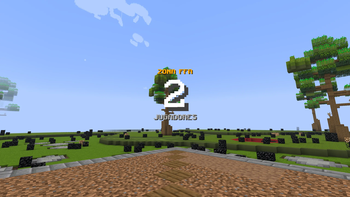
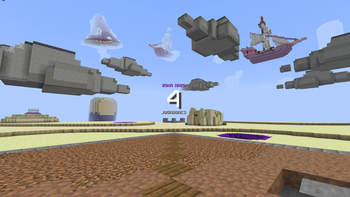
🗺️ WGPlayerCount
Exposes PlaceholderAPI placeholders to count players inside WorldGuard regions in real time.
📦 Requirements
🏷️ Placeholders
👤 Single region
Returns the number of players inside the specified region.
%wgplayercount_<region>%
%wgplayercount_spawn%
👥 Multiple combined regions
Returns the total number of unique players across all regions. If a player is in two regions at once, they are only counted once.
%wgplayercount_<region1>+<region2>+...%
%wgplayercount_spawn+arena+lobby%
💡 Region IDs are case-insensitive.
⚡ How it works
The plugin scans the position of all online players every second and stores the result in a cache. Placeholder calls simply read from that cache, without any extra computation.
Quick facts
- Edition: Minecraft Java
- File type: .jar
- Minecraft versions listed: 1.21, 1.21.1, 1.21.2
- How to install: Install the matching mod loader (Forge, Fabric or NeoForge) for your Minecraft version. → Download the .jar. → Put it in the .minecraft/mods folder and launch that loader profile.
- Where to get it: Opens on Modrinth — not every file is mirrored on our own servers.
Install steps are the general flow for this file type — How to install Minecraft Java mods & modpacks walks through it step by step.
Verified by MCModsHub
- Ships as WGPlayerCount-1.0-SNAPSHOT.jar — drop this file into the mods folder
- Download size: 4 KB
- Download link checked 14 Sept 2026 — working
These come from our own check of the pack file, not from the source page.