
SoulChest
Java mod listed for Minecraft 1.21–26.x. Downloads from the MC Java Mods app on Android.
Modern Paper plugin for creating protected death chests with GUI management, teleportation, XP storage, holograms, and inventory recovery, built for…
⬇ Download on Modrinth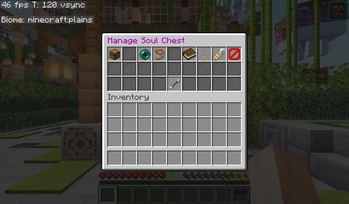
⚰ SoulChest
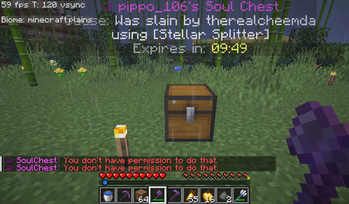
SoulChest is a modern, high-performance death chest plugin for Paper servers. It automatically stores a player's inventory, armor, off-hand items, and XP inside protected death chests, ensuring items are never lost after death. Built with asynchronous data handling and a powerful management GUI, SoulChest provides a reliable and lag-free death recovery experience.
⚙️ How It Works
- When a player dies, a protected soul chest is created automatically
- The chest stores inventory contents, armor, off-hand items, and XP
- Use
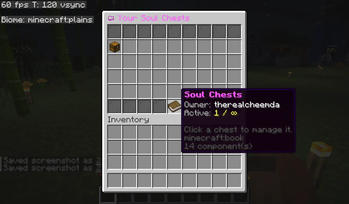
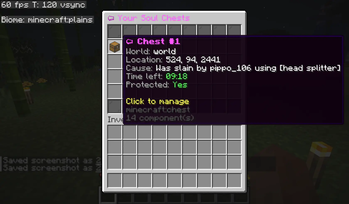
/sc cheststo open a GUI and manage all active soul chests - Players can teleport to, fetch, unlock, preview, or delete their chests
- Holograms display chest information, death cause, and expiration time
- Safe location detection prevents chests from spawning in void or lava
- Permissions control chest limits and available features
- Fully asynchronous database operations ensure zero TPS impact
📋 Commands
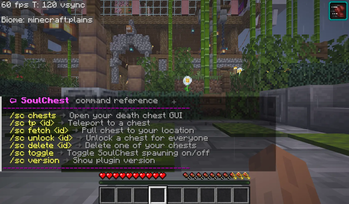
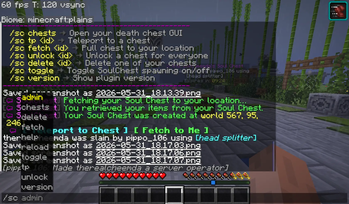
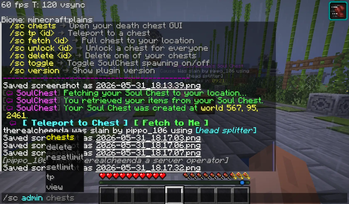
/sc chests→ Open your soul chest GUI/sc chests <player>→ View another player's chests (admin)/sc tp <id>→ Teleport to a soul chest/sc fetch <id>→ Move a soul chest to your location/sc unlock <id>→ Unlock a soul chest/sc delete <id>→ Delete a soul chest/sc toggle→ Enable or disable soul chest spawning/sc version→ Show plugin version/sc reload→ Reload configuration/sc admin delete <player> <id>→ Delete a player's chest/sc admin tp <player> <id>→ Teleport to a player's chest/sc admin view <player> <id>→ Preview chest contents/sc admin setlimit <player> <n>→ Set a player's chest limit/sc admin resetlimit <player>→ Reset a player's chest limit
- Edition: Minecraft Java
- File type: .jar
- Minecraft versions listed: 1.21, 1.21.1, 1.21.2
- How to install: Install the matching mod loader (Forge, Fabric or NeoForge) for your Minecraft version. → Download the .jar. → Put it in the .minecraft/mods folder and launch that loader profile.
- Where to get it: Opens on Modrinth — not every file is mirrored on our own servers.
Install steps are the general flow for this file type — How to install Minecraft Java mods & modpacks walks through it step by step.
- Ships as SoulChest-1.0.0.jar — drop this file into the mods folder
- Download size: 13.0 MB
- Download link checked 25 Oct 2026 — working
These come from our own check of the pack file, not from the source page.