
ModsJava
ZombieDefense
Java mod listed for Minecraft 1.20–26.x. Downloads from the MC Java Mods app on Android.
⬇ Download on Modrinth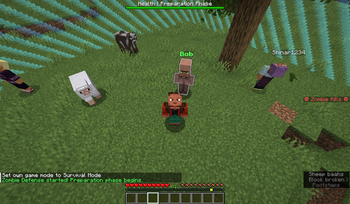
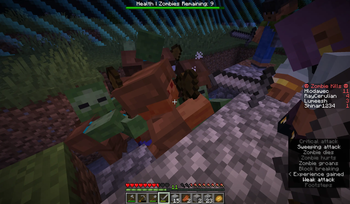
ZombieDefense 🧟
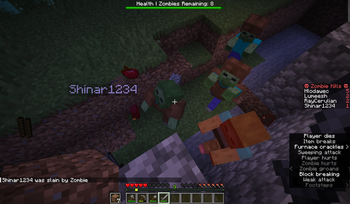
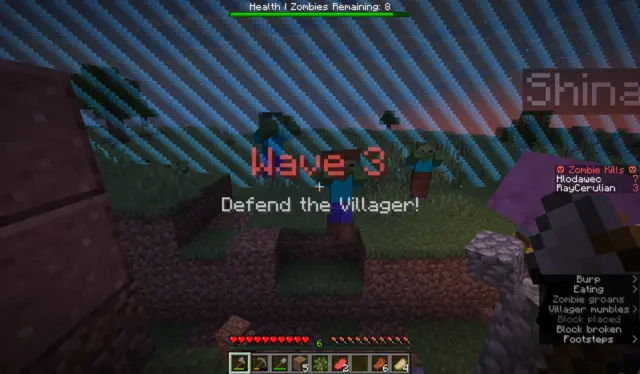
Wave-based coop zombie survival plugin to play with friends!
Features
- Zombie AI: Special zombies that can mine through walls, climb over them or blow them up.
- Zombie Types: Sprinters, Tanks, Jumpers, Miners, Exploders, and Bosses!
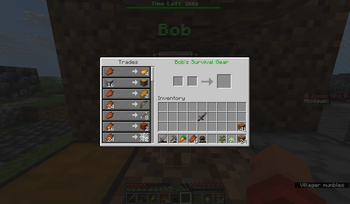
- Villager Economy: Protect the Villager and unlock new trades to help you defend.
- Border: Work with limited resources within expanding world border.
- Anomalies: Destroy Anomalies that spawn deep underground or your team will suffer a debuff! (optional)
- Fully Configurable: Adjust wave times, zombie counts, and toggle block damage via the
config.yml.
How to Play
- Find any place on the surface (preferably flat and near a tree)
- Run
/zd startto spawn the Villager. - Build defenses, gather resources, and trade with the Villagers.
Commands
/zd start- Starts the game./zd stop- Stops the game and cleans up the world./zd nextWave- Skips the daytime.
Recommendations
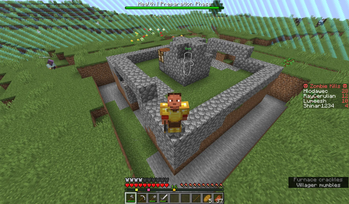
- Build walls or dig trenches to stop the zombies.
- The villager should be reachable. At least through walls.
- Disable natural spawn of monsters.
- Disable structures.
- Zombies can get stuck in lakes or caves. Choose large flat terrain if possible
- Try this seed: 7332761192578771093
Warning
- This plugin modifies world border and can delete items or blocks. Use of a dedicated world is reccomended.
- Plugin was mainly tested on version 1.21.11 and Paper Platform
Quick facts
- Edition: Minecraft Java
- File type: .jar
- Minecraft versions listed: 1.20.5, 1.20.6, 1.21
- How to install: Install the matching mod loader (Forge, Fabric or NeoForge) for your Minecraft version. → Download the .jar. → Put it in the .minecraft/mods folder and launch that loader profile.
- Where to get it: Opens on Modrinth — not every file is mirrored on our own servers.
Install steps are the general flow for this file type — How to install Minecraft Java mods & modpacks walks through it step by step.
File checked by MCModsHub
- Ships as zombiedefense-1.4.jar — drop this file into the mods folder
- Download size: 75 KB
- Download link checked 23 Oct 2026 — working
These come from our own check of the pack file, not from the source page.