
asLiteTeam
Java mod listed for Minecraft 1.21–26.x. Downloads from the MC Java Mods app on Android.
⬇ Download on Modrinth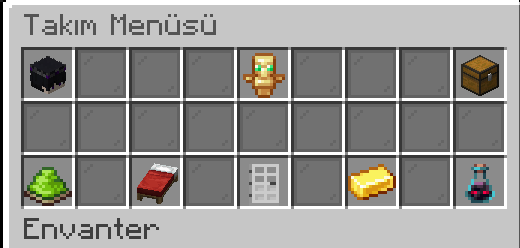
asLiteTeam
asLiteTeam is a performance-oriented, modern team management plugin specially designed for Minecraft servers. It allows players on your server to come together, establish their own communities, manage them, and compete in the most optimized way possible.
Commands
- /team create - Create a new team
- /team invite - Invite a player to your team
- /team accept - Accept a team invitation
- /team deny - Reject a team invitation
- /team delete - Delete your team
- /team settings - Open the team settings menu
- /team tp - Open the team teleport menu
Yönetici Komutları (OP & asteam.admin)
- /asteam reload - Reload the plugin configuration
- /asteam openvault - Open a specific team's vault
- /asteam delete - Force delete a team
- /asteam spy - Toggle spying on team chats
PlaceholderAPI
%asliteteam_team% - Returns the player's team name
%asliteteam_tag% - Returns the player's team tag
%asliteteam_kills% - Returns the total kills of the player's team
%asliteteam_deaths% - Returns the total deaths of the player's team
%asliteteam_rank% - Returns the team's rank on the kill leaderboard
%asliteteam_members% - Returns the total number of members in the team
%asliteteam_leader% - Returns the name of the team leader
%asliteteam_top_name_% - Returns the name of the team at the specified leaderboard rank
%asliteteam_top_kills_% - Returns the kill count of the team at the specified leaderboard rank
%asliteteam_top_tag_% - Returns the tag of the team at the specified leaderboard rank
Requirements
- Java 21 or higher
- Vault (For economy and permission integration)
- PlaceholderAPI
Installation
Download the plugin's .jar file and drop it into your server's plugins folder. Start or restart your server. Customize your settings in the plugins/asLiteTeam/config.yml file. Apply the changes by running the /asteam reload command.
Metrikler
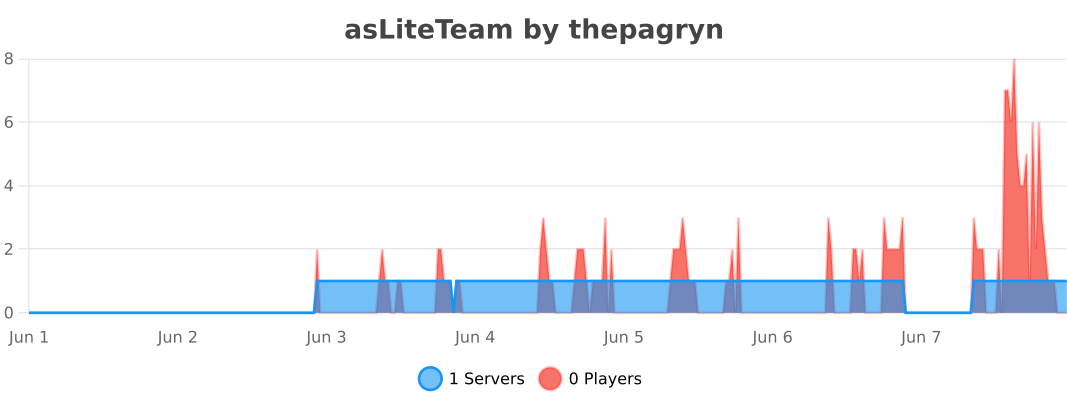
This plugin collects completely anonymous usage statistics through the bStats service without affecting server performance. The collected data includes: player count, online/offline mode, Java version, and operating system type. This data helps us optimize future updates of the plugin and analyze which features are used more actively.
Statistics
- Edition: Minecraft Java
- File type: .jar
- Minecraft versions listed: 1.21.4, 1.21.5, 1.21.6
- How to install: Install the matching mod loader (Forge, Fabric or NeoForge) for your Minecraft version. → Download the .jar. → Put it in the .minecraft/mods folder and launch that loader profile.
- Where to get it: Opens on Modrinth — not every file is mirrored on our own servers.
Install steps are the general flow for this file type — How to install Minecraft Java mods & modpacks walks through it step by step.
- Ships as asLiteTeam-1.0.1.jar — drop this file into the mods folder
- Download size: 17.4 MB
- Download link checked 4 Oct 2026 — working
These come from our own check of the pack file, not from the source page.